
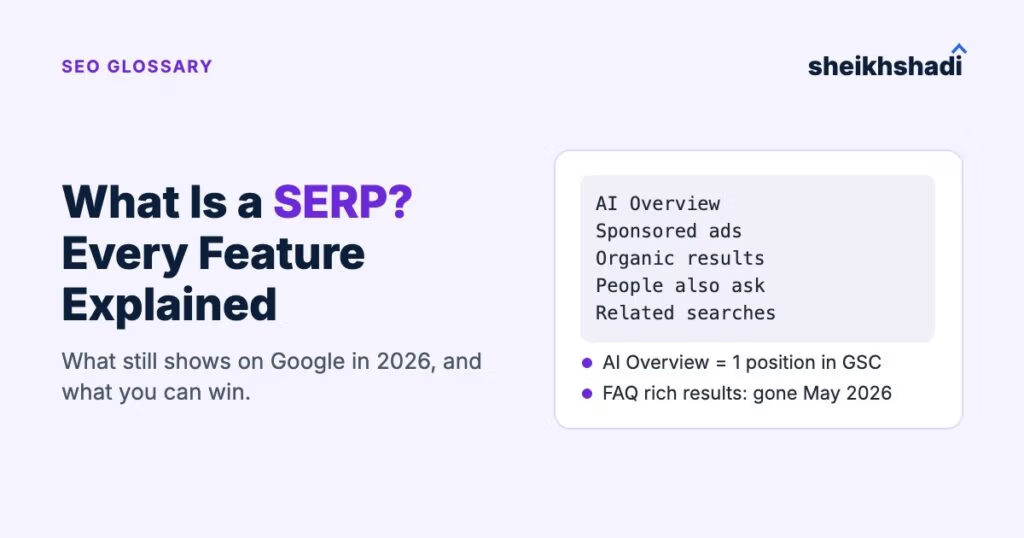
A SERP (search engine results page) is the page a search engine shows after you type a query: paid ads, organic results and features such as AI Overviews, People also ask and local packs. That page changed a lot in 2026. Google stopped showing FAQ rich results in May 2026, says AI Overviews and AI Mode need no special markup and counts an entire AI Overview as one position in Search Console.
So “winning” a SERP feature now means two things: knowing which features still exist and are open to your page and measuring them in Search Console instead of guessing.
What does SERP mean?
SERP stands for search engine results page. In simple words, it is everything Google, Bing or another engine shows you between hitting Enter and clicking a result. SEO people say “the SERP” for one query (“the SERP for crm software”) and “SERPs” for results pages in general.
Outside marketing, the same letters mean something else. In US finance, SERP is a Supplemental Executive Retirement Plan, a deferred pay plan for senior staff. In the UK, SERPS was the State Earnings Related Pension Scheme. In US search results, “what is a SERP” mostly returns pages about retirement plans.
How does a SERP work?
Google crawls pages, stores the ones it can index and when someone searches, it picks the results and the layout for that query. Google’s own guide to how Search works says the search features on the results page change with the query. A recipe search can get recipe cards, a “near me” search can get a map and a “how to” question may get a video or an AI Overview.
The page also changes by searcher. Language, location and device all shape what appears. Two people searching the same keyword in New York and London can see different features and a different order, which is why one rank number per keyword hides a lot.
What is on a Google SERP?
Google’s visual elements gallery splits the page into five result types: text results, rich results, image results, video results and exploration features. Ads sit on top of those as labelled “Sponsored” results.
| Part of the page | What it is | Who controls it |
|---|---|---|
| Sponsored results | Google Ads listings marked “Sponsored”, bought through keyword bidding | Advertisers |
| Text result | The classic listing: favicon, site name, visible URL, title link, snippet, sometimes a byline date and an image | Your page content and metadata; Google can rewrite titles and snippets |
| Sitelinks | Two or more extra links from the same site grouped under one result | Google decides; clear site structure helps |
| Rich result | A result with extra details such as review stars, prices or event dates, usually from structured data | Your structured data, if Google still supports that type |
| Image and video results | Results built from images or videos embedded on a page, more likely for image or video queries | Your media, file names, alt text and the page around it |
| Exploration features | People also ask and related searches, which help searchers refine the query | Google generates them |
| AI Overview | A generated answer at the top with links to supporting pages | Google generates it from indexed pages |
One detail worth knowing: Google’s changelog notes that breadcrumbs in the visible URL “only appear on desktop search results, not mobile” (January 2025 update). Check your listings on both devices before you judge how they look.
What are SERP features in SEO?
A SERP feature is any result that is not a plain organic listing or an ad. Here is the current list for Google, what each one needs and what you can do about it.
| Feature | Usually shows for | How to win it |
|---|---|---|
| AI Overview | Questions and complex topics | Be indexed and eligible for a snippet; answer the question plainly near the top of the page. No special markup exists. |
| AI Mode | Questions that need exploration, reasoning or comparisons | Same requirements as AI Overviews; it can run several related searches across subtopics, so cover the follow-up questions too. |
| Featured snippet | Direct questions, definitions, steps, comparisons | Put a short, direct answer, list or table right under a heading that matches the question. You can’t mark a page up to get one. |
| People also ask | Most informational queries | Use the questions as H2s and answer each in the first sentence. Each expanded answer links to the page Google took it from. |
| Local pack | Local and “near me” intent | Complete and verify your Google Business Profile. Google ranks local results on relevance, distance and prominence and prominence includes links and reviews. |
| Knowledge panel | Brands, people, places, companies | Make your entity consistent: same name, logo and profiles everywhere, Organization markup on your site. |
| Image and video results | Visual and “how to” queries | Original images with descriptive alt text; videos embedded on an indexable page with a title and description. |
| Sitelinks | Brand and navigational searches | Clear navigation and internal links to your key pages. Google shows them only when it thinks they help. |
| Rich results (reviews, products, recipes, events and similar) | Queries where those details matter | Add the structured data type Google still supports, keep it matching the visible content, test it in the Rich Results Test. |
| Top stories and news | Fresh news queries | Publish timely news content; this is rarely a target for a SaaS blog. |
| Discussions and forums | Opinion and “best” queries | Results come from forum and community pages; if you don’t run a community, useful answers in relevant ones are the route in. |
| Related searches | Bottom of most pages | Not a placement; use it as a free list of subtopics to cover. |
| Shopping results | Product queries | A Merchant Center product feed or product structured data. |
For a SaaS or B2B site, the features that move pipeline are usually the AI Overview, the featured snippet, People also ask and your own sitelinks and knowledge panel on brand searches. My SaaS SEO guide covers how those fit into a full plan.
What is SERP in Google Ads?
In Google Ads, the SERP is the same results page, seen from the advertiser’s side. Ads appear in labelled “Sponsored” slots and on most Search campaigns the advertiser pays per click. Google Ads Help explains that ad position comes from Ad Rank, which weighs the bid together with ad and landing page quality, so a lower bid can still win a higher slot. Buying ads doesn’t buy organic positions; those come from Google’s ranking systems.
Is SEO still relevant in 2026 now that AI answers sit on the SERP?
Yes, because Google’s AI features are built on the same index. Google’s AI features documentation says a page must be “indexed and eligible to be shown in Google Search with a snippet” to appear as a supporting link in AI Overviews or AI Mode. A page that isn’t indexed, or is blocked from showing a snippet, can’t be a supporting link.
What changed is where the answer sits. An AI Overview can answer the question on the results page itself, so in my view a link inside the Overview is now the spot worth chasing for informational keywords. Getting there runs through the same work as ranking: indexable pages, clear answers and the trust signals Google already uses, including links from relevant sites. I cover the brand side of this in turning unlinked brand mentions into links.
What changed on the SERP in 2026
Three changes matter more than any list of features.
Retired rich results: what Google stopped showing
Google’s own Search documentation changelog lists the retirements with dates. Advice to add FAQ schema to get into People also ask is now out of date.
| Feature | What happened | When |
|---|---|---|
| HowTo rich result | “no longer shown in search results, on both desktop and mobile devices” | Documentation removed 14 September 2023 |
| FAQ rich result | Limited to “well-known, authoritative government and health websites” in 2023, then retired for all sites | Restricted September 2023; stopped showing from 7 May 2026; documentation removed June 2026 |
| Sitelinks search box | Removed globally; normal sitelinks stay | From 21 November 2024 |
| Course info, estimated salary, learning video, special announcement, vehicle listing | “no longer shown in Google Search results” | Documentation removed 9 September 2025 |
| Practice problem and dataset results | Phased out of Search results | Announced 5 November 2025; practice problem documentation removed January 2026 |
What to do: stop planning content around FAQ or HowTo rich results and stop judging a page by whether it “has FAQ schema”. Keep the questions on the page if readers need them, because People also ask and AI answers can still use well-written answers. Google’s sitelinks search box notice said leftover, unsupported structured data won’t cause problems in Search or errors in Search Console, so it is not an emergency; it is just not earning anything.
You can measure SERP features in Search Console
Google publishes the counting rules in its Search Console Performance report help. They change how you should read your data:
- AI Overview: “An AI Overview occupies a single position in search results, and all links in the AI Overview are assigned that same position.” Clicking a link to an external page in it counts as a click.
- Featured snippet: standard impression and position rules apply; a click on the snippet’s link is a click.
- People also ask: opening a question is not a click. When it is expanded, an impression is counted for the links inside.
- Carousels: an item only gets an impression once it is scrolled into view. The carousel takes one position, but only if the type of item inside it can hold a search position.
- AI Mode: Google’s changelog says AI Mode data has counted toward the Performance report totals since June 2025 and the AI features page says AI feature traffic sits in the “Web” search type.
What to do: when a page shows position 1 to 2 with a low click rate, check the live SERP for that query before you rewrite anything. If an AI Overview is citing you, that position is the Overview’s slot and the low click rate may come from the answer being on the page, not from a weak title. Google’s AI features page doesn’t describe a separate AI Overview filter, so pair the Performance data with a manual check of the live result. A free SEO audit tool can flag the technical side; the SERP check you do by hand.
There is no markup for AI Overviews or featured snippets
Google’s AI features page says: “There are no additional requirements to appear in AI Overviews or AI Mode, nor other special optimizations necessary.” It adds that you don’t need new machine-readable files, AI text files or markup. In June 2026 Google also added a note that llms.txt files “aren’t needed for Google Search”. For featured snippets, Google’s featured snippets page answers the markup question with two words: “You can’t.”
The controls work the other way: they limit what Google shows. The nosnippet rule blocks both normal and featured snippets, data-nosnippet hides chosen text and a low max-snippet value may reduce featured snippets but, in Google’s words, “doesn’t guarantee” it. Because AI features need a page that is eligible for a snippet, the same controls affect them. Check that no plugin or template has added nosnippet or a very low max-snippet to pages you want cited.
My verdict: read the SERP before you write anything
Before you write a page for a keyword, open the live SERP and note three things: which features show, which pages are cited in the AI Overview and which pages hold the top organic spots. That tells you the format to write, whether clicks are realistic and what you are up against.
This suits SaaS and B2B teams that already have pages worth ranking. If your site has indexing or snippet problems, fix those first: no amount of content or links gets a page into a feature it is blocked from.
Not sure which SERP features your pages win, or which ones they are blocked from? Ask us for a free audit.