
The SEO tool market is incredibly crowded with dozens of options promising exceptional results. You have premium players like Ahrefs and Semrush commanding high monthly fees, then countless smaller tools making bold promises at lower prices. This SEO PowerSuite review looks at what its desktop tools do well, where they fall short and how they compare with cloud-based suites.
Here’s where SEO PowerSuite stands out from the crowd. Instead of a monthly cloud subscription, it is desktop software sold as an annual licence. One year of the Professional edition costs about the same as two to three months of Ahrefs or Semrush. The free edition has limits, and paid editions renew every year.
Sounds too good to be true? It deserves a closer look. This review is based on the vendor’s pricing and feature pages and on public user feedback, and it covers where the tools fall short as well as where they are strong.
What is SEO PowerSuite?
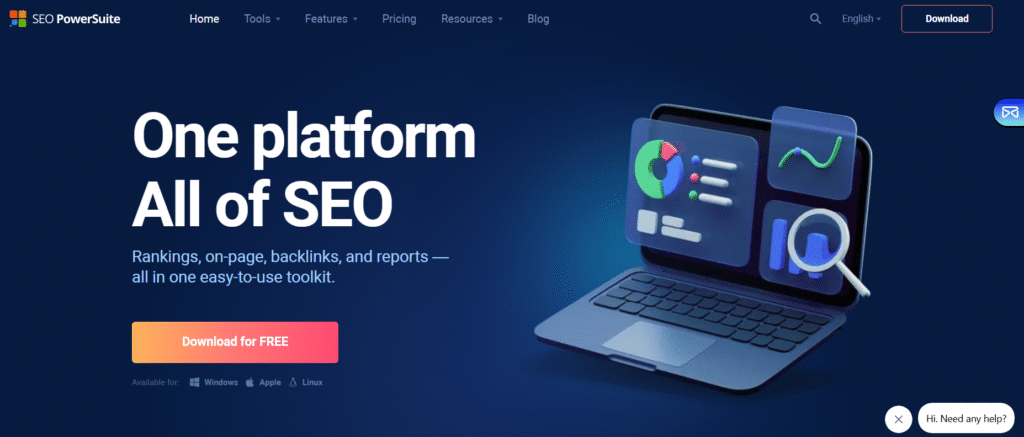
SEO PowerSuite isn’t just another SEO tool – it’s actually four powerful tools bundled together into one comprehensive package. Think of it as your complete SEO toolkit, designed to handle everything from keyword tracking to link building campaigns.
What makes it unique is the desktop approach. While most SEO tools operate in the cloud with monthly subscriptions, SEO PowerSuite installs directly on your computer and stores project files locally. Unlimited projects need a paid licence, and that licence renews every year.
Quick Overview of the Toolkit
The SEO PowerSuite family includes four main tools:
- Rank Tracker: Monitors your keyword rankings across multiple search engines
- Website Auditor: Analyzes your site’s technical SEO and on-page optimization
- SEO SpyGlass: Investigates backlink profiles for you and competitors
- LinkAssistant: Manages outreach campaigns and link building efforts
Each tool tackles a specific aspect of SEO, but they work together seamlessly. You can start with keyword research in Rank Tracker, audit your site with Website Auditor, analyze competitors with SEO SpyGlass, then build links using LinkAssistant.
Who Should Use SEO PowerSuite?
This toolkit excels for several types of users:
Small Business Owners: If you’re tired of paying monthly fees for SEO tools but need professional-level analysis, SEO PowerSuite offers incredible value. The one-time purchase pays for itself quickly.
Freelance SEO Consultants: Managing multiple client projects becomes much more affordable without per-project fees. You can create unlimited projects and keep all your data organized in one place.
Digital Agencies: The Enterprise version includes white-label reporting and client management features that make it perfect for agencies handling multiple accounts.
In-House SEO Teams: Large organizations appreciate the data ownership aspect and the ability to audit massive sites without hitting crawler limits.
What’s Inside SEO PowerSuite? Full Breakdown of the 4 Tools
Let’s examine each tool and see what makes them effective. I’ve spent considerable time with each one, so I’ll share real-world insights you won’t find in typical feature lists.
Rank Tracker: Accurate Keyword Position Monitoring
Rank Tracker handles the fundamental task every SEO professional needs: monitoring where your keywords rank in search results. But it goes far beyond basic position tracking.
The keyword research features impressed me most. You can pull data from multiple sources including Google Keyword Planner, Google Autocomplete, and competitor analysis. The tool suggests related keywords, shows search volumes, and helps identify long-tail opportunities most tools miss.
What sets it apart is the flexibility. You can track rankings for any search engine, monitor local results for specific locations, and even track mobile versus desktop rankings separately. This granular control becomes crucial for businesses targeting multiple markets.
Whichever rank tracker you use, spot-check its results against manual searches for your key terms, especially for local searches.
One feature I particularly appreciate is the competitor ranking analysis. You can see exactly which keywords your competitors rank for, identify gaps in your own strategy, and discover new keyword opportunities.
Website Auditor: On-Page SEO and Site Health
Website Auditor serves as your technical SEO detective, crawling your site to identify issues that might hurt your rankings. The depth of analysis here rivals tools costing significantly more.
The site audit process is thorough but not overwhelming. The tool checks everything from title tags and meta descriptions to internal linking structure and page load speeds. What I love is how it prioritizes issues – you see critical problems first, then minor optimizations.
The on-page optimization features go beyond basic checks. Website Auditor analyzes your content against top-ranking competitors, suggesting improvements to help your pages compete better. It even provides specific recommendations for keyword density, content length, and semantic keywords to include.
Technical SEO coverage is comprehensive. The tool identifies crawl errors, duplicate content issues, broken links, and site speed problems. It also checks for proper implementation of structured data and other technical elements that impact rankings.
One standout feature is the visual site structure analysis. You can see how your internal linking flows, identify orphaned pages, and optimize your site architecture for better crawlability.
SEO SpyGlass: In-Depth Backlink Analysis
SEO SpyGlass tackles backlink analysis with impressive depth. The tool’s database contains billions of backlinks.
The backlink quality analysis stands out. Instead of just showing you link counts, SEO SpyGlass evaluates each link’s quality using multiple factors including domain authority, anchor text diversity, and link placement. This helps you understand which links actually help your rankings.
Competitor backlink analysis is where this tool really shines. You can dissect your competitors’ link profiles, identify their best link sources, and find opportunities for your own link building. The tool shows you exactly which sites link to your competitors but not to you.
The penalty risk assessment feature helps you avoid Google penalties. SEO SpyGlass flags potentially harmful links and provides detailed explanations of why they might be risky. This proactive approach to link profile management can save you from major ranking drops.
LinkAssistant: Outreach and Link Building Simplified
LinkAssistant transforms the often chaotic process of link building into an organized, systematic approach. This tool manages every aspect of outreach campaigns from prospect research to follow-up emails.
The prospect finding features are sophisticated. You can search for link opportunities using various methods – finding sites that link to competitors, identifying resource pages in your niche, or discovering broken links you could help fix.
Email outreach management impressed me with its professionalism. You can create personalized email templates, schedule follow-ups, and track response rates. The system keeps detailed records of all communications, preventing embarrassing duplicate outreach.
The relationship management features help you build long-term partnerships. LinkAssistant tracks your history with each contact, notes their preferences, and reminds you to maintain relationships even after successful link placements.
Pricing: What Does SEO PowerSuite Really Cost?
This is where SEO PowerSuite gets really interesting. Unlike most SEO tools that charge monthly fees, SEO PowerSuite offers a unique pricing model that can save you thousands over time.
Free Version vs. Professional vs. Enterprise – Detailed Comparison
The free version provides surprising functionality. You get access to all four tools with basic features – enough to handle small projects and get familiar with the interface. However, you can’t save projects or export data, which limits its usefulness for ongoing SEO work.
The Professional version costs $349 per year (or $717 for three years) and removes most limitations. You get unlimited projects, keywords and backlinks, but data export and white-label reports need Enterprise. For most users, this still costs far less than a monthly cloud subscription.
The Enterprise version costs $599 per year and adds data export (CSV, SQL and HTML), white-label reports and more competitors per project. A higher Max+ tier costs $899 per year. Enterprise makes sense for agencies that send branded reports to clients.
Here’s the important point: these are annual fees, not monthly. As of November 2026, Ahrefs starts at $129/month (Lite) and Semrush Pro costs $139.95/month, so one year of SEO PowerSuite Professional costs about the same as two to three months of either.
License Terms, Refund Policy, and Updates
SEO PowerSuite does not offer refunds under its return policy, so try the free version first and check the licence terms before you pay.
Updates are included while your annual licence is active. If the licence lapses, the tools fall back to the free edition’s limits.
How Does It Stack Up on Value?
Let’s examine real numbers. If you’re currently paying for multiple SEO tools – maybe Ahrefs for backlinks, Semrush for keywords, and Screaming Frog for site audits – you’re probably spending $200-300 monthly. That’s $2,400-3,600 annually.
SEO PowerSuite Professional at $349/year can replace some of these tools for smaller teams, with unlimited projects. If you need data export and white-label reports, Enterprise at $599/year still costs far less than a year of Ahrefs or Semrush.
Your project files are stored locally on your computer. Working with them fully still requires an active paid licence, because the free edition cannot save projects and a lapsed licence falls back to free limits. Cloud tools differ in that you lose access to their data when you cancel.
SEO PowerSuite vs. Semrush vs. Ahrefs
This comparison gets requested constantly, so let me break down how these tools really stack up in real-world usage.
Feature-by-Feature Comparison Table
| Feature | SEO PowerSuite | Semrush | Ahrefs |
|---|---|---|---|
| Keyword Tracking | Unlimited keywords (Professional and above) | 500-5,000 depending on plan | 750-5,000 depending on plan (more on Enterprise) |
| Site Audit | Unlimited pages (Professional and above) | 100,000-1,000,000 pages | 100,000-1,500,000 crawl credits |
| Backlink Analysis | Extensive link database | Extensive link database | Extensive link database |
| Competitor Analysis | Comprehensive | Comprehensive | Comprehensive |
| Data Export | Enterprise and Max+ only | Limited by plan | Limited by plan |
| API Access | Backlink API only (sold separately) | Yes | Yes |
| Interface Type | Desktop only | Web-based | Web-based |
Pricing Breakdown and Use Case Scenarios
For budget-conscious users, SEO PowerSuite wins decisively. The annual cost equals roughly 2-3 months of Semrush or Ahrefs subscriptions.
For enterprise users needing API access and team collaboration, Semrush and Ahrefs offer advantages. Their web-based interfaces make team sharing easier, and API access enables custom integrations.
For consultants and agencies managing multiple clients, SEO PowerSuite’s unlimited projects and data ownership provide significant value. You can create separate projects for each client without worrying about additional costs.
Which is Best for Beginners, Freelancers, and Agencies?
Beginners: SEO PowerSuite’s lower cost and comprehensive tutorials make it ideal for learning SEO. You can afford to experiment without expensive monthly fees.
Freelancers: Professional gives you unlimited projects, and Enterprise adds data export. You can handle multiple clients efficiently at a much lower yearly cost than a cloud suite.
Agencies: This depends on your team structure. Smaller agencies benefit from SEO PowerSuite’s cost savings and white-label reporting. Larger agencies might prefer Semrush or Ahrefs for better team collaboration features.
Real User Experiences: What Are People Saying?
I’ve spent considerable time researching user feedback across multiple platforms. Here’s what real users are saying about their experiences with SEO PowerSuite.
Insights from Reddit, Trustpilot, and G2
Reddit discussions about SEO PowerSuite are generally positive, with users praising the value and functionality. Common themes include appreciation for the one-time purchase model and the comprehensive feature set.
Trustpilot reviews are largely favorable, with users highlighting the cost savings and data ownership benefits. Some negative reviews mention the learning curve and preference for web-based tools.
G2 reviews consistently praise the tool’s functionality and value. Users appreciate the unlimited data and projects, though some note the interface could be more modern.
Common Complaints and How They’ve Been Addressed
The most frequent complaint involves the desktop-only interface. Some users prefer web-based tools for accessibility from any device. However, many users appreciate the data security and offline functionality that desktop software provides.
Another common issue was the learning curve. SEO PowerSuite has addressed this with improved tutorials, better onboarding, and more intuitive interface design in recent updates.
Some users wanted faster data processing, which recent updates have largely addressed with improved crawling engines and better performance optimization.
Ease of Use: Is SEO PowerSuite Beginner-Friendly?
This question comes up frequently because the tools offer professional-level functionality, which can seem intimidating to newcomers.
Installation and Setup Process
Installation is straightforward – download, run the installer, and you’re ready to go. The setup wizard walks you through initial configuration, including connecting to Google Analytics and Search Console.
The initial project setup is intuitive. You enter your website URL, select your target keywords, and the tools begin gathering data. Within minutes, you have comprehensive insights into your site’s SEO status.
License activation is simple, and the tools clearly explain the differences between free and paid features. You can start with the free version and upgrade when you need additional functionality.
User Interface Tour
The interface follows a logical structure. Each tool opens with a dashboard showing key metrics and recent activity. Navigation menus are clearly labeled, and tooltips provide context for complex features.
Rank Tracker’s main screen displays your keyword rankings in an easy-to-read table format. Color coding helps you quickly identify improving or declining keywords.
Website Auditor presents audit results in a prioritized list. Critical issues appear first with clear explanations of why they matter and how to fix them.
SEO SpyGlass organizes backlink data logically. The main view shows your link profile overview, with detailed analysis available through sub-tabs.
LinkAssistant manages outreach campaigns through a CRM-style interface. Prospects are organized in lists, and communication history is easy to track.
Cross-Platform Compatibility
SEO PowerSuite runs on Windows, Mac, and Linux, making it accessible regardless of your operating system preference. The functionality remains consistent across platforms, though some interface elements adapt to platform-specific design conventions.
Mac users appreciate that the tools feel native to macOS rather than like ported Windows software. Linux support is less common among SEO tools, making this a unique advantage.
System requirements are modest – the tools run smoothly on older computers and don’t require powerful hardware for most tasks. Large site audits may benefit from more RAM, but typical usage works fine on standard business computers.
SEO Performance: Can You Really Get Results?
This is the critical question that determines whether any SEO tool is worth your investment. Results depend on how you use the tool, so here is what to expect.
Success Metrics & Timeframe Expectations
Here are realistic expectations for SEO PowerSuite implementations:
Month 1-2: Technical issues identified and fixed, immediate improvements in crawlability and site speed.
Month 3-4: Keyword rankings begin improving for less competitive terms, organic traffic shows upward trends.
Month 5-6: More competitive keywords begin ranking, established improvement in overall search visibility.
Month 6+: Sustained growth in organic traffic and rankings, with compound benefits from ongoing optimization efforts.
Integrations & Export Options
Data integration capabilities often determine how well an SEO tool fits into your existing workflow. SEO PowerSuite handles this aspect well.
Connecting with Google Analytics and Google Search Console
Integration with Google Analytics provides valuable traffic data that helps you understand the real-world impact of your SEO efforts. You can see which keywords drive actual visitors and revenue, not just rankings.
Google Search Console integration offers insights into how Google sees your site. You can identify crawl errors, see which queries trigger your site in search results, and understand your click-through rates.
The setup process is straightforward – authenticate with your Google account, select the properties you want to connect, and the tools begin pulling data automatically.
Data Export Formats
CSV, SQL and HTML export is available on Enterprise and Max+, not on Free or Professional. With export you can analyze data sets in Excel or other tools, which helps when you build custom reports.
Branded PDF reports with your own logo are white-label features that start at Enterprise. They suit client presentations, and you can choose which metrics to include.
Custom report templates save time for recurring reporting needs. You can create templates for different audiences and generate reports automatically.
Automation and Scheduling Workflows
Automated data collection ensures your SEO monitoring continues without manual intervention. You can schedule keyword tracking, site audits, and backlink analysis to run automatically at specified intervals.
Scheduling flexibility accommodates different monitoring needs. You might track important keywords daily while running comprehensive site audits weekly or monthly.
Training, Support & Resources
The learning curve for professional SEO tools can be steep, making training and support crucial for success.
Video Tutorials and Knowledge Base
SEO PowerSuite provides extensive video tutorials covering everything from basic setup to advanced strategies. The videos are well-produced and easy to follow, making complex concepts accessible to beginners.
The knowledge base includes detailed articles, step-by-step guides, and troubleshooting resources. The search functionality helps you quickly find answers to specific questions.
Tutorial content is regularly updated to reflect new features and changing SEO best practices.
Email and Chat Support Availability
Support is available by email. Check the vendor’s support page for current response times before you buy.
Live chat support is available during business hours for urgent questions. The chat agents can provide real-time assistance with setup issues or feature questions.
Webinars, Onboarding & Help for Agencies
Regular webinars cover advanced SEO strategies and tool features. These sessions provide insights beyond basic tool usage, helping you develop more effective SEO strategies.
The onboarding process for new users includes guided tours and initial setup assistance. This helps ensure you get value from the tools quickly.
Agency-specific resources include white-label reporting guides, client management best practices, and scaling strategies.
Pros and Cons of SEO PowerSuite
Based on the vendor’s published features and pricing and on user feedback, here is an honest assessment of SEO PowerSuite’s strengths and weaknesses.
Strengths: Affordability, Data Ownership, No Limits
Exceptional Value: The cost savings compared to monthly subscriptions are substantial. Paid editions renew every year, so budget for the renewal.
Data Ownership: Your SEO data belongs to you, not the tool provider. This provides security and continuity that subscription services can’t match.
Unlimited Usage: Professional and above has no limits on projects, keywords or backlinks. This freedom enables thorough SEO analysis without worrying about hitting usage caps.
Comprehensive Functionality: Four tools covering all major SEO aspects provide everything you need for complete SEO management.
Offline Capability: You can open and review saved projects without an internet connection, but rank checks, crawls and backlink data collection need one.
Weaknesses: Desktop Software, Learning Curve
Desktop-Only Interface: Some users prefer web-based tools for accessibility from any device. The desktop requirement can be limiting for remote teams.
Learning Curve: Professional-level functionality requires time to master. Beginners may feel overwhelmed initially, though this improves with experience.
Limited API Access: The desktop tools have no general API for custom integrations or automated workflows. A paid Backlink API is sold separately.
Limited Real-Time Collaboration: Team collaboration features are less developed than web-based alternatives, making it challenging for distributed teams.
Who It’s Ideal For vs. Who Should Skip
Ideal For:
- Budget-conscious users seeking professional functionality
- Consultants and agencies managing multiple clients
- Users who value data ownership and privacy
- SEO professionals who prefer desktop applications
- Teams working with unlimited data requirements
Should Skip:
- Teams requiring extensive real-time collaboration
- Users who must have web-based access
- Organizations needing API integrations
- Users wanting the simplest possible interface
- Teams with complex multi-user workflow requirements
Is SEO PowerSuite Worth It in 2026?
Based on the vendor’s pricing and features and on user feedback, I can say that SEO PowerSuite offers strong value for many SEO professionals and businesses, as long as you can live with its limits.
Summing It All Up for Different User Types
Small Business Owners: If you’re doing your own SEO and want professional-level tools without a monthly cloud subscription, SEO PowerSuite is an excellent choice. The learning curve is manageable, and the cost savings are significant.
Freelance SEO Consultants: This toolkit can transform your profitability. The unlimited projects and data ownership provide tremendous value when managing multiple clients. The white-label reporting features help you deliver professional results.
Digital Agencies: For smaller agencies, SEO PowerSuite offers enterprise-level functionality at a fraction of the cost. Larger agencies might prefer cloud-based solutions for better team collaboration, but the cost savings make this worth serious consideration.
Enterprise SEO Teams: The unlimited data processing and comprehensive analysis capabilities work well for large sites. However, evaluate your team collaboration needs carefully, as web-based tools might better serve distributed teams.
How to Try SEO PowerSuite Risk-Free
The best approach is to start with the free version. This gives you hands-on experience with the interface and basic functionality without any financial commitment.
If the free version meets your needs, consider upgrading to Professional for full functionality. There is no refund after purchase, so test the free version thoroughly first.
Download the free version, spend a week exploring the features, and see how they fit your workflow. This hands-on experience provides much better insights than any review can offer.
This comprehensive review provides everything you need to make an informed decision about SEO PowerSuite. The tools offer exceptional value for most users, particularly those who want to own their data and avoid ongoing subscription costs. While the desktop interface may not suit everyone, the functionality and cost savings make it worth serious consideration for most SEO professionals and businesses.