
Ahrefs is an SEO platform made up of separate tools that all run on its own web index and keyword data. The five you will use most are Site Explorer, Keywords Explorer, Site Audit, Rank Tracker and Content Explorer. Between them they cover backlinks and rankings for any site, keyword research, technical checks on your own site, position tracking and searching published pages by topic.
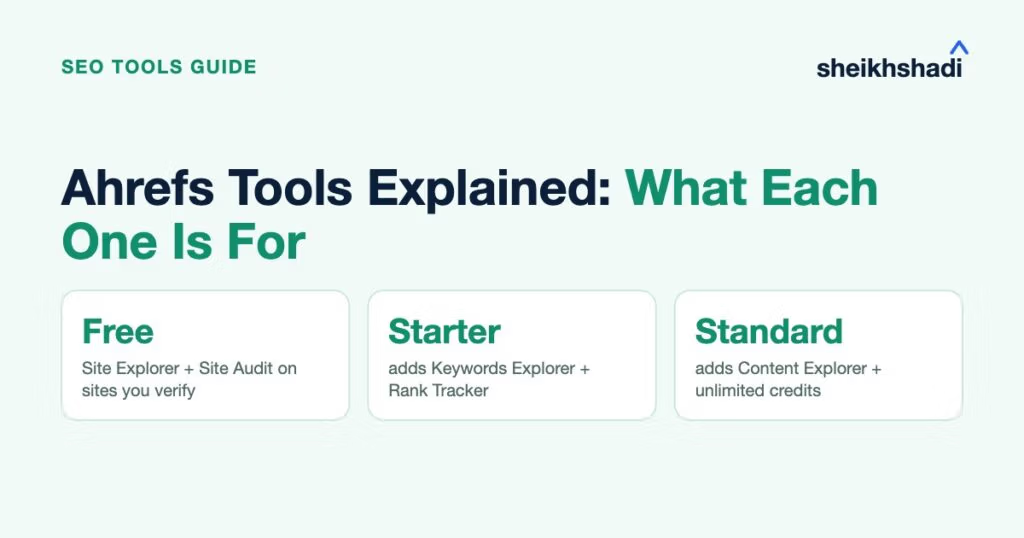
Which of them you can open depends on your plan. Ahrefs Free covers Site Explorer and Site Audit for sites you verify as yours. Starter adds Keywords Explorer and Rank Tracker. Content Explorer only arrives on Standard, according to Ahrefs’ current plan pages.
The main Ahrefs tools at a glance
| Tool | What you use it for | First plan that includes it |
|---|---|---|
| Site Explorer | Backlinks, organic keywords, top pages and estimated traffic for a site or URL | Free for your verified sites; Starter adds competitor lookups (limited to 1 unverified project) |
| Keywords Explorer | Search volume, Keyword Difficulty, Traffic Potential and the current top results | Starter |
| Site Audit | Crawling your site for technical and on-page issues | Free for your verified sites |
| Rank Tracker | Your positions on desktop and mobile, by location | Starter (50 keywords) |
| Content Explorer | Searching published pages by topic, then filtering by traffic, links or date | Standard |
| Brand Radar | How AI answers mention your brand | Lite for custom prompts; the AI Visibility Index is a separate add-on |
| Web Analytics | Cookie-free visitor analytics for your own site | Free |
| SEO Toolbar | Quick on-page and search result checks in your browser | Free |
Plan contents come from Ahrefs’ pricing page and its Starter plan help article, checked November 2026. Ahrefs changes plan limits often, so confirm there before you buy.
Site Explorer: backlinks, keywords and traffic for any site
Site Explorer is where you look up a domain or a single URL. The Overview shows its Domain Rating, referring domains, organic keywords and estimated organic traffic, with reports underneath for backlinks, top pages, organic keywords and paid keywords.
Domain Rating (DR) is Ahrefs’ own score. Its help page defines it as the strength of a site’s backlink profile compared with the others in Ahrefs’ database, on a 100-point scale. It is not a Google metric.
The traffic figure needs the same care. Ahrefs builds it from the keywords it sees a site ranking for, their search volumes and a click-through model. Its help center says the result is an estimate that will not match your analytics. Use it to compare sites and spot trends. For your own clicks, Google Search Console is the record.
A practical first session looks like this:
- Enter a competitor’s domain and open Top pages to see which URLs bring them the most estimated search traffic.
- Click a page’s keyword count to open Organic keywords filtered to that URL, which shows the queries behind it.
- Open Backlinks or Referring domains to see who links to the site and which pages attract those links.
Standard and higher plans add more Site Explorer reports, including Calendar, Broken Backlinks, Link Intersect and Site Structure, per Ahrefs’ plan comparison.
Keywords Explorer: what people search and how hard it is to rank
Keywords Explorer takes one keyword or a list (up to 10,000 in one lookup) and returns search volume, Keyword Difficulty, Traffic Potential and an overview of the pages ranking now. The idea reports (Matching terms, Related terms and Search suggestions) turn one seed keyword into a long list of variations and questions.
Two of those metrics are easy to misread:
- Keyword Difficulty (KD) runs from 0 to 100. Ahrefs calculates it from the number of referring domains pointing to the top 10 ranking pages. It ignores on-page factors, so a low score says nothing about how good your content needs to be.
- Traffic Potential is the estimated organic traffic of the page ranking first for the keyword’s parent topic. A top page ranks for many related searches at once, so this figure can be far higher than the search volume of the keyword itself.
If you are planning content around these numbers, our guides to long-tail keywords and secondary keywords show how to turn an idea list into page targets. Keyword clustering, search intent labels and SERP updates arrive on Standard, per Ahrefs’ own plan guide.
Site Audit: technical problems on your own site
Site Audit crawls your website and flags more than 170 technical and on-page issues, such as broken pages and missing title tags. It sorts what it finds by importance and gives the site a health score. You can also schedule repeat crawls, so new problems show up without you starting a crawl by hand.
It runs on crawl credits rather than the usage credits other tools spend. Ahrefs Free includes 5,000 crawl credits per verified project each month, which covers a small site. Lite raises that allowance to 100,000 a month and Advanced to 1.5 million.
If you want to see how it stacks up against other crawlers, our roundup of free SEO audit tools covers the alternatives.
Rank Tracker: your positions over time
Rank Tracker records where your pages rank for a fixed list of keywords. You choose the country, city or ZIP code and the device, then add competitors to see their positions next to yours. According to the Rank Tracker page, standard updates run weekly.
The plan sets how many keywords you can track: 50 on Starter, 750 on Lite, 2,000 on Standard and 5,000 on Advanced. Rank Tracker does not spend your monthly credits, so opening it as often as you like costs nothing extra.
Search Console also shows an average position for your own pages, with country and device filters. It can’t show competitors or pin a check to one city, though. Rank Tracker earns its place when you need a fixed keyword list tracked in a specific market or a side-by-side view with competitors.
Content Explorer: search published pages by topic
Content Explorer works like a search engine for Ahrefs’ index of 23 billion web pages. Type a topic, then filter the results by page traffic, Domain Rating, referring domains, publish date, language, author or word count.
You can use it to see which articles on a subject attract traffic and links, find pages that have gone out of date and check who publishes regularly in a niche. Starter and Lite users can’t open it, because it starts on Standard.
Brand Radar: how AI answers mention your brand
Brand Radar tracks how AI assistants talk about a brand. It has two parts, as described on the Brand Radar page:
- Custom Prompts track questions you choose. They are included from Lite upward, with 5 tracked prompts on Lite, 10 on Standard and 20 on Advanced.
- The AI Visibility Index is a ready-made dataset covering AI Overviews, AI Mode, ChatGPT, Perplexity, Gemini and Copilot. It is sold as an add-on rather than included in a plan.
If AI visibility is a priority for your brand, our explainer on entities in SEO covers how search engines connect a brand to its facts.
The free Ahrefs tools
Several Ahrefs tools cost nothing, with different limits:
- Web Analytics is a cookie-free analytics script, free up to 1 million events per project. It also reports visits from AI assistants.
- The SEO Toolbar is a free browser extension for checking a page’s title, meta tags, headings and links, or for viewing search results from another country.
- The single-search checkers on the free tools page give a quick look without an account. The free backlink checker, for example, shows the top 20 backlinks to a site or page. The SERP checker shows the top 10 results for a keyword.
Those checkers are handy for a spot check, but they are deliberately cut down. Our list of backlink checker tools covers where the free versions stop.
Is Ahrefs Site Explorer free?
Yes, for websites you own. Ahrefs Webmaster Tools has been renamed Ahrefs Free. It gives you Site Explorer and Site Audit on an unlimited number of verified sites. Site Explorer there shows up to 1,000 backlinks and keywords at once, which is enough to see who links to you and what you rank for.
What it doesn’t include matters just as much. Ahrefs Free has no Keywords Explorer or Rank Tracker. You also can’t look up competitors’ sites in Site Explorer. You see the keywords your site already ranks for, but you need Starter or higher to research new ones.
To get started, verify your site. Ahrefs accepts a Google Search Console connection, a DNS record, an HTML file or an HTML tag. Its verification guide calls Search Console the quickest way to add several sites at once, while DNS can take up to 48 hours.
How credits limit what you can do
On Starter and Lite, the real limit isn’t the tool list but the monthly credits. Starter includes a limited monthly credit allowance. Lite includes 1,000 credits per user. Standard and higher plans have unlimited credits under a fair-use policy.
Ahrefs’ credit rules work like this:
- Costs 1 credit: opening a report in Site Explorer, Keywords Explorer, Content Explorer or Batch Analysis, then 1 more each time you apply filters, change dates or open the SERP view or position history chart.
- Free: reopening the same report with the same settings within 30 minutes, moving between result pages and sorting columns.
- Separate limits: Site Audit, Rank Tracker and Brand Radar don’t use credits at all.
Here is a hypothetical example. Say you research one competitor: you open its Overview, then Top pages, then Organic keywords with two filters, then Backlinks. That is 4 reports plus 2 filter changes, or 6 credits. At that rate, Lite’s 1,000 credits cover about 166 competitor checks a month. Your own sessions will vary, but the arithmetic shows why daily research is easier on a plan with unlimited credits.
Which plan opens which tools
| Plan | Adds these tools | Key limits |
|---|---|---|
| Ahrefs Free | Site Explorer and Site Audit for verified sites, Web Analytics, SEO Toolbar | 5,000 crawl credits per project a month; no competitor lookups |
| Starter | Site Explorer for any site, Keywords Explorer, Rank Tracker | 200 credits a month; 1 month of history; 50 tracked keywords; no exports |
| Lite | Competitor Analysis (keyword and backlink gaps), Brand Radar custom prompts, API and MCP access, report exports | 1,000 credits per user; 6 months of history; 750 tracked keywords |
| Standard | Content Explorer, Portfolios, Batch Analysis, keyword clustering, more Site Explorer reports | Unlimited credits; 2 years of history; 2,000 tracked keywords |
| Advanced | Looker Studio connector, HTTP authentication in Site Audit | Unlimited credits; 5 years of history; 5,000 tracked keywords |
| Enterprise | SSO, audit log, access management, uncapped API | Unlimited history; from 10,000 tracked keywords |
A simple way to choose: if you only care about your own site, Ahrefs Free plus Search Console covers the basics. If you want keyword research and a look at competitors a few times a month, Starter or Lite is enough. If you research every day or need Content Explorer, plan on Standard. If you’re weighing Ahrefs against other suites, our guide to SEO tools for agencies covers the alternatives worth a look.
Data from Ahrefs is a starting point, not a diagnosis. If you’d like a second pair of eyes on what it’s telling you about your site, ask us for a free SEO audit and we’ll walk you through the issues worth fixing first.