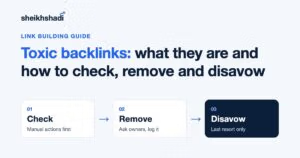

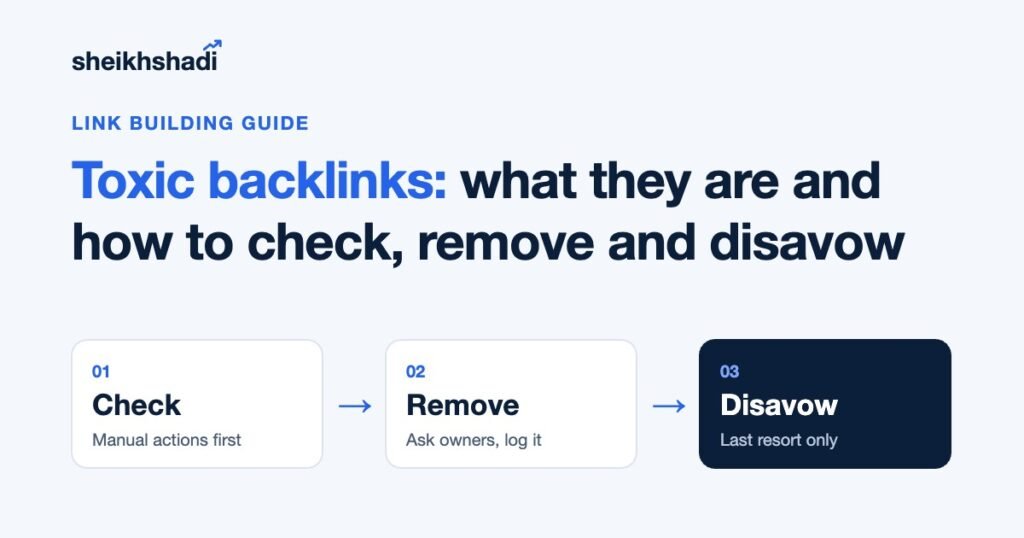
Toxic backlinks are links built to manipulate Google’s rankings, such as paid links without rel="sponsored", PBN links, link farms and automated spam. Most sites should check for them, remove the few they can, and leave everything else alone. Google says to disavow only when you have a considerable number of spammy links and they have caused, or will likely cause, a manual action.
Here is what the top-ranking guides leave out: Google’s disavow tool does not work on Domain properties, and Bing removed its disavow tool in October 2023. My position is simple. Ignore the toxicity score. Clean up the links you, or someone you paid, actually built.
What is a toxic backlink?
“Toxic” is not a Google term. It was coined by SEO tool vendors to label links that look risky. Google’s word is link spam, and its spam policies define it as “creating links to or from a site primarily for the purpose of manipulating search rankings.”
That definition matters because it is about intent, not looks. A scraper site that copies your post and links back is ugly, but nobody built it to rank you. A clean-looking guest post you paid for, with an exact-match anchor and a followed link, is link spam under Google’s rules.
Google’s policy lists these as link spam:
- Buying or selling links for ranking purposes, including paying with money, goods, services or free products
- Excessive link exchanges (“link to me and I’ll link to you”) and partner pages built only for cross-linking
- Automated programs or services that create links to your site
- Text ads and advertorials whose links pass ranking credit, and links with optimized anchor text in articles, guest posts or press releases placed on other sites
- Low-quality directory and bookmark links, keyword-rich links hidden in widgets, footers or templates, and forum signature links
- Low-value content created mainly to manipulate linking signals
Paid links are not banned. The same policy says buying and selling links is fine when the link carries rel="nofollow" or rel="sponsored".
Do toxic backlinks still hurt your rankings?
Mostly no, because Google already ignores them. On 14 December 2022 Google launched a link spam update and said SpamBrain, its AI spam system, “can now detect both sites buying links, and sites used for the purpose of passing outgoing links.” The announcement spelled out the effect: “Ranking may change as spammy links are neutralized and any credit passed by these unnatural links are lost.”
Read that carefully. Google’s default is to neutralize spam links, so they count for nothing. The ranking drop people blame on “toxic links” is usually the loss of credit those links once passed, not a penalty for having them.
There is one real risk: a manual action. A human reviewer at Google can flag “Unnatural links to your site” when there is a pattern of manipulative links pointing at you. That is a penalty, it shows up in Search Console, and it needs action.
Which type of website is most vulnerable to toxic links?
Sites with a history of buying or building manipulative links. Google’s manual action targets “a pattern of unnatural, artificial, deceptive, or manipulative links,” so a site that never ran a link scheme has very little to fear from random spam. The highest-risk profiles look like this:
- A site that bought cheap bulk link packages or PBN links in the past
- A site whose previous agency or freelancer never showed where the links went
- Competitive niches where link buying is common, such as gambling, loans, crypto and supplements
- A site with an exact-match commercial anchor text share far above its brand anchors
Negative SEO, where a competitor points spam at you, is the fear everyone asks about. In practice Google’s neutralization is built for exactly that noise, and Google’s own rule only calls for a disavow when a manual action is involved or likely.
How to check for toxic backlinks
Work in this order. Each step tells you whether the next one is even needed.
- Check Manual actions first. In Google Search Console, open Security & Manual Actions, then Manual actions. “No issues detected” means you have no link penalty, and most of what follows is optional housekeeping.
- Export your links. In Search Console, open Links, then Export external links. Add a third-party crawler such as Ahrefs, Semrush or Majestic, because each tool finds links the others miss.
- Group by referring domain. Judge domains, not single URLs. One bad domain can hold hundreds of URLs.
- Review manually. Open the domains that look wrong and ask one question: did someone build this link to manipulate rankings?
- Check your anchors. A natural profile is led by brand, URL and generic anchors. A large share of exact-match money anchors is the clearest sign of past link building gone wrong.
For the full audit workflow, see my backlink audit guide.
Red flags that point to real link spam
| Signal | Why it matters | Action |
|---|---|---|
| Site sells links openly, with a “write for us” price list and no editorial standards | Paid link that passes credit | Remove, or ask for rel="sponsored" |
| Network of sites with the same template, owner or hosting, linking to each other | PBN or link farm | Remove or disavow the domain |
| Exact-match commercial anchor in a footer, sidebar or widget | Listed in Google’s link spam examples | Remove |
| Hundreds of links from one site appearing in a single week | Automated or sitewide placement | Investigate who built it |
| Links on hacked pages, hidden text or casino and pharma pages unrelated to you | Usually negative SEO or hacked-site spam | Ignore unless a manual action exists |
| Scraper, mirror or auto-generated stats sites | Nobody built these to rank you | Ignore |
Should you trust a toxicity score?
Treat it as a sorting tool, not a verdict. Semrush’s Backlink Audit still gives each link a Toxicity Score from 0 to 100, based on its own markers. Google does not see that number and does not use it. A high score on a scraper site means nothing. A low score on a paid guest post you bought last year can hide your biggest risk. Ahrefs doesn’t score links for toxicity, and its own guide recommends a manual review instead.
How to remove toxic backlinks
Removal comes before disavow. Google’s manual action guidance tells you to “make a good-faith effort to remove the link first” and warns that “simply disavowing all backlinks without attempting to remove them might lead to rejection of your request.”
- Find the owner. Use the site’s contact page, the author bio or the email in the WHOIS record if it is public.
- Ask for one of two things: remove the link, or add
rel="nofollow"orrel="sponsored". Google accepts either. - Send one polite email and one follow-up. Name the exact URL with the link and the anchor text.
- Log everything: the domain, the date you emailed, the reply and the result. You will need this if you file a reconsideration request.
- Never pay to remove a link. Some link sellers charge “removal fees”. Disavow those domains instead.
If the links came from a vendor you hired, ask them first. Any agency that built the links knows where they are. If they can’t produce a list, that tells you what kind of vendor it was. I covered the warning signs in link building scams.
How to disavow toxic backlinks
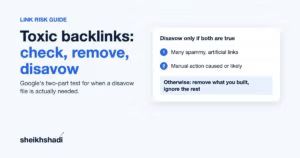
Use Google’s disavow links tool only when both of Google’s conditions are true: you have “a considerable number of spammy, artificial, or low-quality links pointing to your site,” and “the links have caused a manual action, or likely will cause a manual action.” Google calls it “an advanced feature” to use “with caution.” Disavowing good links throws away real ranking credit.
Disavow file rules
| Rule | Google’s requirement |
|---|---|
| File type | Plain text file ending in .txt, encoded in UTF-8 or 7-bit ASCII |
| One entry per line | A full URL, or a whole domain written as domain:example.com |
| Comments | Lines starting with # are ignored, so use them to note why and when |
| Size limit | 100,000 lines (blank and comment lines count) and 2MB |
| URL length | 2,048 characters maximum |
| Who can upload | Property owners only |
| Updating | A new upload replaces the existing list, so download the current file and merge before you upload |
| Timing | It can take a few weeks for Google to apply the list |
A clean file looks like this:
# Disavow file for example.com, updated 2026-10-29
# Paid link network, removal requested 2026-10-05, no reply
domain:spammy-network-site.com
domain:another-link-farm.net
# Single page, owner refused removal
https://some-blog.com/page-with-paid-link/
Prefer domain: entries. A spam site can show the same link on many URLs, and you will rarely catch them all one by one. The step-by-step upload walkthrough is in my guide on how to disavow backlinks.
One thing to expect afterwards: Google says disavowed links “will continue to be shown in the Links report.” Judge the result by your manual action status and rankings, not by that report.
How to recover from an unnatural links manual action
If Search Console shows “Unnatural links to your site,” Google’s manual actions report sets out the fix:
- Download your links from Search Console.
- Check them against the link spam policy.
- Ask site owners to remove violating links or add
rel="nofollow"orrel="sponsored". - Disavow the links you could not get removed, without disavowing organic links.
- Click Request Review and include your documentation: what you removed, who you contacted, and why some links are still live.
Your outreach log from the removal step is that documentation. A reconsideration request that only says “we disavowed everything” is the one Google’s guidance warns may be rejected.
How to avoid toxic backlinks in the first place
The only links that become a cleanup job are the ones someone built to game rankings. Prevention is a vetting job:
- Ask any vendor for the site list and the live URLs before you pay.
- Check that each site has real organic traffic, a human editor and outbound links you would be proud to sit next to.
- Use brand and natural anchors, not repeated money keywords.
- Mark sponsored placements with
rel="sponsored". - Monitor new backlinks monthly so a sudden spike gets noticed early.
This is the standard we hold ourselves to. Every site we place a link on is vetted for at least 2,000 real monthly organic visitors, a human editor and a clean outbound profile. No PBNs, no link farms. Since 2022 we have built 15,000+ editorial links that way for 50+ SaaS brands.
What most toxic backlink guides miss
These two points are missing from the five top-ranking pages I reviewed for this keyword. Each one changes what you should actually do.
1. The disavow tool does not work on Domain properties
Google’s help page is blunt: “The disavow links tool does not support Domain properties. If you have a Domain property, this page does not apply to you.” Many sites now verify Search Console with a Domain property (the sc-domain: type verified by DNS), because it covers every protocol and subdomain in one place. If that is all you have, the tool simply won’t offer your site.
So before you can disavow anything, add a URL-prefix property for the exact version of your site, for example https://www.example.com/, and verify it. Google also says the list “applies only to the specific property to which you uploaded it, plus any child properties. So if you have both http and https properties, you should upload a list for each.”
What to do: list every URL-prefix version you own (http, https, www, non-www), upload the same file to each one that still receives links, and note in the file which properties carry it.
2. Bing no longer has a disavow tool
Older guides still tell you to disavow in Bing Webmaster Tools too. Bing removed the feature and its API in October 2023, saying it “can now differentiate between natural and unnatural links, and we can ignore or discount the latter without affecting the former.”
What to do: nothing on Bing. Remove links at the source if they matter, and spend no time on a Bing disavow file. Bing still warns that link buying and link spamming can get a site delisted, so the removal step still counts.
My verdict: check, remove the links you built, and disavow rarely
I’ve worked in SEO since 2012, and my view hasn’t changed: the costliest toxic-link mistake is not a bad link. It is a panicked disavow of good links because a tool painted them red.
- No manual action, no history of buying links: do a quarterly check and nothing else.
- No manual action, but you or a past vendor bought links: remove what you can. Disavow only the clear schemes, at domain level.
- Manual action for unnatural links: run the full removal, disavow and reconsideration process above, on a URL-prefix property.
Want links you will never have to clean up? See how we run editorial link building, check link building pricing, or get a free link gap analysis for your site.