
Link reclamation means recovering links you have already earned but are no longer getting full value from: links that point to pages you deleted or moved, links that were removed during a site update, and mentions of your brand that never had a link. Because the other site already chose to reference you once, these are some of the easiest links to win back.
This guide walks through how to find lost and broken links, how to fix the ones on your side, how to ask for the rest, and how to stop it happening again.
What is link reclamation?
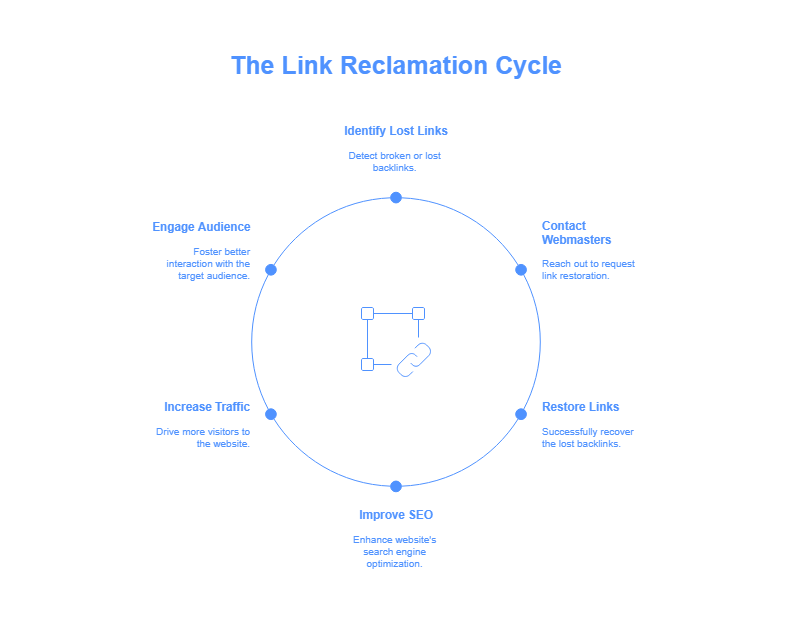
Link reclamation covers four situations:
- Broken links to your site: another site links to a URL on your domain that now returns a 404 or 410.
- Lost links: a link that existed has been removed, often during a redesign, content update or CMS migration on the linking site.
- Wrong or outdated URLs: the link points to an old domain, an HTTP version, or a page that redirects through several hops.
- Unlinked brand mentions: a site mentions your brand, product or founder but does not link.
Internal links and directory citation clean-up are worth doing too, but they are separate jobs.
Why link reclamation is worth your time
- The relationship already exists. The editor linked to you once, so your request is a correction, not a cold pitch.
- Some fixes need no outreach at all. Many broken links can be fixed with a redirect on your own site in minutes.
- Links stop leaking after migrations. Site moves, URL changes and deleted content are the most common reason SaaS sites lose links without noticing.
Reclamation will not replace new link building, but it protects what you have already paid for or earned.
Step 1: Find lost and broken links
Pages on your site with backlinks that return errors
- Ahrefs: Site Explorer › Best by links, filtered to 404 status, shows URLs on your domain that other sites link to but that no longer work. Ahrefs Webmaster Tools gives this for free on sites you own.
- Semrush: Backlink Analytics › Indexed Pages shows the same with a “broken pages” filter.
- Google Search Console: the Page indexing report lists URLs returning “Not found (404)”. Cross-check them against the Links report’s “Top linked pages” export to see which ones other sites link to.
Links that have disappeared
Ahrefs (Site Explorer › Backlinks › Lost) and Semrush (Backlink Analytics › Lost) show links that existed recently and are gone. Look at why each was lost: the linking page may have been deleted (nothing to do), redirected, or edited to remove your link (worth a polite email).
Links pointing to old URLs
After a migration, export links to your old domain or old URL structure and check that every one resolves in a single redirect to the most relevant new page.
Step 2: Fix what you can on your own site
Before emailing anyone, fix the problems you control:
- Restore the page if it was deleted by mistake and still has value.
- Redirect it with a 301 to the closest equivalent page. Do not send every broken URL to the homepage; Google may treat irrelevant redirects like a 404.
- Shorten redirect chains so each old URL goes straight to its final destination. Chains are mainly a crawling and speed problem, so a single hop is cleaner for users and search engines alike.
- Fix HTTP and old-domain links with sitewide redirect rules.
This step often recovers most of the value without a single email.
Step 3: Prioritise what is left
For links that need the other site to make a change, sort by:
- Relevance of the linking page to your business.
- Real traffic on the linking site.
- Authority, using one third-party metric (Ahrefs DR or Moz DA) consistently. For reclamation, a lower score is fine if the site is relevant: you are recovering a link that already existed, not choosing a new placement.
- Ease: a URL typo or old domain is quicker to fix than a removed link.
Step 4: Reach out
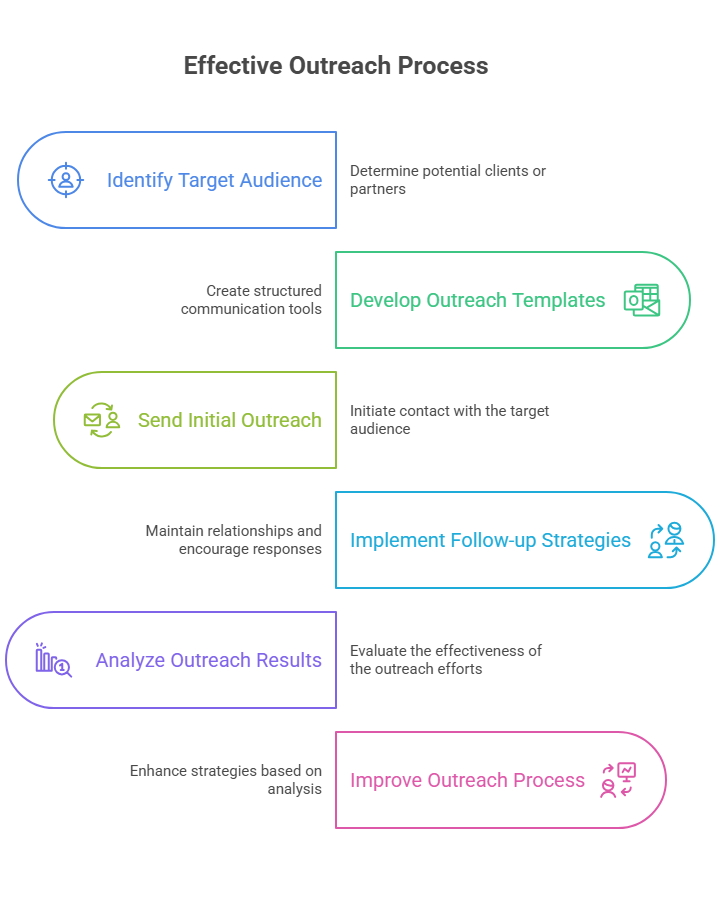
Keep reclamation emails short, specific and helpful. Find the right person (the author of the article or the site editor), not a generic inbox.
Template: broken link to your site
Subject: Quick fix for a link in “[article title]”
Hi [Name], thanks for mentioning [your brand] in “[article title]”. The link in the [section] part points to [old URL], which we moved. The current page is [new URL]. Updating it will save your readers a 404. Thanks, [Your name]
Template: link removed during an update
Subject: Your updated guide to [topic]
Hi [Name], I noticed you refreshed your guide to [topic]. Nice work on the new [section]. The earlier version referenced our [resource], which we have since updated with [what is new]. If it is still useful for your readers, it is here: [URL]. Either way, thanks. [Your name]
Follow-up
Send one follow-up about a week later, and a second at most a week after that. Then stop. Persistence beyond that damages the relationship you are trying to repair.
Never offer discount codes, payment or other incentives in exchange for the link. Google’s link spam policy treats exchanging money or goods for links as a link scheme.
Step 5: Convert unlinked brand mentions
Brand mentions without a link are the other half of reclamation. Find them with Google Alerts, Ahrefs Alerts › Mentions, or a search such as "your brand" -site:yourdomain.com, then send a short thank-you note that suggests adding a link where it helps readers. I cover the full workflow, tools and templates in my dedicated guide to unlinked brand mentions.
Step 6: Prevent future link loss
- Map redirects before every migration or URL change. Export all URLs with backlinks first, and redirect each to its new equivalent on launch day.
- Do not delete pages with links without a redirect plan. Consolidate content into a stronger page instead.
- Monitor lost links monthly. Ahrefs and Semrush can email you when links are lost; my guide on how to monitor backlinks compares the options.
- Track placements you paid for or worked hard to win in one sheet with the live URL and check date. My guide to backlink management explains the routine.
Measuring link reclamation
- Links recovered: fixed by redirect, updated by the other site, and newly linked mentions, tracked separately.
- Reply and success rate for each outreach type, from your own tracker.
- Rankings and clicks for the pages that received recovered links, in Google Search Console.
- Referral traffic from recovered links, in GA4.
Track your own numbers rather than relying on industry averages: reply rates vary hugely by niche and by how fresh the original link was.
Common mistakes
- Redirecting every broken URL to the homepage.
- Emailing about links you could fix with a redirect.
- Chasing links from irrelevant or spammy sites just because they once linked.
- Following up more than twice.
- Offering incentives for the link.
Link reclamation, audits and new links
Reclamation is one part of looking after a backlink profile. A backlink audit tells you which links you have and which are worth keeping; reclamation recovers the ones you lost; and new link building closes the gap to the sites outranking you. For new placements on relevant, real publications, see my SaaS link building services and the results in my case studies.
Conclusion
Start with the links you can fix yourself: restore or redirect pages that other sites still link to. Then contact editors whose links were removed or point to old URLs, and turn your best unlinked mentions into links. Do it monthly, and do it before every migration, and you will keep the links you have already earned.
Want to know how many links stand between you and the sites outranking you? Get a free link gap analysis or see pricing.