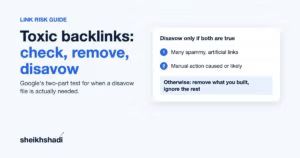

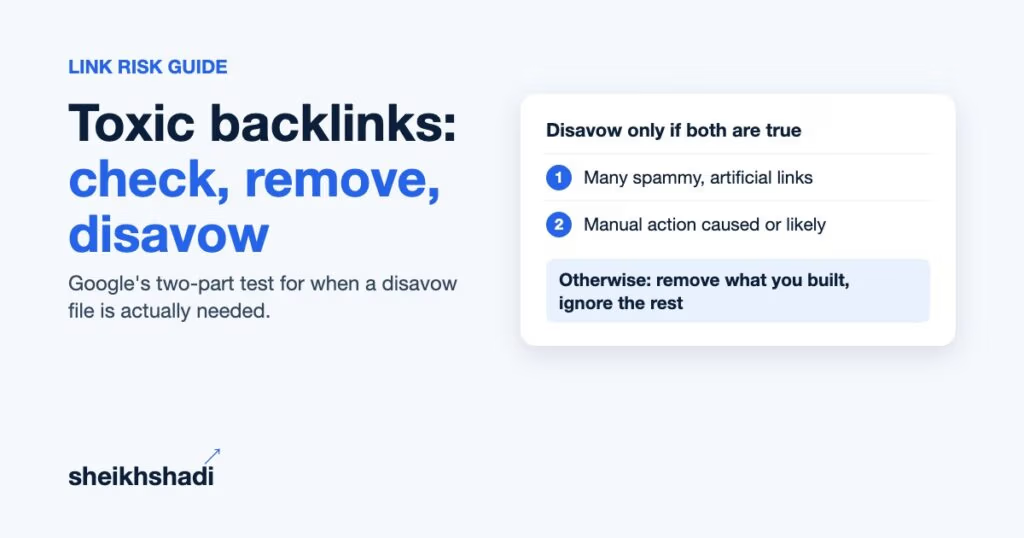
Toxic backlinks are links built mainly to manipulate Google rankings: paid links that pass ranking credit, private blog networks, automated spam and large-scale link exchanges. Most sites should check them, remove the ones they built, and never upload a disavow file. Google’s own help page says to disavow only when two things are true at the same time, and the tool does not even work on a Domain property, the Search Console setup most SaaS teams use.
My position after working in SEO since 2012: if you did not build or buy the links and you have no manual action, close the disavow tool. Your time is better spent earning links that count.
What is a toxic backlink?
A toxic backlink is an inbound link that breaks Google’s link spam rules or looks like it does. “Toxic” is not a Google term. It is a label SEO tools put on links they score as risky.
Google’s word is link spam. Google’s spam policies define it as “the practice of creating links to or from a site primarily for the purpose of manipulating search rankings.” John Mueller of Google said in April 2025 that “internally we don’t have a notion of toxic backlinks.”
That difference matters. A tool flags a link because it matches a pattern. Google acts on a link because of why it exists.
Toxic, spammy-looking or just low quality?
| Link type | Examples | What Google does | What you do |
|---|---|---|---|
| Link spam you or a vendor built | Paid dofollow links, PBN posts, link exchanges at scale, automated links | Neutralizes the credit; can trigger a manual action | Remove; disavow if removal fails and the risk is real |
| Spammy-looking links you did not build | Scraper copies, gibberish directories, foreign-language spam sites | Typically ignores them | Nothing |
| Low-authority but real links | A small blog citing you, a local forum mention | Counts them normally | Keep them |
| Hacked-site or negative SEO links | Sudden spikes with casino or pharma anchors | Usually ignores them | Monitor; act only if a manual action appears |
What causes toxic backlinks?
The links that actually carry risk come from deliberate link building. Google’s spam policy lists them:
- Buying or selling links that pass ranking credit, including paid guest posts and advertorials without a rel=”sponsored” or rel=”nofollow” attribute
- Excessive link exchanges (“link to me and I’ll link to you”)
- Automated programs or services that create links
- Low-quality directory or bookmark links
- Links spread across footers or templates of many sites
- Forum comments with optimized links in the post or signature
- Low-value content created mainly to place links
Private blog networks fit the first and last items. They are sites built to pass links, and Google’s systems look for exactly that. I cover the risks in detail in this guide to PBN backlinks.
Spammy-looking links are a different thing. A single popular post can attract dozens of scraper and mirror sites that copy it, link and all. You did nothing to cause them, and Google’s Links report help page says “for known spam sites, Google typically will ignore the links.”
Do toxic backlinks hurt your rankings?
Usually not in the way tools suggest. Bad links mostly stop counting; they rarely push your site down.
Google made this shift in two public steps. In September 2016, Google said Penguin “now devalues spam by adjusting ranking based on spam signals, rather than affecting ranking of the whole site.” In December 2022, Google announced its link spam update, saying SpamBrain “can now detect both sites buying links, and sites used for the purpose of passing outgoing links,” and that “ranking may change as spammy links are neutralized and any credit passed by these unnatural links are lost.”
So there are two real ways bad links cost you:
- Lost credit. Links you paid for stop passing value. If your rankings depended on them, you drop. That is not a penalty you can disavow away.
- A manual action. A Google reviewer finds “a pattern of unnatural, artificial, deceptive, or manipulative links pointing to your site.” This “can result in some or all of your site getting a manual action,” according to Google’s Manual Actions help page.
Which type of website is most vulnerable to toxic links?
Sites with a history of manufactured links. If a past agency, a previous owner of the domain or your own team bought dofollow links, built a network or ran exchanges at scale, the risk is yours. A site that never built links is the least vulnerable, even if a tool shows thousands of “toxic” referring domains.
Bought an aged domain or acquired a competitor’s site? Treat its old link profile as if you built it. Check it before you redirect anything.
How to check for toxic backlinks
Start with Google’s data, then use a third-party crawler for coverage, then judge links by hand. A tool score alone is never the decision.
- Check the Manual actions report. In Google Search Console, open Security & Manual Actions, then Manual actions. “No issues detected” means no human penalty, which removes the main reason to disavow.
- Export the Links report. In Search Console, open Links. Under external links, export “Latest links” and “More sample links.” Each export holds up to 100,000 rows.
- Add a backlink crawler. Ahrefs, Semrush, Majestic or Moz will find links Google’s sample leaves out. Our comparison of backlink checker tools covers what each one does.
- List what was built on purpose. Pull invoices, agency reports and outreach sheets. Links you paid for are your real risk list.
- Review suspicious domains by hand. Open the linking page and ask the questions below.
For the full process, follow our step-by-step backlink audit guide.
Treat tool scores as a sorting aid. Semrush’s Backlink Audit, for example, gives each link a Toxicity Score from 0 to 100 based on 45+ toxic markers, according to its knowledge base. Google does not use it. Use the score to choose which domains to open by hand, then decide with Google’s test below, not the color of the column.
How to find spam links by hand
Open the linking page and look for these signs:
- The page exists only to host outbound links, with thin or spun text around them
- Exact-match commercial anchors such as “best CRM software” on unrelated pages, a pattern our anchor text guide explains
- A “write for us” page with a price list and dozens of casino, CBD and loan posts
- The same link in the footer or sidebar of every page
- A site with no real traffic, no author and no editor, linking to every niche
When I vet a site for a client, I check for at least 2,000 real monthly organic visitors, a human editor and a clean outbound profile. The same checks spot a link farm in your own profile.
How to remove toxic backlinks
Removal comes first. Google’s disavow help page says: “First and foremost, we recommend that you remove as many spammy or low-quality links from the web as possible.”
- Find the contact. Use the site’s contact page, the author’s email or the WHOIS record.
- Send a short request. Give the exact linking URL, the page it points to and ask for removal, or for a rel=”sponsored” attribute if it was a paid placement.
- Log every attempt. Record date, address, reply and result in a sheet. You will need this for a reconsideration request.
- Fix your own paid placements. If you still pay for listings or sponsored posts, ask the publisher to mark them sponsored. Google’s spam policy says such links are “not a violation of our policies” when qualified with nofollow or sponsored.
- Do not pay removal fees. Log the demand and move the link to your disavow list instead.
How to disavow backlinks
Disavow only links you could not remove, and only when Google’s conditions are met (next section). Here is the file format from Google’s disavow help page:
- A plain text file ending in .txt, encoded in UTF-8 or 7-bit ASCII
- One URL or domain per line; whole domains as domain:example.com
- Comments start with #
- Maximum 100,000 lines (blank and comment lines count) and 2MB; maximum URL length 2,048 characters
- No subpaths: you cannot disavow example.com/en/
A clean file looks like this:
# Paid links from 2023 campaign, removal requested 3 times, no reply
domain:spam-network-example.com
https://blog-example.com/sponsored-post-123/
Then open the Disavow links tool, choose your URL-prefix property, upload the file and keep a dated copy. Google says “it can take a few weeks for Google to incorporate your list into the index.” Uploading a new file replaces the old one, so always upload the full list.
Our separate guide on how to disavow backlinks walks through the upload screens.
How many backlinks per day is safe?
Google publishes no daily limit. Pace is not the test; purpose is. In my view, fifty editorial links in a day after a big product launch can be perfectly natural, while five paid dofollow links a month from a network are link spam under Google’s policy. Judge each link by why it exists, not by how fast links arrive.
Do backlinks still work?
Yes. Google is spending effort to neutralize manipulative links precisely because links still pass ranking credit. The links that keep working are editorial ones on real sites with real readers. That is also why cleanup alone rarely restores traffic: you have to replace lost credit with links Google counts.
What most toxic backlink guides get wrong
I reviewed the five pages ranking at the top of Google for “toxic backlinks” in October 2026. These points were missing, misstated or only half-covered in the pages reviewed.
1. They state Google’s disavow test loosely
Google’s disavow page says: “You should disavow backlinks only if: 1. You have a considerable number of spammy, artificial, or low-quality links pointing to your site, AND 2. The links have caused a manual action, or likely will cause a manual action, on your site.”
Note the AND. Lots of spam with no manual-action risk fails the test. One top guide paraphrases both conditions, but none presents them as a rule where both must be true. Another says to disavow when links “truly harm” rankings, and a third mentions “two conditions” without naming them. Mueller went further in April 2025, saying the disavow tool “is not something that you need to do on a regular basis. It’s not a part of normal site maintenance,” as Search Engine Journal reported.
What to do: run every audit through this decision rule.
| Manual action? | Did you or a vendor build the links? | Action |
|---|---|---|
| Yes, unnatural links | Yes | Remove, disavow the rest, file a reconsideration request |
| No | Yes, many paid or network links | Remove; disavow what you can’t remove (this is the “likely will cause” case) |
| No | No | Do nothing; keep earning editorial links |
| No | Unsure (inherited domain) | Audit the old campaigns first, then decide |
2. The disavow tool does not work on Domain properties
Google’s help page states: “The disavow links tool does not support Domain properties.” None of the five pages reviewed mention it. Many SaaS teams verify only a Domain property (the sc-domain setup that covers every subdomain and protocol), so they open the tool and find nothing to select.
What to do: add a URL-prefix property for the exact version of your site that receives the links (usually https://www.yourdomain.com/), verify it, and upload there. Add one for each version that has its own link profile, such as an old http or non-www version.
3. Disavow cannot bring back neutralized credit
One top guide notes that a disavow won’t bring rankings back but never explains why. Here is the reason: if your drop came from a link spam update, Google already stopped counting those links. Its December 2022 announcement says the credit from unnatural links is “lost.” Disavowing links Google already ignores changes nothing.
What to do: if traffic fell during a link spam update and you have no manual action, skip the disavow and spend the budget on new editorial links to the pages that lost rankings.
4. Google’s Links report is a sample
Google’s Links report help page says it “isn’t a comprehensive list of every link on your site. It shows a sample,” and its tables are “limited to 1,000 rows.” An audit built only on the on-screen table misses links on any site with a large profile.
What to do: export the full “Latest links” and “More sample links” files (up to 100,000 rows each) and merge them with a third-party crawler before you judge anything.
5. A blanket disavow fails a reconsideration request
Google’s Manual Actions page warns: “Blindly adding all backlinks to the disavow file is not considered a good-faith effort, and will not be enough to make your reconsideration request successful.”
What to do: show Google the removal log from the step above, list the links you removed, and disavow only what is left.
Verdict: check yearly, remove what you built, disavow almost never
Most SaaS and B2B sites never need a disavow file. Run a backlink check once or twice a year, after any ranking drop and before you buy or migrate a domain. Remove links you or a vendor paid for that pass ranking credit. Disavow only when Google’s two conditions are both true.
This advice suits in-house SEO leads and founders cleaning up an old agency’s work. It does not suit a site under an active unnatural-links manual action; there, a full removal campaign and a documented reconsideration request come first.
The bigger risk is what you build next. My agency has built 15,000+ editorial links on DR 50 to 90+ sites for 50+ SaaS brands. Every placement goes on a site with real organic traffic and a human editor who decides what gets published, with no PBNs or link farms. That is the approach behind our link building service. Want to know which links in your profile actually matter and how many good ones stand between you and the sites outranking you? Get a free link gap analysis, or see link building pricing.