

Important disclosure: All LinkedIn automation tools described in this guide operate outside LinkedIn’s Terms of Service, which explicitly prohibit the use of automated software to access their platform. Using any automation tool creates a real risk of temporary restriction or permanent account suspension. This guide is written to help professionals make informed decisions about tools that are widely used in the B2B sales and marketing industry, but the decision to use them carries account risk that every user must evaluate and accept for themselves.
LinkedIn is the dominant B2B outreach channel in 2026, with over 1 billion registered members and conversion rates that outperform cold email by a significant margin for most sales and recruiting applications. The scale opportunity is substantial: a well-targeted LinkedIn outreach program reaching 200 qualified prospects per week, with a 20 to 30 percent acceptance rate and a 10 to 15 percent reply-to-connection rate, can generate 20 to 30 qualified conversations per month from a single sender. At that volume, manual outreach is not a practical option — sending connection requests, following up with acceptance messages, sending second and third touches to non-responders, and managing the resulting inbox at scale consumes more time than the outreach volume can justify in a standard working day.
LinkedIn automation tools address this capacity constraint by automating the repetitive sending and sequencing actions that consume the most time in a LinkedIn outreach program — connection requests, follow-up messages, InMail sends, profile visits, skill endorsements, and conditional branching based on whether a prospect accepted, replied, or ignored a previous step. The tool does not replace the strategic thinking, the message quality, or the relationship-building that make LinkedIn outreach effective. It handles the mechanical sending so that the human effort can focus on conversation, qualification, and closing.
The tools that survive LinkedIn’s evolving detection systems are those built around account safety: cloud-based architecture with dedicated IP addresses per account, randomized action timing that mimics natural human behavior patterns, smart daily and weekly limits that stay within LinkedIn’s detection thresholds, and gradual account warm-up protocols that build outreach volume slowly rather than spiking immediately. This safety architecture separates the tools worth evaluating from those that put accounts at unnecessary risk.This guide evaluates the best LinkedIn automation tools based on these critical safety and performance factors.
Quick Comparison: Top 10 LinkedIn Automation Tools for 2026
| # | Tool | Primary Use | Starting Price | Free Tier | Best Feature | Our Rating |
|---|---|---|---|---|---|---|
| 1 | Expandi | Cloud-based LinkedIn + email outreach for teams | $99/mo ($79/mo annual) | Yes (14-day trial) | Dedicated IP per account + conditional if/then campaign logic | 9.3/10 |
| 2 | Dripify | Visual drip campaign automation for sales teams | Basic $39/mo; Pro $59/mo; Advanced $79/mo ( annual billing) | Yes (7-day trial) | Intuitive visual campaign builder with the fastest setup in the category | 9.2/10 |
| 3 | PhantomBuster | Multi-platform data extraction and LinkedIn automation | Starter $69/mo; Pro $159/mo; Team $439/mo (20% Save on annual billing) | Yes (14-day trial) | 100+ pre-built automation scripts across LinkedIn, Sales Navigator, and 10+ other platforms | 9.0/10 |
| 4 | Waalaxy | Beginner-friendly LinkedIn + email automation | Free (80 invites/mo); Pro ~$10/mo; Advanced ~$30/mo; Business ~$42/mo | Yes (free trial) | Most accessible free tier plus the most intuitive onboarding for non-technical users | 8.9/10 |
| 5 | HeyReach | Multi-account LinkedIn outreach for agencies | Growth $59/sender/mo; Agency $749/mo (50 senders); Unlimited $1,499/mo (annual billing) | Yes (free trial) | Manages 50–500 LinkedIn accounts simultaneously from one centralized dashboard | 9.2/10 |
| 6 | Linked Helper | Affordable desktop automation with built-in CRM | Standard $15/mo ($8.25/mo annual) | Yes (14-day trial) | The lowest price point with a genuine full-feature CRM built into the platform | 8.8/10 |
| 7 | Dux-Soup | Browser extension for LinkedIn scraping and prospecting | Free; Turbo $55/mo; Cloud Dux $99/mo | Yes | Pioneered the category — still the most widely used browser-based LinkedIn automation tool | 8.7/10 |
| 8 | La Growth Machine | True multichannel outreach: LinkedIn + email + X | Basic ~$70/user/mo; Pro ~$135/user/mo; Ultimate ~$195/user/mo | Yes (14-day trial) | Coordinates LinkedIn, email, and X (Twitter) in a single conditional sequence with voice note support | 9.1/10 |
| 9 | Octopus CRM | Budget LinkedIn automation with funnel building | Starter $9.99/mo ($6.99/mo annual); Unlimited $39.99/mo | Yes (7-day trial) | Lowest entry price for functional LinkedIn automation among all paid tools | 8.5/10 |
| 10 | Meet Alfred | Multichannel outreach with team collaboration | Basic $29/mo; Team $39/mo; Pro $49/mo (annual) | Yes (7-day trial) | Covers LinkedIn + email + X in a single platform at the most accessible multichannel price | 8.8/10 |
How We Evaluated These LinkedIn Automation Tools
Every tool in this guide was assessed across six dimensions that reflect the real operational demands of a LinkedIn outreach program — not feature claim comparisons or vendor-provided reply rate benchmarks.
Account safety architecture: The most critical evaluative dimension for any LinkedIn automation tool is how it protects the LinkedIn account from detection and restriction. The key safety variables are: whether the tool is cloud-based (runs on dedicated remote servers with fixed IP addresses) or browser-based (runs through the user’s browser, using their network IP); whether it assigns a dedicated IP address per account; how it randomizes action timing to mimic human behavior patterns; and what daily and weekly action limits it enforces. Cloud-based tools with dedicated IPs consistently demonstrate lower account restriction rates than browser extensions. We evaluated the technical safety architecture of each tool and the real-world account restriction experiences reported in user reviews.
Campaign sequence depth and conditional logic: The difference between sending a connection request and a follow-up message versus running a fully conditional multi-branch campaign — where the next action depends on whether the prospect accepted, visited a profile, replied to a message, or clicked a link — is the difference between basic automation and genuine sales engagement infrastructure. We evaluated how deeply each tool supports conditional logic, how many sequence steps it allows, whether A/B testing is available, and what triggers can be used to branch campaign paths.
Multichannel capability: LinkedIn-only automation captures one communication channel. Multi-channel automation — coordinating LinkedIn connection and messaging sequences with email follow-ups, triggered email when LinkedIn goes unanswered — consistently demonstrates higher reply rates than single-channel outreach. We evaluated whether each tool supports true multichannel coordination (both channels in a single sequence with conditional switching) versus simple parallel running of separate campaigns in separate tools.
Personalization quality: The reply rate difference between a generic connection request and a personalized one referencing the prospect’s specific situation, recent company news, or shared connection is measurable and significant. We evaluated what personalization variables each tool supports — first name, company, job title, custom fields, AI-generated icebreakers, image personalization, GIF personalization — and how easily non-technical users can deploy them in campaigns.
Team and agency manageability: Individual automation tools scale linearly with team size — adding a team member means adding a seat. Agency tools are architecturally different: they manage multiple LinkedIn accounts from a single dashboard, route inbound replies to the right team member, track campaign performance across all managed accounts, and support client reporting without requiring each client account to be separately managed. We evaluated whether each tool is designed for individual use, team use, or agency scale, and what that distinction means for operational complexity and cost.
CRM integration and workflow connectivity: The practical utility of LinkedIn automation is determined by how effectively the resulting contact data and engagement history flows into the CRM and sales workflow where it generates pipeline. We evaluated the quality of native CRM integrations (HubSpot, Salesforce, Pipedrive), the availability of Zapier and Make connectivity for custom workflow building, and whether the tool exports conversation data at a level of detail that makes it actionable in downstream sales management.
Why LinkedIn Automation Has Changed in 2026
Three developments define the LinkedIn automation market in 2026 that distinguish it from three years earlier.
The first is LinkedIn’s increasingly sophisticated detection infrastructure. LinkedIn has invested significantly in behavioral anomaly detection since 2022, and the tools that survive extended use without account restriction are those that have responded with genuinely human-mimicking behavior: randomized action timing within natural windows, gradual account warm-up that builds sending volume over weeks rather than starting at maximum capacity, dedicated IP addresses that tie each account’s activity to a consistent and stable network identity, and smart limits that respond dynamically to LinkedIn’s current enforcement environment. Browser extension tools that operate on the user’s home or office IP address, with predictable timing patterns, are increasingly likely to trigger restriction at lower activity thresholds than they were previously. The professional standard for LinkedIn automation in 2026 is cloud-based with dedicated IP.
The second is the normalization of AI personalization at scale. The fundamental tension in LinkedIn outreach automation has always been the conflict between scale and personalization: manual outreach is highly personal but cannot reach 200 prospects per week; automated outreach can reach 200 prospects but tends toward generic messages that prospects recognize as automated. AI personalization has substantially narrowed this gap. Tools that generate personalized icebreakers from public LinkedIn profile data — referencing the prospect’s specific recent post, congratulating them on a job change, or acknowledging a shared industry connection — produce reply rates meaningfully higher than template-based automation, while still operating at the volume that justifies the tool investment. This AI personalization layer is now standard in the leading tools.
The third is the maturation of agency-scale LinkedIn automation as a distinct product category. As LinkedIn outreach has become a standard B2B lead generation channel, the demand for tools that manage dozens or hundreds of LinkedIn accounts simultaneously — from a centralized dashboard, with unified inbox management, client reporting, and white-label capability — has created a product category that did not meaningfully exist five years ago. HeyReach, and to a lesser extent Expandi’s agency tier, serve this specific use case with architecture that is fundamentally different from the individual or team tools: they are designed not for one person running outreach from their own LinkedIn account but for agencies running outreach campaigns from multiple client accounts simultaneously.
Detailed Reviews: Best LinkedIn Automation Tools for 2026
1. Expandi — Best Cloud-Based LinkedIn Automation for Teams Prioritizing Account Safety
| Key Information | Overview |
|---|---|
| Best For | Sales teams, agencies, and individual sellers who want cloud-based LinkedIn outreach that runs 24/7 with dedicated IP protection, conditional campaign logic, and integrated email sequences |
| Pricing | Business plan $99/mo ($79/mo annual) — one plan covers all features, priced per LinkedIn account. Custom Agency plan for 10+ accounts (contact for pricing). 7-day free trial, no credit card |
| Free Tier | Yes — 14-day free trial with full feature access |
| Key Strengths | Dedicated IP address per account, cloud-based operation (runs without browser or PC), conditional if/then campaign logic for dynamic sequences, unlimited campaigns, LinkedIn + email in a single sequence, auto warm-up and randomized action timing, mobile outreach via Android/iOS virtual profiles (extends weekly connection limit), smart limits and pending invite withdrawal, template library |
| Key Weaknesses | $99/mo entry point is higher than competitors for a single account; no native data enrichment or email finding (requires separate tool); some users report interface complexity after V2 updates; billing issues reported in user reviews requiring attention |
| Deployment | Cloud-based (dedicated IP per account, no browser extension required) |
| CRM Integration | HubSpot, Salesforce, Pipedrive via native integration; Zapier and webhooks for custom connections |
| Best Pairing | Apollo.io or Kaspr for lead data enrichment before importing to Expandi; HubSpot for CRM sync of all sequence interactions |
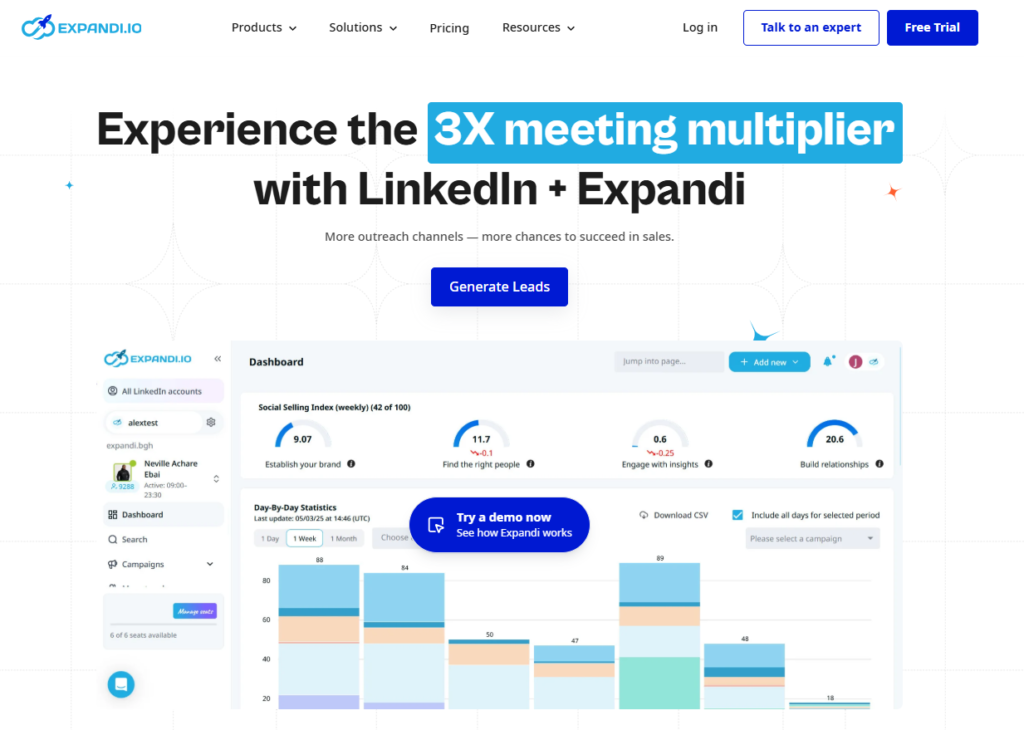
Expandi’s market position is built on a specific safety architecture claim that its user base has validated through years of production use: the combination of cloud-based operation, a dedicated IP address assigned per LinkedIn account, and algorithm-driven human behavior simulation produces the lowest account restriction rate among the tools reviewed for this guide. The core insight is that LinkedIn’s detection system primarily flags two patterns — abnormal network behavior (automated actions from IP addresses associated with known automation tools) and inhuman timing patterns (actions at machine-speed precision without natural variation). Expandi addresses both: the dedicated IP ensures each account’s activity appears to originate from a consistent, recognizable network location, and the action timing randomization replicates the natural pauses and rhythms of manual LinkedIn use.
The conditional campaign logic is the feature that separates Expandi from simpler automation tools. A standard automation sequence does the same thing regardless of how a prospect responds — send request, wait three days, send message one, wait four days, send message two. An Expandi conditional sequence branches based on behavioral data: if the prospect accepts the connection within 48 hours, follow up with a warm personalized message acknowledging the quick acceptance; if they accept after five days with no engagement, follow up with a different message acknowledging the delay; if they have not accepted after ten days, withdraw the pending invitation (to maintain account health) and add them to an email follow-up sequence. This behavioral responsiveness is what makes automation feel less mechanical and produces reply rates that justify the investment.
The flat-per-account pricing — $99/mo (or $79/mo annual) per LinkedIn account with no per-user fees and no feature gates — is unusual in the category and commercially important for teams. Dripify charges $39 to $79 per user per month; a 10-person team costs $390 to $790 per month. Expandi charges $99 per LinkedIn account per month, so the same 10-person team costs $990/mo — or receives a meaningful per-account discount at the agency tier. The pricing parity depends heavily on which LinkedIn accounts are actually needed for automation and whether the agency discount applies.
Where Expandi Falls Short
Expandi does not include native lead data enrichment or email finding, which means users need to arrive with enriched contact data from a separate tool — Apollo, Kaspr, Clay, or a LinkedIn Sales Navigator export with additional enrichment. Some users report that the interface, substantially redesigned in V2, has a steeper learning curve than competitors. A pattern of billing disputes and customer service responsiveness issues appears consistently enough in user reviews (including G2 and Trustpilot) to warrant mentioning — prospective users should test the trial thoroughly before committing to annual billing.
The Verdict on Expandi
Expandi is the right LinkedIn automation platform for sales teams and agencies that treat account safety as the primary selection criterion and are willing to pay a premium for cloud-based dedicated-IP architecture. The flat-per-account pricing model rewards teams that automate from a small number of high-value LinkedIn accounts. For individual sellers or small teams where the per-account cost is the primary constraint, Dripify or Waalaxy offer competitive automation at lower entry prices.
2. Dripify — Best for Intuitive Campaign Building and Beginner-Friendly Drip Sequences
| Key Information | Overview |
|---|---|
| Best For | Sales professionals and small teams who want an approachable, visually intuitive LinkedIn automation platform with strong campaign analytics and a gentle learning curve |
| Pricing | Basic $39/user/mo (1 campaign, limited daily quotas). Pro $59/user/mo (unlimited campaigns, full quotas, dedicated inbox, webhooks). Advanced $79/user/mo (team management, advanced protection, lead tagging). Enterprise: custom. 7-day free trial, no credit card |
| Free Tier | Yes — 7-day free trial |
| Key Strengths | Clean, intuitive visual campaign builder, pre-built sequence templates for common outreach scenarios, built-in LinkedIn protection algorithm, LinkedIn + email in one sequence, dedicated inbox for reply management, 20+ smart personalization variables, email finder module (100 credits/mo on Basic), advanced analytics with funnel visualization, A/B testing on Advanced, team management dashboard |
| Key Weaknesses | Per-user pricing scales linearly with team size — more expensive than Expandi’s flat model for large teams; email finder module priced separately beyond included credits; Gmail only for email outreach (no Outlook support); editing live campaign messages requires restarting the campaign |
| Deployment | Cloud-based (safer than browser extensions but dedicated IP not specified per account) |
| CRM Integration | Zapier (1,000+ app connections), webhooks on Pro; HubSpot, Salesforce via Zapier |
| Best Pairing | Sales Navigator for high-quality prospect sourcing; Apollo or Hunter for email finding to supplement Dripify’s email finder credits |
Dripify earns its category-leading G2 rating (4.7/5 from over 476 verified reviews) through a combination that is deceptively simple to describe: it works reliably, it is easy to set up, and new users can have a campaign running within an hour of creating an account. In a category where competing tools often require significant configuration, understanding of LinkedIn’s safety constraints, and tolerance for interface complexity, Dripify’s friction-reduced experience has earned substantial user loyalty from the non-technical sales professionals and recruiters who represent the majority of LinkedIn outreach practitioners.
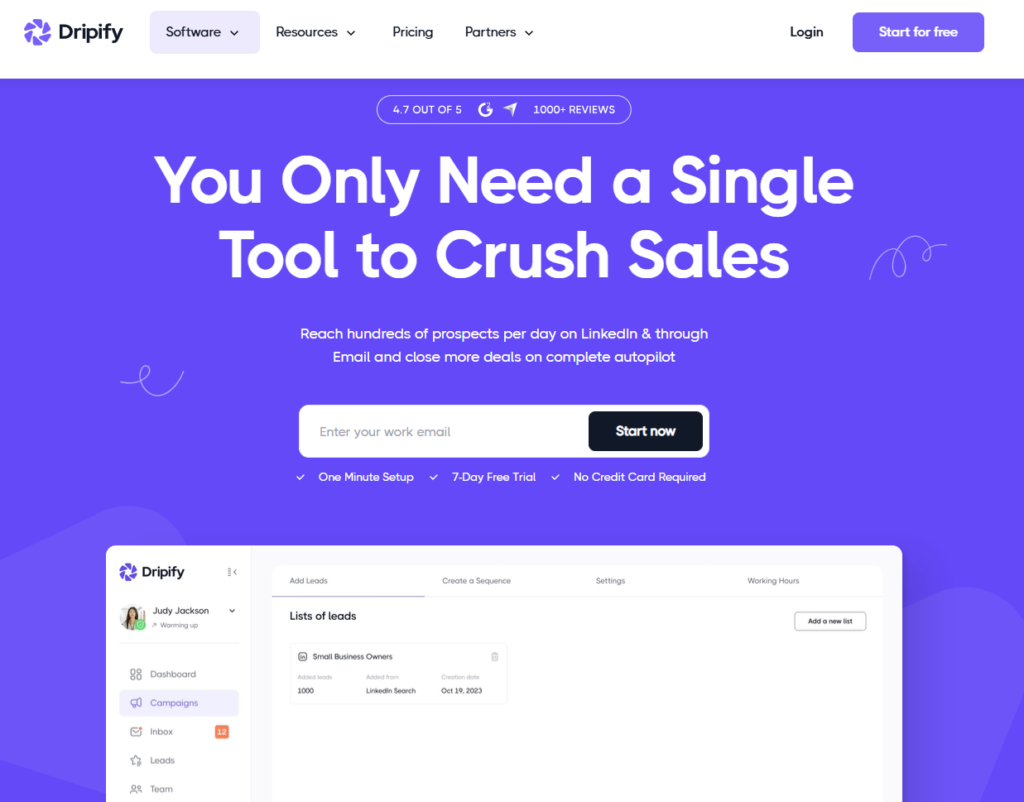
The visual campaign builder displays each sequence step — connection request, message one, email follow-up, message two, profile visit — as a connected flow chart that makes the campaign logic immediately interpretable. Conditional branches appear as visible forks in the flow. Wait periods are displayed as labeled delays between nodes. The resulting campaign diagram is scannable at a glance in a way that text-based sequence lists are not, which is practically important when managing multiple simultaneous campaigns with different audience segments and messaging approaches.
The built-in LinkedIn protection algorithm is Dripify’s primary safety mechanism: it monitors daily and weekly action counts, randomizes action timing, and enforces limits designed to stay within LinkedIn’s detection thresholds. Unlike Expandi’s dedicated-IP architecture, Dripify runs through cloud servers without specifying dedicated per-account IPs, which means the safety level is meaningful but not identical to Expandi’s. For most users operating within conservative limits and standard LinkedIn accounts (not high-profile accounts where bans carry significant business risk), Dripify’s safety level is operationally adequate.
The dedicated inbox — available on Pro and above — consolidates all LinkedIn replies from active campaigns into a single interface where the user can read, respond, tag, and export conversations without returning to LinkedIn. For outreach programs generating meaningful reply volume, this inbox management layer is a substantial efficiency improvement over navigating LinkedIn’s native message interface while simultaneously managing campaign tracking.
Where Dripify Falls Short
The per-user pricing model becomes a meaningful cost driver for growing teams. A 10-user team on the Pro plan costs $590/mo; an equivalent team on Expandi costs $990/mo, but Expandi’s pricing does not increase with non-LinkedIn-account users (viewers, managers, analysts). For large teams where not every member runs campaigns, Expandi’s per-account model may be more cost-effective. The Gmail-only limitation for email outreach is a real operational constraint for any organization on Microsoft 365, which remains the dominant corporate email platform for enterprise accounts.
The Verdict on Dripify
Dripify is the right LinkedIn automation platform for sales professionals, recruiters, and small teams who prioritize ease of use, clean analytics, and reliable campaign execution over the maximum safety architecture or the most complex conditional logic. The Pro plan at $59/user/mo is the appropriate tier for most individual users — it unlocks unlimited campaigns, full daily quotas, and the dedicated inbox that makes reply management practical. Start with the 7-day trial, which provides full feature access without credit card commitment.
3. PhantomBuster — Best for Multi-Platform Data Extraction and Custom Workflow Automation
| Key Information | Overview |
|---|---|
| Best For | Growth teams, sales operations professionals, and marketers who need to extract structured data from LinkedIn, Sales Navigator, and other platforms, and build custom automation workflows that go beyond standard outreach sequences |
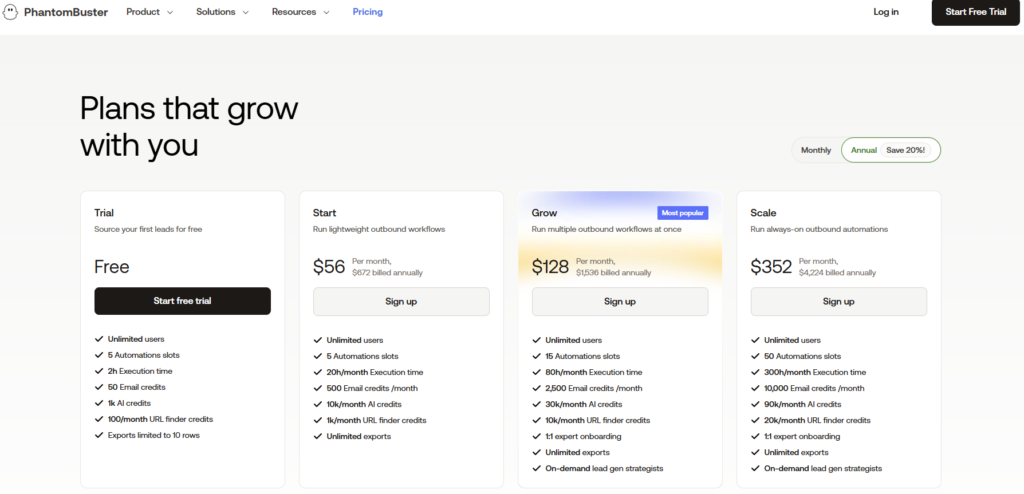
| Pricing | Starter $69/mo (20 hrs execution time, 5 Phantom slots, 2 email finder credits). Pro $159/mo (80 hrs, 15 Phantom slots, 5 email credits). Team $439/mo (300 hrs, 50 Phantom slots, 20 email credits). 14-day free trial |
| Free Tier | Yes — 14-day free trial |
| Key Strengths | 100+ pre-built Phantoms covering LinkedIn, Sales Navigator, Instagram, X, YouTube, Google, and more; cloud-based with dedicated proxy support; AI LinkedIn Message Writer generates personalized outreach from profile data; AI Profile Enricher with sentiment scoring for prospect qualification; chainable automation workflows connecting multiple Phantoms; HubSpot and Salesforce native integration; CSV export of all scraped data |
| Key Weaknesses | Execution-time-based pricing model is harder to predict than flat-rate tools — heavy workflows can exhaust monthly hours quickly; primarily a data extraction tool whose outreach features are less polished than dedicated outreach platforms; requires more technical sophistication to configure than Dripify or Waalaxy; steep learning curve for users unfamiliar with workflow automation concepts |
| Deployment | Cloud-based with dedicated proxy support |
| CRM Integration | HubSpot and Salesforce native; Zapier for 1,000+ additional apps |
| Best Pairing | Expandi or Dripify for outreach sequences that run on PhantomBuster-extracted data lists; HubSpot for CRM-connected prospect management |
PhantomBuster occupies a distinct category position: it is a data extraction and workflow automation platform first, and a LinkedIn outreach tool second. Where Expandi and Dripify are built around the outreach sequence — the structured series of connection requests and messages sent to a defined prospect list — PhantomBuster is built around the Phantom, an individual automation script that performs one specific action and can be chained with other Phantoms to create multi-step data workflows. Extract a list of second-degree connections from a LinkedIn search result, enrich those profiles with contact information from company websites, score them by profile completeness and activity recency, and export the resulting list to a Google Sheet or CRM — this type of data pipeline is PhantomBuster’s native use case, and it is genuinely unique in the category.
The 100+ Phantoms cover platforms far beyond LinkedIn: Instagram follower extraction, Google Maps business data, YouTube comment scraping, X follower lists, company employee lists from company pages — the breadth means that a growth team using PhantomBuster for LinkedIn prospecting is also acquiring a versatile data extraction infrastructure for every other channel in their outreach stack. This cross-platform value is the primary reason growth teams and sales operations functions choose PhantomBuster over simpler LinkedIn-only alternatives.
The AI capabilities added in 2024 and expanded in 2025 address the personalization quality problem that raw data extraction historically left unresolved. The AI LinkedIn Message Writer analyzes a prospect’s job title, company, recent LinkedIn activity, skills, and career history to generate a personalized opening message that references their specific context rather than generic professional acknowledgment. The AI Profile Enricher goes further — scoring profiles with a sentiment indicator that reflects how likely the prospect is to be receptive to outreach based on their visible professional signals. For high-volume prospecting where manual profile review is not feasible, this AI-driven prioritization improves outreach quality without adding proportional manual effort.
Where PhantomBuster Falls Short
PhantomBuster’s execution-time-based pricing creates cost unpredictability for users who have not calibrated their workflow complexity against the available monthly hours. A complex multi-Phantom pipeline that runs against a large list can exhaust the Starter plan’s 20 hours in the first week of the month. For straightforward outreach automation — connection requests, follow-up messages — Dripify or Expandi provide more predictable pricing and a more purpose-built experience. PhantomBuster also requires a meaningful technical learning curve: understanding the Phantom library, configuring input parameters, chaining outputs between Phantoms, and managing execution scheduling is not the experience of a user opening Dripify for the first time.
The Verdict on PhantomBuster
PhantomBuster is the right tool for growth teams and sales operations professionals who need LinkedIn data extraction as part of a broader data infrastructure — building prospect lists, enriching contact data, connecting automation workflows across multiple platforms — rather than simply sending connection requests and follow-ups from a provided list. The Starter plan at $69/mo is adequate for users running light workflows on defined lists; the Pro plan at $159/mo is necessary for teams running data pipelines at meaningful volume. Pair with Dripify or Expandi for the outreach sequence layer that PhantomBuster’s architecture does not serve as cleanly.
4. Waalaxy — Best for Beginners and Teams Wanting Free-Tier Access
| Key Information | Overview |
|---|---|
| Best For | Sales professionals, recruiters, and small business owners who are new to LinkedIn automation and want to start with a free plan before committing to paid outreach at scale |
| Pricing | Free (80 invites/mo, basic automation, 25 email finder credits). Pro ~$10/mo (~€19, 300 invites/mo, unlimited campaigns, 25 credits). Advanced ~$30/mo (~€49, 800 invites/mo, live chat support). Business ~$42/mo (~€69, 800 invites/mo, cold email sequences, 500 email credits). Annual billing saves 50%. LinkedIn Inbox add-on ~$20/mo separately. 7-day free trial |
| Free Tier | Yes — 80 LinkedIn invitations per month with basic sequence automation; reduced from previous limits as of late 2024 |
| Key Strengths | Free plan provides genuine outreach capability without requiring payment; visual flowchart campaign builder with condition-based branching; email finder built in; multi-channel LinkedIn + email sequences on Business tier; 100,000+ user community with extensive tutorial library; proxy management included (campaigns can run even when computer is off on cloud-connected plans); largest international user base creates extensive peer knowledge |
| Key Weaknesses | Chrome extension architecture creates higher LinkedIn detection risk than cloud-native tools; documented history of price increases without proportional feature additions (prices rose ~2x between 2023–2025); free tier reduced from previous generous limits; LinkedIn Inbox is a paid add-on ($20/mo) not included in any plan; Outlook not supported for email; some users report billing friction when attempting cancellations |
| Deployment | Chrome extension with cloud sync (campaigns require browser active or cloud connection) |
| CRM Integration | HubSpot, Pipedrive, Zapier |
| Best Pairing | Any CRM via Zapier for lead routing; complement with cloud-based tool like Expandi for larger teams where safety is a priority |
Waalaxy’s 100,000+ user base and the largest community of any tool on this list is not an accident of marketing — it reflects a product decision to offer a meaningful free tier that lets users experience real LinkedIn automation before any payment is required. The free plan’s 80 monthly LinkedIn invitations is a substantive capability reduction from Waalaxy’s more generous historical limits, but it remains operationally meaningful: 80 connection requests per month, with a follow-up message sequence to those who accept, generates a modest but real stream of new conversations without any financial commitment. For a first-time LinkedIn automation user who is not certain whether automation fits their workflow, this free-first experience is the most appropriate entry point in the category.
The visual campaign flowchart — Waalaxy’s primary UX differentiator — displays outreach sequences as a connected diagram where each step (visit profile, send invitation, wait, check acceptance, send message) appears as a labeled block connected by conditional branches. The visual format makes the campaign logic immediately interpretable to users who have never configured marketing automation before. Waalaxy’s claim that 75 percent of its users had never done LinkedIn outreach before using the platform is plausible given this UX — the tool is genuinely designed for non-technical users discovering automation for the first time.
The multi-channel capability on the Business tier ($66/mo) integrates cold email sequences into LinkedIn campaigns: if a prospect accepts a connection request but does not respond to two LinkedIn messages within a defined window, the sequence can automatically attempt email outreach using an email address found by Waalaxy’s email finder. This conditional LinkedIn-to-email transition is what separates a LinkedIn-only tool from a genuine multichannel sequence — and the Business tier delivers it at a price that is competitive with single-channel alternatives.
Where Waalaxy Falls Short
Waalaxy’s Chrome extension architecture is the persistent safety concern. Chrome extensions interact with LinkedIn through the user’s browser, sharing the user’s network IP address and potentially detectable by LinkedIn’s monitoring of browser extension behavior. Waalaxy has built safety mechanisms into the extension — proxy management, action limits, simulated human timing — but the fundamental detection risk profile of a browser extension is higher than that of a dedicated-IP cloud tool. For high-value LinkedIn accounts where an account restriction would be commercially disruptive, this architectural distinction matters. The documented pattern of price increases without proportional feature additions is also a consideration for annual billing commitment — several independent reviews note that Waalaxy raised prices roughly 2x between 2023 and 2025.
The Verdict on Waalaxy
Waalaxy is the right LinkedIn automation starting point for users new to the category, individual professionals testing automation before committing to a paid tool, and teams operating in cost-constrained environments where the free tier or Pro tier’s low price point is the primary selection criterion. The Business plan at $66/mo offers genuine multichannel capability at a price accessible to most small teams. For teams where account safety is the primary concern, Expandi or HeyReach’s dedicated-IP cloud architecture provides meaningfully stronger protection.
5. HeyReach — Best for Agencies Managing Multiple LinkedIn Accounts at Scale
| Key Information | Overview |
|---|---|
| Best For | Lead generation agencies, outsourced SDR firms, and enterprise sales teams that need to run simultaneous LinkedIn campaigns from multiple accounts, managed from a single dashboard |
| Pricing | Growth $59/seat/mo (annual, 1 sender). Agency $749/mo (50 LinkedIn senders, annual). Unlimited $1,499/mo (up to 500 senders, annual). 30-day free trial |
| Free Tier | Yes — 30-day free trial |
| Key Strengths | Multi-account simultaneous campaign management from a single dashboard, automatic rotation across accounts to maximize outreach volume while respecting per-account limits, centralized unified inbox for all accounts, white-label client reporting, cloud-based with dedicated proxies per account, HubSpot and Clay native integration, API and Zapier/Make connectivity, AI personalization at scale |
| Key Weaknesses | Starter plan’s $79/sender/mo pricing is more expensive than per-user tools for small teams running one account; Agency/Unlimited plans require annual commitment; customer support response times reported as slow by some users; limited native email outreach capability compared to La Growth Machine |
| Deployment | Cloud-based with dedicated proxy per LinkedIn account |
| CRM Integration | HubSpot native, Clay native; Zapier and Make; API access |
| Best Pairing | Apollo or Sales Navigator for lead sourcing; HubSpot for CRM pipeline management of HeyReach-generated conversations |
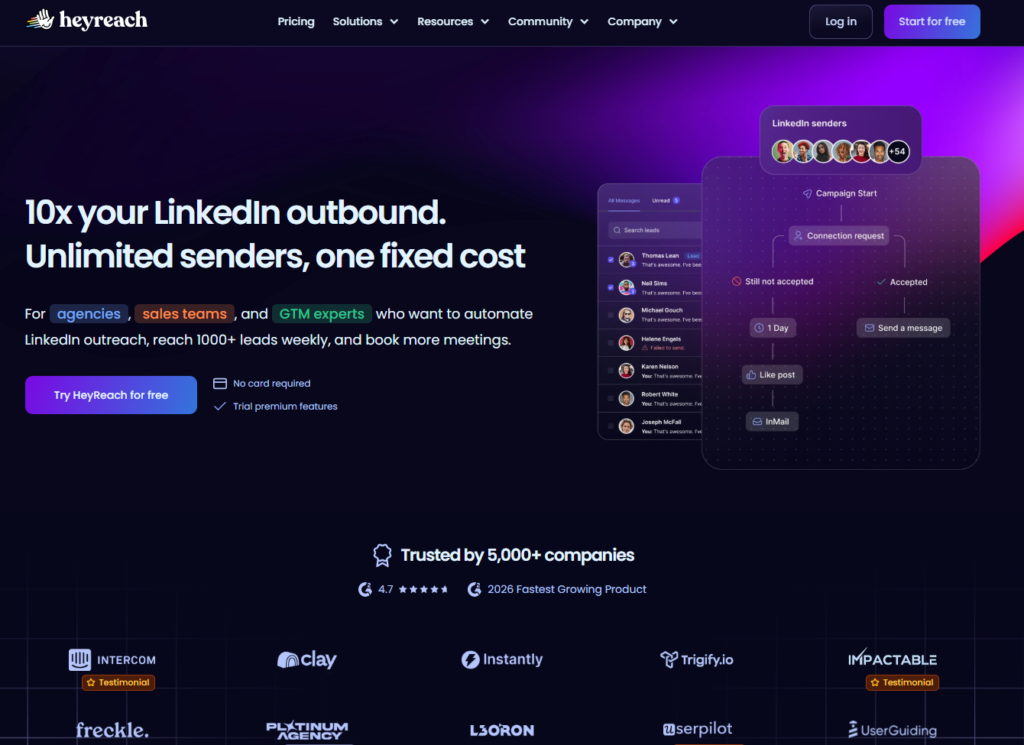
HeyReach solves the agency-scale LinkedIn automation problem that no other tool on this list addresses with comparable architecture: the operational challenge of running outreach campaigns for 20, 50, or 200 LinkedIn accounts simultaneously from a single platform, with a unified interface for managing all campaigns, all inboxes, and all client reports without switching between accounts or managing separate platform credentials for each client.
The multi-account rotation system is HeyReach’s most commercially distinctive feature. When running an outreach campaign for a large prospect list, HeyReach distributes the sending load across all connected LinkedIn accounts — each account sends a safe volume of connection requests and messages within LinkedIn’s limits, but the combined volume across the account pool is multiplied by the number of accounts. An agency with 10 client LinkedIn accounts in HeyReach can run outreach to 1,000 prospects per week at 100 connections per account, where a single-account tool would be limited to 100 per week. This rotation capability is what makes HeyReach the platform of choice for agencies running volume outreach for multiple clients, and it is the primary reason the Agency plan’s economics make sense despite its higher absolute cost.
The unified inbox consolidates all conversations from all connected LinkedIn accounts into a single prioritized feed, with filtering by account, campaign, lead stage, and response status. For an agency team member managing outreach for 10 client accounts, the alternative to this unified inbox is checking 10 separate LinkedIn inboxes, rotating between accounts to monitor replies, and potentially missing responses that fall outside the regular manual review cycle. The unified inbox eliminates this operational fragmentation — one view, all conversations, with the account and campaign context preserved.
HeyReach’s cost structure becomes compelling at agency scale. The Agency plan at $749/mo (annual) covers 50 LinkedIn sender accounts — a per-account cost of $15/mo. At individual tool pricing ($79–$99/mo per account for Expandi or HeyReach Starter), 50 accounts would cost $3,950 to $4,950/mo. The flat-rate Agency plan is a 5 to 7x cost reduction at scale that creates a genuine competitive advantage for agencies building LinkedIn outreach programs for clients.
Where HeyReach Falls Short
HeyReach’s per-sender pricing for small teams is less competitive than per-user tools. A three-person team where each member runs outreach from their own LinkedIn account pays $237/mo on HeyReach’s Growth tier ($79/sender × 3), compared to $177/mo on Dripify Pro ($59/user × 3) or $237/mo on Expandi ($99 × 3 accounts, but with annual discount). The native email outreach capability is also more limited than La Growth Machine — for agencies whose outreach strategy requires sophisticated multichannel coordination, La Growth Machine’s email architecture is stronger.
The Verdict on HeyReach
HeyReach is the right LinkedIn automation platform for agencies, outsourced SDR providers, and enterprise teams managing LinkedIn outreach across 10 or more LinkedIn accounts. The economics of the Agency and Unlimited plans are compelling at scale, and the multi-account rotation, centralized inbox, and white-label reporting are purpose-built for the agency use case in ways that individual tools cannot replicate. For small teams with one to five accounts, Dripify or Expandi provide better cost-adjusted value.
6. Linked Helper — Best Budget LinkedIn Automation with Built-In CRM
| Key Information | Overview |
|---|---|
| Best For | Freelancers, individual sales professionals, and small teams who need functional LinkedIn automation at the lowest price point in the professional category, with a built-in CRM to avoid additional tool costs |
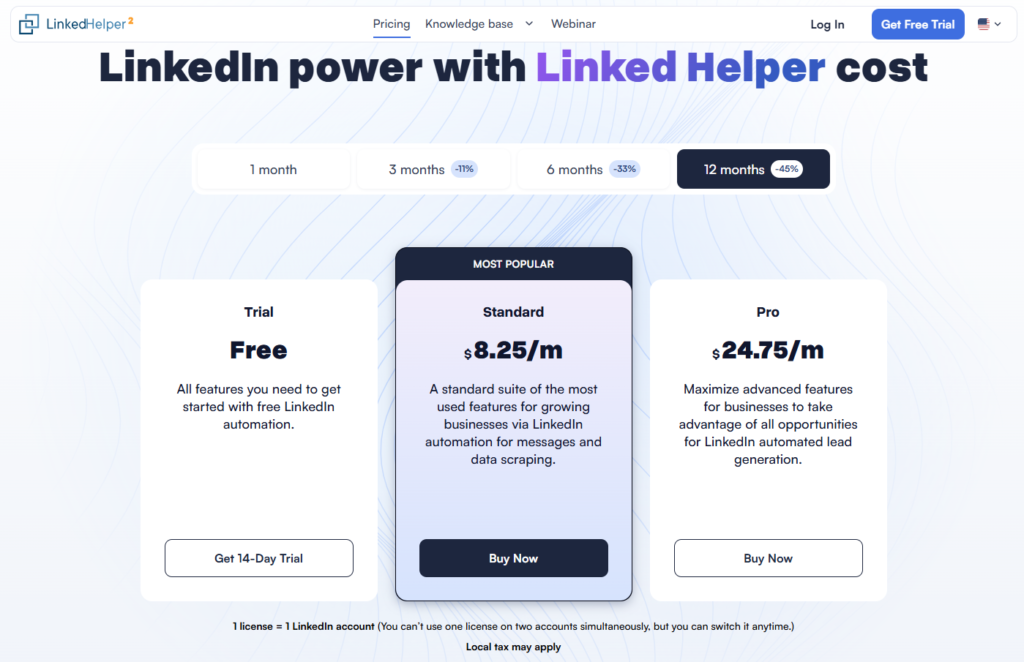
| Pricing | Standard $15/mo ($8.25/mo annual). All plans include all features. 14-day free trial |
| Free Tier | Yes — 14-day free trial |
| Key Strengths | Lowest price in the category with a full feature set — no feature gates between tiers; built-in CRM with contact tagging, messaging history, and notes; works with all LinkedIn account types (Free, Premium, Sales Navigator, Recruiter Lite); full automation sequence builder; bulk messaging to 1st connections; profile scraping and data export; can be installed on remote server to avoid desktop dependency |
| Key Weaknesses | Desktop application (not cloud-native) — requires computer to be on for campaigns to run, unless installed on remote server; not a browser extension but a separate application, which has different detection risk profile than cloud tools; interface is less polished than modern SaaS competitors; steeper learning curve than Dripify or Waalaxy; slower development cycle than cloud-native competitors |
| Deployment | Desktop application (Mac and Windows); can be run on remote server for 24/7 operation |
| CRM Integration | Built-in CRM; HubSpot, Salesforce, Pipedrive via CSV export or Zapier |
| Best Pairing | Run on an inexpensive VPS or remote server to eliminate desktop dependency; pair with a dedicated email tool like Lemlist for multichannel outreach |
Linked Helper’s value proposition is straightforward and genuine: at $8.25/mo on the annual plan (or $15/mo monthly), it provides a feature set — full sequence automation, profile scraping, built-in CRM, all LinkedIn account type support — that competitors charge $39 to $99/mo for. The price difference is not explained by fewer features; it reflects the architectural trade-off that Linked Helper’s desktop application model enables. Without cloud infrastructure costs, dedicated server management, or premium SaaS pricing, the tool can price at a fraction of its cloud-based competitors and still operate profitably.
The built-in CRM is the feature that most distinguishes Linked Helper from comparably priced tools. Rather than providing only a list management view, Linked Helper stores each contact’s messaging history, profile data, campaign membership, tags, and notes in a CRM-style record that persists across campaigns and provides a longitudinal view of each relationship’s development. For individual sellers who manage their prospect pipeline entirely within LinkedIn outreach — without a dedicated CRM subscription — this built-in capability eliminates a tool cost that other automation tools implicitly require.
The capability to install Linked Helper on a VPS (Virtual Private Server) — a remotely hosted computer that runs continuously — addresses the primary operational constraint of desktop-only software: campaigns pause when the computer is off. At VPS costs of $5 to $15/mo from providers like Digital Ocean or Vultr, the total Linked Helper stack including remote server costs $13 to $30/mo — still significantly cheaper than any cloud-native alternative while providing the always-on operation that most users require for professional automation programs.
Where Linked Helper Falls Short
Desktop application architecture creates inherent 24/7 operation inconvenience unless a remote server is configured — a setup step that requires technical comfort that many non-developer users lack. The interface reflects the product’s history as a desktop application rather than a modern web SaaS, which means it is functional but visually and experientially dated compared to Dripify or Waalaxy. The development cycle for new features and safety adaptations is slower than cloud-native competitors that can push updates immediately to all users, which means that when LinkedIn changes its detection parameters Linked Helper may lag in response.
The Verdict on Linked Helper
Linked Helper is the right LinkedIn automation tool for budget-constrained individuals — freelancers, early-stage founders, recruiters in cost-sensitive organizations — who need genuine automation capability without the $59 to $99/mo monthly commitment that professional cloud tools require. The annual plan at $8.25/mo is the category’s best value proposition for individual users. Configure it on a VPS for always-on operation and pair with a free email tool for basic multichannel coverage. Upgrade to a cloud-native tool when the account safety architecture or the management overhead of desktop software becomes operationally constraining.
7. Dux-Soup — The Pioneer: Browser-Based LinkedIn Automation for Individual Users
| Key Information | Overview |
|---|---|
| Best For | Individual sales professionals and recruiters who want LinkedIn automation at the lowest cost using a Chrome extension, with the benefit of the category’s longest track record and widest documented user base |
| Pricing | Free (Starter, limited). Turbo €12.99/mo (~$14.99) — automated sequences, personalized messages, lead nurturing. Cloud Dux €88/mo/seat — 24/7 cloud operation, full team features. 14-day free trial on paid plans |
| Free Tier | Yes — limited automation features including manual profile visits and basic data extraction |
| Key Strengths | Longest category track record (founded 2015) with no-ban user testimonials when guidelines followed; large community with extensive documentation and tutorial content; integrates with 1,000+ apps via Zapier including Salesforce, HubSpot, Pipedrive; workflow-based lead funnels with multi-step sequences; profile scraping for prospect data building; the Cloud Dux tier provides cloud-based operation eliminating browser-open requirement |
| Key Weaknesses | Browser extension architecture (standard tier) requires browser open and has higher detection risk than dedicated cloud-IP tools; free plan is limited enough to be primarily a trial rather than a functioning automation tool; interface shows its age compared to modern competitors; less feature-rich than Dripify or Expandi at comparable paid tiers |
| Deployment | Chrome extension (Turbo tier); cloud-based on Cloud Dux tier (€88/mo) |
| CRM Integration | HubSpot, Pipedrive, Salesforce via Zapier; CSV export |
| Best Pairing | PhantomBuster for data scraping that complements Dux-Soup’s outreach capability; HubSpot or Pipedrive for CRM-connected sequence management |
Dux-Soup founded the LinkedIn automation category in 2015 and for years was the default recommendation for anyone exploring LinkedIn automation for the first time. It remains the most widely referenced LinkedIn automation tool by users with multi-year histories of safe use, and the accumulated documentation — tutorial videos, blog posts, community Q&A, integration guides — is larger than any competitor. For users who learn best from extensive written and video resources, the Dux-Soup knowledge base is the category’s richest available.
The Turbo plan at €12.99/mo ($14.99) provides genuine LinkedIn automation capability — personalized connection requests, automated follow-up sequences, lead nurturing workflows, profile scraping, and integration with major CRMs via Zapier — at the second-lowest price point for a professional automation tool after Linked Helper’s annual billing. For individual users who want to validate whether LinkedIn automation generates sufficient ROI before committing to higher-cost tools, Dux-Soup’s Turbo plan is a credible starting point.
The Cloud Dux tier at €88/mo/seat fundamentally changes Dux-Soup’s risk profile by moving the automation to a cloud server — eliminating the browser-open requirement and the network-IP detection risk that has historically made browser extension tools less safe than cloud-native alternatives. At this price tier, Dux-Soup is competing directly with Dripify Pro ($59/mo) and approaching Expandi ($99/mo) territory, where its feature depth becomes a meaningful comparative consideration.
Where Dux-Soup Falls Short
At the Turbo tier, Dux-Soup’s browser-extension dependency creates the same detection risk concerns as Waalaxy — users running automation from their home or office IP address with extension-based automation face higher detection risk than dedicated-IP cloud tools. The user interface, while familiar to long-term users, feels dated compared to Dripify’s visual campaign builder or Waalaxy’s intuitive flowchart. For users evaluating the category for the first time in 2026, Dripify or Waalaxy provide a more contemporary experience at comparable price points.
The Verdict on Dux-Soup
Dux-Soup is the right choice for users who specifically value the tool’s long track record and documented safety history, who benefit from its extensive tutorial and community resources, or who want a recognized name in the category with an established pattern of LinkedIn account safety at conservative usage limits. For new users entering the category without this legacy consideration, Dripify at $39/mo provides a more modern experience at a comparable price point. Dux-Soup’s Cloud Dux tier is worth evaluating for existing Turbo users who want to eliminate the browser-open requirement, though at €88/mo it faces strong competition from Dripify Pro at $59/mo.
8. La Growth Machine — Best for True Multichannel Outreach Across LinkedIn, Email, and X
| Key Information | Overview |
|---|---|
| Best For | Sales professionals and B2B teams who want to coordinate LinkedIn, cold email, and X (Twitter) outreach in a single conditional sequence — genuinely multichannel rather than parallel single-channel campaigns |
| Pricing | Basic ~$70/user/mo (annual, LinkedIn + email, 3 active campaigns). Pro ~$135/user/mo (annual, 5 active campaigns, advanced CRM integrations). Ultimate ~$195/user/mo (annual, unlimited campaigns, custom sequence builder, rotating inbox). 14-day free trial, no credit card |
| Free Tier | Yes — 14-day free trial |
| Key Strengths | True three-channel sequences (LinkedIn + email + X in one flow with conditional logic), LinkedIn voice message automation, lookalike prospect search (find similar contacts to best customers), unified multichannel inbox, native HubSpot and Pipedrive CRM integration with automatic timeline sync, cloud-based, waterfall email enrichment for finding verified contact emails, out-of-office detection, team collaboration features |
| Key Weaknesses | Per-user pricing is higher than LinkedIn-only alternatives; X (Twitter) outreach less commonly used in most B2B markets, reducing the practical three-channel value for many teams; 3–5 active campaign limit on lower tiers can constrain teams running multiple simultaneous segments; interface more complex than Dripify or Waalaxy for new users |
| Deployment | Cloud-based |
| CRM Integration | HubSpot and Pipedrive native with full timeline sync; Zapier and API for additional CRMs |
| Best Pairing | Sales Navigator for enriched prospect sourcing; HubSpot or Pipedrive for CRM pipeline; Clay for advanced data enrichment before import |
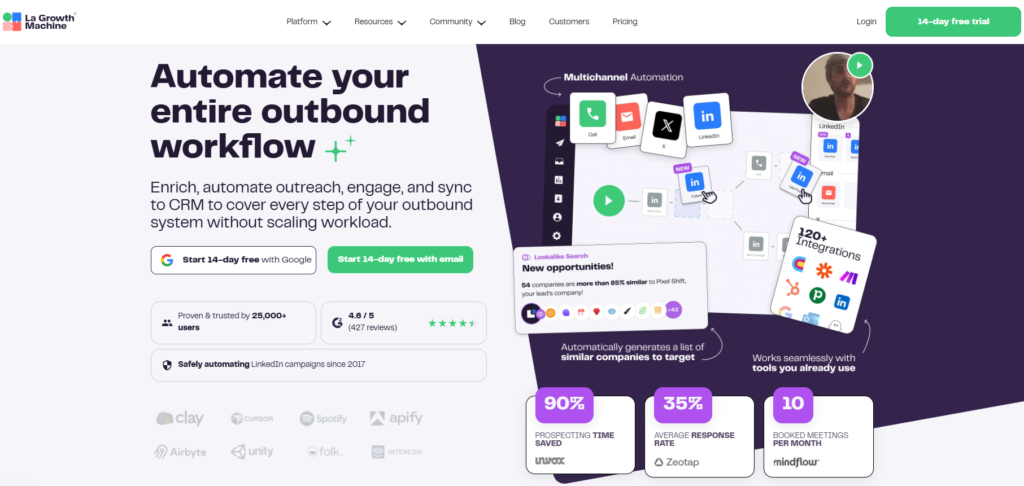
La Growth Machine’s core differentiator is genuine multichannel coordination that most tools claiming multichannel capability do not actually provide. The typical “multichannel” tool runs a LinkedIn sequence and an email sequence in parallel, with the user managing both separately — two campaigns, two inboxes, two sets of analytics. La Growth Machine builds a single sequence that moves a prospect through channels based on their actual behavior: LinkedIn connection request sent, prospect accepts and receives a LinkedIn message, prospect does not reply after three days so the sequence triggers an email, prospect replies to the email and is marked as engaged in both channels, all conversation history visible in a unified inbox. This is genuine channel coordination, not parallel automation.
The LinkedIn voice message capability — available on all plans — sends automated voice message content to LinkedIn connections, a format that has meaningfully higher open and listen rates than text messages in several B2B markets. For sales professionals who want to maintain the personal element of audio communication while automating the delivery, this is a capability that no other tool on this list provides natively.
The lookalike search feature is commercially creative: by entering the name of a current customer, La Growth Machine identifies similar companies and prospects based on company size, industry, technology stack, and other firmographic signals, returning a prospecting list for the user to import into a new campaign sequence. For teams that struggle with prospect list building or whose ideal customer profile is defined by similarity to existing customers rather than explicit filter criteria, this is a meaningful efficiency tool.
The native HubSpot and Pipedrive integrations go beyond the typical Zapier-mediated sync: every LinkedIn message sent, every email delivered, every reply received, and every campaign status change appears automatically on the contact’s CRM timeline without configuration or delay. For B2B sales teams where LinkedIn outreach is an early-stage activity that feeds into a managed pipeline, this frictionless CRM sync transforms automation data from a separate tool into an integrated part of the sales workflow.
Where La Growth Machine Falls Short
La Growth Machine’s per-user pricing — $70 to $195/mo per user — is higher than most alternatives for the LinkedIn-specific functionality that most users primarily use. The X (Twitter) channel has limited practical utility for most B2B markets, where LinkedIn and email cover nearly all outreach volume. The active campaign limit on the Basic plan (3 campaigns simultaneously) constrains teams running multiple parallel prospecting segments, which is a common use case for teams targeting different ICPs or testing multiple messaging approaches concurrently.
The Verdict on La Growth Machine
La Growth Machine is the right LinkedIn automation platform for sales teams where multichannel outreach — genuinely coordinated LinkedIn and email in conditional sequence — is the primary program design, and where the CRM integration quality is a key operational requirement. If a team’s outreach strategy runs LinkedIn-only, Dripify or Expandi provide better value at lower cost. If multichannel coordination is the actual use case, La Growth Machine’s sequence architecture is the most complete implementation available in the accessible mid-market tier.
9. Octopus CRM — Best Entry-Level LinkedIn Automation for Budget-Conscious Users
| Key Information | Overview |
|---|---|
| Best For | Individual professionals, small businesses, and solopreneurs who want basic LinkedIn automation — connection requests, bulk messaging, profile visits — at the lowest possible price |
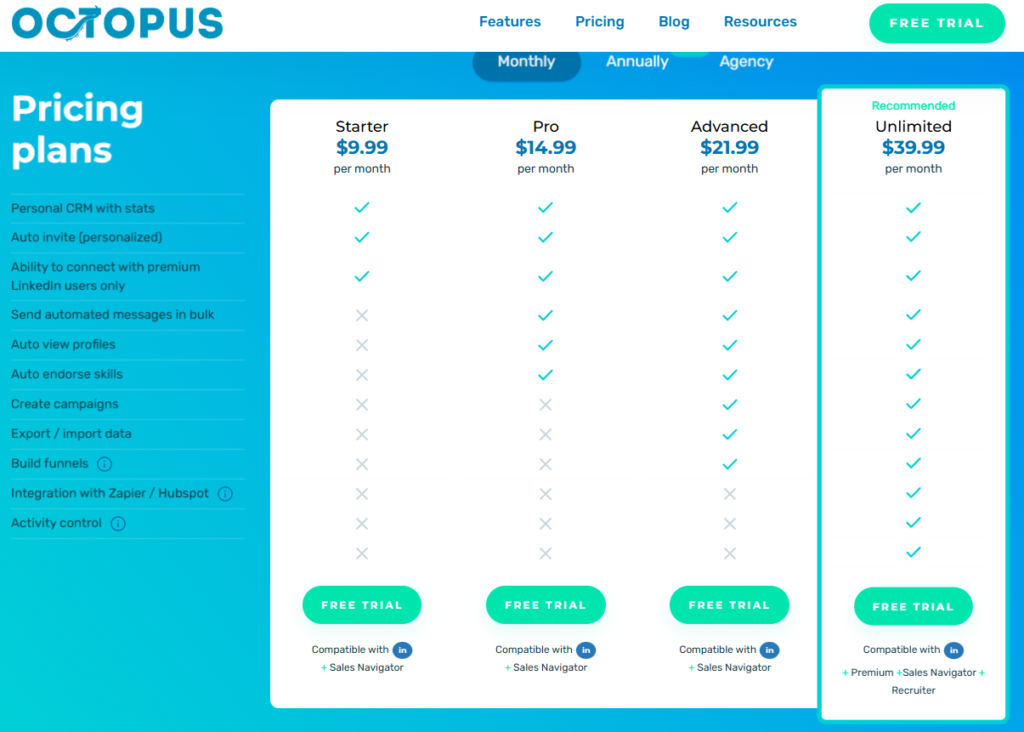
| Pricing | Starter $9.99/mo ($6.99/mo annual). Pro $14.99/mo ($9.99/mo annual). Advanced $21.99/mo ($14.99/mo annual). Unlimited $39.99/mo ($24.99/mo annual). 7-day free trial, no credit card |
| Free Tier | Yes — 7-day free trial |
| Key Strengths | Lowest price among professional LinkedIn automation tools; works with all LinkedIn account types including Recruiter; built-in analytics dashboard tracking profile visit rates, connection rates, and message response rates; funnel builder for sequenced automated actions; bypass of LinkedIn’s weekly invitation limit via “connect by email” feature; HubSpot and Zapier integration; simple setup with minimal configuration |
| Key Weaknesses | Chrome extension dependency creates higher detection risk; LinkedIn-only (no email integration); limited conditional logic compared to Dripify or Expandi; basic analytics vs. advanced reporting in premium tools; slower feature development than cloud-native competitors |
| Deployment | Chrome extension |
| CRM Integration | HubSpot, Zapier |
| Best Pairing | Hunter.io or Kaspr for email finding to enable manual multichannel follow-up; HubSpot for CRM-connected pipeline management |
Octopus CRM occupies the entry point of the LinkedIn automation market — $6.99/mo on annual billing is the cheapest functional tool in the professional category, without the feature limitations that make truly free tools inadequate for sustained outreach programs. For a freelancer, solopreneur, or small business owner who is testing LinkedIn outreach as a channel and is not ready to commit $40 to $100/mo per month to premium automation tools, Octopus CRM provides a real starting point.
The core functionality is reliable: automated connection requests with personalized notes, bulk messages to first-degree connections, automated profile visits and skill endorsements (which can generate profile visits in return), and basic funnel sequencing that chains these actions into multi-step workflows. The analytics dashboard tracks the performance metrics that matter at early stages — how many profile visits, how many connection requests sent, how many messages delivered, what the response rate is — providing the feedback needed to optimize message quality and targeting before scaling up.
The “connect by email” feature is a notable technical capability: by sending LinkedIn connection requests via email invitation rather than through LinkedIn’s standard invitation system, it bypasses the weekly invitation limit that LinkedIn enforces on standard accounts. This feature is technically functional but represents a higher-risk usage pattern that increases the probability of LinkedIn restriction detection compared to staying within standard limits.
Where Octopus CRM Falls Short
Octopus CRM’s Chrome extension architecture means the computer must be running and LinkedIn open for campaigns to execute, and detection risk is inherently higher than cloud-based alternatives. The tool supports LinkedIn-only automation with no email integration — a meaningful limitation as multichannel coordination becomes increasingly standard. The interface, while functional, reflects the tool’s development pace and does not match the visual campaign builders of Dripify or Waalaxy. For users who grow beyond basic automation needs, migration to a more capable tool is likely within six to twelve months of sustained use.
The Verdict on Octopus CRM
Octopus CRM is the right LinkedIn automation tool for budget-constrained individuals who want to start automating LinkedIn outreach at minimal monthly cost, and for users who are uncertain whether LinkedIn automation generates sufficient return to justify premium tool investment. The Unlimited plan at $24.99/mo (annual) provides full feature access at a price point well below every other professional tool. Plan to migrate to Dripify or Expandi when outreach volume, multichannel coordination, or account safety become operational priorities.
10. Meet Alfred — Best Affordable Multichannel Tool for Small Teams
| Key Information | Overview |
|---|---|
| Best For | Small teams and individuals who want LinkedIn + email + X (Twitter) automation in a single platform at the most accessible multichannel price point in the category |
| Pricing | Basic $29/mo. Team $39/mo. Pro $49/mo. All plans billed annually. 7-day free trial |
| Free Tier | Yes — 7-day free trial |
| Key Strengths | Three-channel automation (LinkedIn + email + X) at $29/mo — lowest price for multichannel in the category; team collaboration features for small sales teams; advanced LinkedIn inbox with conversation management; CRM integrations; smart campaign sequences with conditional triggers; AI-powered personalization |
| Key Weaknesses | Some users report platform bugs and glitches affecting campaign reliability; customer support response times cited as slow; multichannel integration less sophisticated than La Growth Machine; per-user pricing model adds cost for growing teams |
| Deployment | Cloud-based |
| CRM Integration | HubSpot, Salesforce, Pipedrive; Zapier |
| Best Pairing | Sales Navigator for lead sourcing; HubSpot for CRM pipeline management of generated conversations |
Meet Alfred’s primary commercial advantage is the price at which it delivers three-channel automation. At $29/mo for the Basic plan, it provides LinkedIn + email + X automation that competitors typically charge $60 to $110/mo to access. For small teams and individual sellers who want multi-channel coverage without the La Growth Machine investment, this pricing is a meaningful differentiation point.
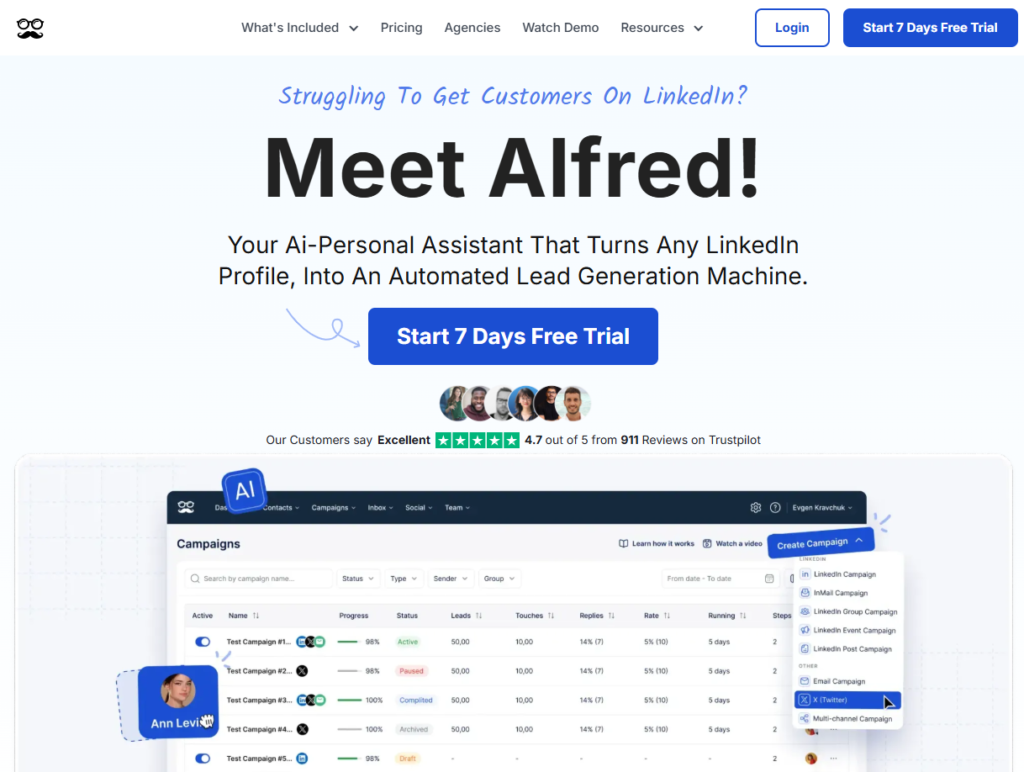
The platform has been developing its AI personalization capabilities alongside the broader market, and its smart sequences allow condition-based branching that routes prospects to different message tracks based on their engagement behavior — acceptance timing, reply activity, and channel responsiveness. The advanced LinkedIn inbox consolidates all campaign conversations into a managed interface with tagging, lead scoring, and response templates that reduce the manual management overhead of active outreach programs.
Meet Alfred’s user review pattern is mixed in ways worth acknowledging: positive reviews praise the multichannel capability and the pricing, while critical reviews cite platform instability, occasional campaign bugs, and slow customer support response when issues arise. The consistency of this pattern in recent G2 and Capterra reviews suggests that the platform’s development pace has not kept up with its feature ambitions.
Where Meet Alfred Falls Short
The reliability concerns in user reviews are the primary caution for prospective users. LinkedIn automation tools need to execute campaigns consistently, and reported bugs that pause campaigns or misfire sequences create both operational frustration and potential safety risk. For users where campaign reliability is a primary concern, Dripify’s more consistent execution record at $39/mo is a small price increase for a meaningfully more stable experience. The multichannel integration is also less sophisticated than La Growth Machine — X (Twitter) integration in particular sees mixed user results in practice.
The Verdict on Meet Alfred
Meet Alfred is the right LinkedIn automation tool for users who specifically need three-channel coverage at the lowest available price point and are willing to accept some platform instability in exchange for the cost advantage. The Basic plan at $29/mo is genuinely the cheapest cloud-based multichannel LinkedIn automation available from an established provider. For users where outreach reliability is the primary concern, Dripify at $39/mo or La Growth Machine at $60/mo offer more consistent execution at modest price increases.
Which LinkedIn Automation Tool Should You Choose? A Decision Framework
The right tool depends on your team size, primary safety requirement, multichannel needs, and budget.
If account safety is your primary concern: Expandi at $79/mo (annual) — dedicated IP per account, cloud-native, purpose-built safety architecture. For agencies at scale, HeyReach Agency at $749/mo for 50 accounts.
If you are new to LinkedIn automation: Waalaxy free plan to start without financial commitment, then upgrade to Pro (~$21/mo) when outreach volume requires more than 80 monthly invitations. Dripify Basic at $39/mo if you want a cloud platform from day one.
If you manage multiple client LinkedIn accounts: HeyReach Agency at $749/mo (50 accounts, $15/account) — the only tool architecturally designed for multi-account agency management at scale.
If you need true multichannel (LinkedIn + email + X): La Growth Machine Pro at $110/mo for the most sophisticated three-channel coordination, or Meet Alfred Basic at $29/mo for the most accessible multichannel price.
If data extraction and custom workflows are the primary need: PhantomBuster Pro at $159/mo for multi-platform scraping, enrichment, and Phantom-chained workflows.
If budget is the primary constraint: Linked Helper at $8.25/mo (annual) for individual use with desktop configuration; Octopus CRM at $6.99/mo (annual) for the absolute lowest entry price with basic functionality.
Recommended LinkedIn Automation Stacks by Team Type
| Team Type | Primary Tool | Supporting Tools | Monthly Cost | Coverage |
|---|---|---|---|---|
| Individual Seller / Recruiter | Dripify Basic ($39/mo) | Google Sheets for prospect lists | $39/mo | LinkedIn sequences + basic email + analytics |
| Safety-Focused B2B Team | Expandi ($79/mo annual × seats) | Apollo for enrichment, HubSpot for CRM | $79–$300/mo | Dedicated IP + full sequences + CRM sync |
| Multichannel Sales Team | La Growth Machine Pro ($110/user/mo) | HubSpot or Pipedrive native | $110–$330/mo | LinkedIn + email + X + CRM |
| Lead Gen Agency | HeyReach Agency ($749/mo for 50 accounts) | Apollo for data, HubSpot for client CRM | $749+/mo | Multi-account rotation + centralized inbox + white-label |
| Growth/Data Team | PhantomBuster Pro ($159/mo) | Dripify or Expandi for outreach sequences | $200–$300/mo | Data extraction + enrichment + workflow automation |
| Budget-Constrained Starter | Octopus CRM Unlimited ($24.99/mo annual) or Linked Helper ($8.25/mo annual) | Free CRM (HubSpot free tier) | $8–$25/mo | Basic LinkedIn automation + contact management |
Head-to-Head: Which Tool Wins Each Category?
| Category | Winner | Runner-Up | Notes |
|---|---|---|---|
| Account Safety Architecture | Expandi | HeyReach | Both cloud + dedicated IP; Expandi better documented safety record |
| Best for Beginners | Waalaxy | Dripify | Waalaxy on free tier and UX; Dripify on reliability and modern interface |
| Multi-Account Agency Management | HeyReach | Expandi Agency | HeyReach purpose-built for agency scale; Expandi stronger on individual account safety |
| True Multichannel Outreach | La Growth Machine | Meet Alfred | LGM on sequence sophistication; Meet Alfred on price |
| Data Extraction and Workflow Automation | PhantomBuster | N/A | No comparable competitor for cross-platform data workflows |
| Visual Campaign Builder | Dripify | Waalaxy | Dripify on interface quality; Waalaxy on beginner accessibility |
| Lowest Price (Functional) | Octopus CRM ($6.99/mo annual) | Linked Helper ($8.25/mo annual) | Both Chrome/desktop; Linked Helper on feature depth |
| Best Value Mid-Market | Dripify Pro ($59/mo) | Waalaxy Business ($66/mo) | Dripify on cloud reliability; Waalaxy on free tier entry |
| CRM Integration Depth | La Growth Machine | Expandi | LGM on native HubSpot/Pipedrive timeline sync; Expandi on Salesforce |
| Team Collaboration | HeyReach | Dripify Advanced | HeyReach on multi-account; Dripify on team campaign management |
Frequently Asked Questions
Are LinkedIn automation tools legal to use?
LinkedIn automation tools do not violate any laws but do violate LinkedIn’s Terms of Service, specifically the clause prohibiting the use of automated software to access their platform. LinkedIn enforces these terms by restricting or permanently banning accounts found to be using automation. The level of enforcement risk varies by tool type (browser extensions face higher detection risk than cloud-based dedicated-IP tools), usage volume (staying well below LinkedIn’s stated limits reduces detection probability), and behavior patterns (spammy, generic outreach generates more complaints and flags than personalized, relevant messages). The decision to use automation tools is a risk-adjusted business judgment — the tools described in this guide are widely used by hundreds of thousands of B2B professionals, and most accounts operating with reputable tools at conservative limits operate without restriction. But no tool eliminates account risk entirely.
What is the safest way to use LinkedIn automation?
The practices most consistently associated with safe LinkedIn automation use are: use a cloud-based tool with a dedicated IP per account (Expandi or HeyReach) rather than a browser extension; maintain conservative daily limits — no more than 20 connection requests per day, 50 messages per day — well below LinkedIn’s threshold; personalize every message with relevant variables so responses feel individual rather than automated; start new accounts with lower limits and gradually increase over two to four weeks (warm-up); withdraw pending connection requests that have not been accepted after two to three weeks to maintain a healthy acceptance ratio; avoid running automation during unusual hours (late night, very early morning) that would be inconsistent with a human user’s behavior pattern.
What are LinkedIn’s current connection request limits?
LinkedIn enforces a limit of approximately 100 connection requests per week for standard accounts, which translates to roughly 20 per day with natural variation. LinkedIn Premium and Sales Navigator accounts may have slightly higher limits, and accounts in good standing with high acceptance rates and long account histories may operate at the higher end of this range without triggering restriction. All automation tools on this list are bounded by this LinkedIn-imposed limit regardless of the tool’s own settings — the automation controls the timing and personalization, but the LinkedIn limit applies universally.
Can LinkedIn automation be used for recruiting?
Yes, and recruiting is one of the most common LinkedIn automation use cases. Recruiters use automation to send connection requests to candidates matching job profile criteria, follow up with accepted connections to discuss opportunities, and maintain candidate pipeline lists. The tools most appropriate for recruiting use cases are those that support LinkedIn Recruiter Lite alongside standard accounts (Linked Helper, Waalaxy, Octopus CRM all support Recruiter Lite) and those with built-in or easily integrated candidate pipeline management. The same safety practices apply — personalized messages, conservative limits, cloud-based tools — and the same Terms of Service risk applies regardless of whether the use case is sales prospecting or recruiting.
What is the difference between cloud-based and browser extension LinkedIn automation?
Browser extension tools (Dux-Soup Turbo, Waalaxy, Octopus CRM) run as Chrome extensions that interact with LinkedIn through the user’s browser, using the user’s network IP address and visible to LinkedIn’s monitoring of browser extension activity. Cloud-based tools (Expandi, Dripify, HeyReach, La Growth Machine, PhantomBuster) run on remote servers with dedicated IP addresses per account that LinkedIn sees as a consistent, stable source of activity rather than an automated process overlaid on a browser session. Cloud-based tools are generally safer because they present a more natural network profile, operate continuously without requiring a computer to be on, and can implement more sophisticated human-behavior simulation at the infrastructure level. The trade-off is cost — browser extension tools are typically cheaper but carry higher detection risk, particularly as LinkedIn’s detection capabilities continue to improve.
Expert Insights: Choose the Tool That Matches Your Scale and Safety Tolerance
LinkedIn automation is a tool, not a strategy. The tools reviewed here execute sending tasks efficiently; the outcomes they generate depend entirely on the quality of the prospect targeting, the relevance of the outreach message, and the follow-up conversation that follows a reply. A perfectly safe, well-configured Expandi campaign sending generic “I’d love to connect” messages to poorly matched prospects will generate fewer qualified conversations than a careful Dripify campaign with sharp, specific messages targeting a precisely defined ICP — even if the second campaign has a slightly higher safety risk from a less conservative tool choice.
Two principles govern practical tool selection. First, match the safety architecture to the account’s commercial value. A LinkedIn account that has been built over ten years and represents the primary inbound channel for a consulting business warrants dedicated-IP cloud protection (Expandi or HeyReach) and conservative usage patterns. A LinkedIn account created for a junior SDR running volume outreach may tolerate higher risk with a more affordable tool. The account safety investment should scale with the account’s business risk.
Second, start simpler than you think you need. Almost every experienced LinkedIn automation practitioner has the same retrospective insight: they started with a more complex, expensive tool than their initial use case required, and spent weeks configuring features they did not need before finding a workflow that actually worked. Dripify Basic at $39/mo provides everything most individual sellers need for a functioning LinkedIn outreach program. Start there, validate the ROI, and scale to more sophisticated tools when the limitation of the starter tool becomes the actual constraint on results.
The LinkedIn Automation Stack That Works for Most B2B Teams
For a B2B sales team of three to ten people: Dripify Pro ($59/user/mo) for LinkedIn and email sequences with team management, Apollo or Kaspr for contact data enrichment, and HubSpot (free tier) for pipeline management. Monthly investment: $177 to $590 for the automation platform alone. This stack, operated consistently with personalized messaging and appropriate safety settings, generates the qualified pipeline that justifies the investment within the first 60 to 90 days of operation. Add La Growth Machine when the X (Twitter) channel becomes relevant or when CRM native integration depth becomes a requirement. Evaluate HeyReach when managing outreach across 10 or more LinkedIn accounts becomes the operational reality.


