

A logo is the most compressed piece of communication a brand produces — a mark that must work at 16 pixels on a favicon and at 16 feet on a billboard, convey industry, personality, and credibility in under a second, and remain recognizable whether it is printed in black and white on a receipt or animated in full color at the opening of a brand video. Getting it right matters. Getting it wrong is expensive: brand recall, first impressions, and customer trust are all shaped by the quality of a logo before a single word is read or a single product is experienced.
The 2026 logo design tool market has never been more stratified or more practically useful across that spectrum of complexity. At one end, professional designers working in Adobe Illustrator or Affinity Designer have access to vector tools capable of creating any mark conceivable from pure mathematical curves, with complete control over every anchor point, gradient, and typographic detail. At the other, AI logo generators like Looka and Brandmark can produce dozens of logo options in minutes from a handful of style preferences, with no design skill required and file packages ready for use across print and digital channels for $20 to $65. In between, platforms like Canva offer thousands of customizable templates that non-designers can produce professional-looking results from, and Figma enables real-time collaborative brand work across distributed design teams. The right tool depends on who is doing the designing, what degree of originality is required, and how much the brand will invest in its visual identity.
The biggest story of 2025 was Canva’s acquisition of Affinity Software and its decision to make Affinity Designer — previously a $99 one-time-purchase professional vector editor regarded as the most credible Adobe Illustrator alternative in the market — completely free. This development meaningfully changed the value proposition for independent designers who previously faced a choice between Adobe’s subscription model and paying for Affinity. It also shifted the category boundaries, creating a tier of genuinely professional-grade vector tools available at zero cost that simply did not exist before. This guide reviews the best logo design tools across the full range of use cases, with verified current pricing and specific guidance on which tool fits which creator.
Quick Comparison: Top 10 Logo Design Tools for 2026
| # | Tool | Best For | Starting Price | Free Tier | Output Type | Our Rating |
|---|---|---|---|---|---|---|
| 1 | Canva | Non-designers and small businesses wanting thousands of templates with instant drag-and-drop editing | Pro $12.99/mo ($119.99/yr) | Yes — robust free tier with thousands of templates | Template-based + AI generator | 9.3/10 |
| 2 | Adobe Illustrator | Professional designers and agencies requiring the industry-standard vector editor with unlimited creative control | $22.99/mo (annual) | No — free trial only | Professional vector editor | 9.4/10 |
| 3 | Looka | Entrepreneurs and startups wanting an AI-generated logo with a complete brand kit for a one-time purchase | Basic logo $20 · Premium logo $65 · Brand Kit $96/yr | No — design free, pay to download | AI logo generator | 9.0/10 |
| 4 | Affinity Designer | Designers wanting professional vector tools at zero cost following Canva’s 2025 acquisition | Free (core features); AI add-ons via Canva | Yes — fully free for core tools | Professional vector editor | 9.2/10 |
| 5 | Figma | Design teams collaborating on brand identity projects requiring real-time co-editing and shared design systems | Professional $15/editor/mo ($12 annual) | Yes — Starter plan (3 files) | Collaborative vector design platform | 9.1/10 |
| 6 | Wix Logo Maker | Wix website owners who want a logo and brand kit that integrates seamlessly with their Wix site | Free preview; ~$20 for basic logo download | Yes — preview and customize free | AI logo generator | 8.8/10 |
| 7 | Tailor Brands | Early-stage founders who need a logo alongside business formation services (LLC filing, licenses, trademarks) | Basic $3.99/mo (annual) · Standard $5.99/mo · Premium $12.99/mo | No — free trial with sample | AI logo generator + business services | 8.7/10 |
| 8 | Brandmark | Design-conscious businesses wanting minimal, modern AI-generated logos with clean aesthetics | From $35 one-time (Basic) to $195 (Business) | No — preview free, pay to download | AI logo generator | 8.9/10 |
| 9 | Adobe Express | Adobe Creative Cloud users and content marketers who want quick template-based logo creation within the Adobe ecosystem | Free (limited); part of Creative Cloud plans | Yes — limited free plan | Template-based design tool | 8.7/10 |
| 10 | Inkscape | Budget-conscious designers, open-source advocates, and learners who want professional-grade SVG vector editing at zero cost | Free | Yes — completely free, forever | Open-source vector editor | 8.5/10 |
How We Evaluated These Logo Design Tools
Every tool in this guide was assessed across six dimensions that reflect the real demands of creating a logo that functions across the full range of brand applications.
Output quality and scalability: The single most important technical requirement of a logo is that it scales infinitely without quality loss — a property that only vector formats (SVG, EPS, AI, PDF) guarantee. Raster formats (PNG, JPG) have fixed pixel dimensions and degrade when enlarged beyond their native resolution. We evaluated each tool’s ability to produce vector-format logos, the quality of the vector output at different complexity levels, and whether the tool’s free or entry-level pricing tier delivers the file formats a logo genuinely needs for professional use.
Creative freedom and originality: There is a meaningful spectrum between “select from AI-generated options” and “draw every curve from scratch.” AI logo generators like Looka operate at the low-creative-freedom end: they produce options based on style preferences, and users customize within those options. Professional vector editors like Illustrator and Affinity Designer operate at the high-creative-freedom end: the tool imposes no constraints on what can be created. Template tools like Canva fall in the middle: thousands of starting points with meaningful customization within template parameters. We evaluated how much creative constraint each tool imposes and whether that constraint is appropriate for its target use case.
Commercial usage rights clarity: The most common legal issue with logo design tools — particularly AI generators — is discovering after purchase that the rights granted are more limited than expected. We evaluated each platform’s commercial usage rights terms, including whether rights are exclusive or non-exclusive, whether there are revenue thresholds that affect rights, and whether the fonts and icon assets embedded in the logo require separate commercial licenses. Clarity of ownership terms is a meaningful differentiator in this category.
File format completeness at each tier: The practical minimum file package for a professionally usable logo includes a transparent PNG for digital use, an SVG or vector file for scalable applications, and ideally an EPS or PDF for print production. Many AI logo generators deliver these formats only at paid tiers, with free or basic tiers restricted to watermarked or low-resolution PNGs. We evaluated what file formats each tier provides and whether the free or lowest-paid tier is functionally sufficient for real commercial use.
Ease of use for the target audience: Adobe Illustrator’s complexity is appropriate for professional designers; its learning curve would be paralyzing for a founder who needs a logo before Friday’s investor meeting. Canva’s simplicity is appropriate for non-designers; it would feel limiting to a brand designer producing a comprehensive identity system. We evaluated ease of use relative to the stated target audience of each tool — not on a universal scale, but on how well the tool’s interface matches the capability level of the people it is designed to serve.
Brand kit and ecosystem value: A logo is the anchor of a brand identity, but the practical value of a logo design tool extends to the adjacent assets it can produce: social media profile images and headers in correct platform dimensions, business card designs, letterheads, email signatures, presentation templates, and brand guidelines that document the color codes and typography for consistent application. We evaluated each tool’s brand kit capabilities and the ecosystem of assets it enables beyond the logo itself.
Three Trends Shaping Logo Design Tools in 2026
Affinity Designer going free has disrupted the professional tier. When Canva acquired Affinity Software in 2024 and made Affinity Designer free in 2025, it eliminated the primary cost objection to using professional-grade vector software. Designers who previously could not justify Adobe’s subscription fees or who wanted a one-time payment option now have access to a tool that the design community has consistently rated as Adobe Illustrator’s most capable alternative — at zero cost. The practical implication for the logo design tool market is that the “free tools are not professional” narrative, which was largely accurate when free vector editing meant Inkscape, no longer holds. Professional-quality vector output is now genuinely accessible to anyone willing to learn the tool.
AI logo generators have converged on a similar quality ceiling. The first generation of AI logo generators produced output that was immediately recognizable as AI-generated — generic, templated, and visually indistinct from thousands of other logos on the same platform. The 2024–2026 generation has improved substantially in design quality, producing results that match the output of junior-level designers for straightforward logomark and logotype requests. The convergence, however, is the story: most AI logo generators — Looka, Brandmark, LogoAI, Wix Logo Maker — now produce roughly similar quality output for typical use cases. The differentiators have become pricing model (one-time vs. subscription), brand kit depth, and the specific aesthetic biases of each tool’s training data.
The distinction between “logo tool” and “full design platform” is collapsing. Canva in 2026 is not primarily a logo tool — it is a comprehensive visual communication platform that happens to include logo creation among its hundreds of use cases. Adobe Express, Figma, and the emerging Affinity integration with Canva’s ecosystem similarly position logo design as one function within a broader creative workflow rather than a standalone product category. For teams that need marketing assets, social media graphics, presentations, and documents in addition to a logo, the full-platform tools often provide better total value than standalone logo generators even when the logo generation capability is not their strongest feature.
Detailed Reviews: Best Logo Design Tools for 2026
1. Canva — Best Logo Design Tool for Non-Designers and Content Teams
| Key Information | Overview |
|---|---|
| Best For | Small business owners, marketers, educators, and content creators who need a professional-looking logo quickly from a template, without any design training |
| Pricing | Free (thousands of templates, limited premium elements). Pro $12.99/mo ($119.99/yr) — 140M+ premium assets, Brand Kit, background remover, Magic Resize, AI tools. Teams $10/user/mo (annual, minimum 2 users) |
| Free Tier | Yes — genuinely robust; thousands of templates and basic design elements at zero cost; some premium templates and elements require Pro |
| Output Type | Template-based design tool + AI logo generator (Magic Studio) |
| Vector Export | SVG export available on free tier; full vector capabilities on Pro |
| Key Strengths | The world’s largest template library with thousands of logo templates spanning every industry and aesthetic; drag-and-drop editing that requires zero design knowledge; Brand Kit on Pro for storing and applying brand colors, fonts, and logos across all designs; Magic Resize for instantly adapting a logo to every required social media format; AI logo generator (Magic Studio) for prompt-based logo concepts; seamless export to every required format; the most complete design ecosystem for non-technical teams |
| Key Weaknesses | Template-based approach produces logos that share visual DNA with thousands of other Canva users — a meaningful concern for brands where distinctiveness is a priority; the AI logo generator produces detailed, illustrative outputs that sometimes feel less logo-functional than the cleaner output from dedicated AI logo tools; some premium design elements require Pro subscription to use commercially without restrictions |
| Commercial Rights | Full commercial use rights on all paid plans; some free-tier premium elements have usage restrictions — verify before use |
| Best Pairing | Affinity Designer for creating a fully original custom logo, then importing into Canva for brand asset management and social media content production |
Canva’s position as the world’s most widely used design tool for non-professionals is so established that covering it feels almost like covering Google for search — the right instinct is to focus on why it is the default choice and where it reaches its limits rather than arguing for its inclusion. For the majority of small businesses, solo entrepreneurs, content creators, and marketing teams who need a logo without a designer, Canva is where they start. The combination of an immediately approachable interface, thousands of professionally designed starting points organized by industry, and output quality that looks genuinely professional in most applications has made it the first-choice tool for this population — and the gap between Canva’s output quality and what a junior designer might produce for the same use cases has narrowed to the point of irrelevance for most applications.
The Brand Kit is the feature that elevates Canva from a logo creation tool to a brand management system for non-designers. Once a logo is created or imported, the Brand Kit stores its colors, fonts, and variations in a centralized library that applies automatically to any new design made in Canva. A marketing coordinator creating a social media post uses the Brand Kit’s stored colors and fonts as the default palette — reducing the likelihood of off-brand content that plagues teams maintaining brand consistency without dedicated design resources. For small businesses where a single person manages design, social media, and communications, this automated consistency is the most practically valuable feature in the platform.
The AI logo generator in Magic Studio represents Canva’s 2025 investment in the AI-generated logo category. Users describe their brand concept in natural language and receive logo concepts generated from those descriptions. The results tend toward detailed, illustrative aesthetics rather than the clean geometric marks that define most professional brand identities — a stylistic bias that reflects the training data of general-purpose image generation rather than logo-specific design principles. For brands seeking illustrative or decorative logo styles, this output quality is genuinely useful. For brands seeking minimalist, mark-based logos, the template library typically produces more appropriate starting points than the AI generator.
Where Canva Falls Short
The template-based approach has a ceiling that becomes commercially relevant when brand distinctiveness matters. A logo assembled from Canva’s template library — even with customized colors, fonts, and icons — is recognizably a Canva-produced logo to a trained eye, and shares visual similarity with other businesses that selected the same template category. For consumer brands, professional service firms, and any business where the logo is a significant touchpoint with buyers who have visual sophistication, this template origin is a real limitation. The entirely custom vector logos that Adobe Illustrator, Affinity Designer, and Figma can produce represent a qualitative difference that Canva’s template model cannot close.
The Verdict on Canva
Canva is the right logo tool for the majority of people who need a logo — non-designers, early-stage businesses, and teams where design is one task among many. The free tier is functionally sufficient for early-stage use; Pro at $12.99/mo or $119.99/yr unlocks the brand management and premium asset capabilities that growing businesses need. For brands at the stage where distinctiveness is a genuine competitive requirement, commission a professional designer using Illustrator or Affinity Designer for the core identity, then bring that logo into Canva for ongoing brand asset management.
2. Adobe Illustrator — The Industry-Standard Professional Vector Editor
| Key Information | Overview |
|---|---|
| Best For | Professional graphic designers, brand identity designers, and agencies who need the industry-standard tool for creating original, fully custom logos with complete creative control |
| Pricing | Single app plan $22.99/mo (annual) or $31.49/mo (monthly). All Apps Creative Cloud $29.99/mo (annual) / $300/yr for access to 20+ Adobe apps. Student/teacher discount available |
| Free Tier | Yes — 14-day free trial available |
| Output Type | Professional vector editor |
| Vector Export | All vector formats: AI, SVG, EPS, PDF — the definitive professional export set |
| Key Strengths | The design industry’s universal standard for vector logo creation — opens and creates files in every format used across the industry; unlimited creative freedom with Bezier pen tools, anchor point control, gradient mesh, typography tools, and path operations; integration with Photoshop, InDesign, After Effects, and all Adobe Creative Cloud apps; the largest ecosystem of tutorials, templates, plugins, and professional resources; AI features including Generative Fill (Firefly), recolor artwork, and AI-powered trace for converting rasters to vectors |
| Key Weaknesses | Subscription-only model with no one-time purchase option; the steepest learning curve of any tool on this list — proficiency requires months of deliberate practice; overkill for most non-designers and most simple logo needs; Creative Cloud software became notoriously controversial when Adobe attempted to terminate its Figma acquisition (blocked on antitrust grounds); pricing has increased significantly with the 2025 Creative Cloud Pro tier introduction |
| Commercial Rights | Full commercial rights for all content created in Illustrator |
| Best Pairing | Photoshop for raster enhancement of logo applications; InDesign for creating brand guideline documents; After Effects for logo animation |
Adobe Illustrator’s position as the industry standard for logo design is not primarily a matter of subjective preference — it reflects the practical reality that professional brand identity work flows through Illustrator. Design agencies deliver Illustrator files. Print shops request EPS or AI formats. Brand guidelines are built around Illustrator-native color swatches. When a client hands a new logo to a sign manufacturer, a merchandise vendor, an advertising agency, and an embroidery service, the file format they request is universally the AI or EPS produced by Illustrator. Building a logo in any other tool creates an upstream constraint: at some point, the logo will need to be rebuilt in Illustrator to satisfy a vendor’s format requirements, and the work done in the original tool is partially or entirely redone.
The precision of Illustrator’s vector tools is what makes it capable of producing logos that function at any scale and in any application. Every curve in an Illustrator logo is mathematically defined — not a rasterized approximation but a Bezier path whose points can be adjusted with sub-pixel precision. This precision is what enables a logo to be embroidered on a polo shirt at 15mm height and reproduced on a billboard at 15 meters height from the same file, with both applications looking exactly as the designer intended. The quality ceiling of Illustrator-produced logos is limited only by the designer’s skill — there is no template constraint, no AI aesthetic bias, and no platform-imposed simplification.
The 2025 AI additions to Illustrator — particularly the Recolor Artwork tool enhanced with AI-powered suggestions, the Retype tool for identifying and replacing fonts, and Firefly-powered generative fill for creating background and context variations — have meaningfully accelerated specific workflows without displacing the core vector drawing capability. The Generative Recolor feature that proposes color palette variations based on a text description of the desired mood, for example, saves significant time in the color exploration phase of a logo project without replacing the designer’s judgment about which variation best serves the brand.
Where Adobe Illustrator Falls Short
The subscription model’s persistence as the only access mechanism is Illustrator’s most consistently cited commercial limitation, particularly in the context of Affinity Designer now being free. At $22.99/mo, a small design business investing in Illustrator spends $275/year for a single-app subscription that provides the same core vector capabilities as Affinity Designer at zero cost. The meaningful differences — the native AI file format, the deepest plugin ecosystem, the broadest client compatibility, and the most comprehensive tutorial resources — are real but require individual evaluation of whether they justify the ongoing cost. For professional designers whose clients send AI files and whose vendors request AI or EPS deliverables, the compatibility alone justifies the subscription. For independent designers and students, Affinity Designer now provides a serious alternative.
The Verdict on Adobe Illustrator
Adobe Illustrator is the right logo tool for professional designers, brand identity studios, and agencies where the quality, format compatibility, and ecosystem of the industry standard represent genuine commercial value. The All Apps Creative Cloud plan at $29.99/mo ($300/yr) provides better cost efficiency than the single-app plan at $22.99/mo when Photoshop, InDesign, or any other Adobe apps are part of the workflow. Students should take advantage of the verified student pricing, which provides access at roughly 60% off standard rates.
3. Looka — Best AI Logo Generator for Entrepreneurs Wanting a One-Time Purchase
| Key Information | Overview |
|---|---|
| Best For | Entrepreneurs, startups, and small businesses wanting a professional AI-generated logo with a complete brand file package for a predictable one-time fee rather than an ongoing subscription |
| Pricing | Free to design; pay to download. Basic logo $20 one-time (1 low-res PNG). Premium logo $65 one-time (dozens of high-res files including SVGs, color variations, social media sizes). Brand Kit $96/yr (300+ branded templates, unlimited revisions, vector files). Brand Kit Web $129/yr (Brand Kit + website) |
| Free Tier | No — design and preview free, download requires purchase |
| Output Type | AI logo generator |
| Vector Export | SVG available on Premium ($65) and Brand Kit plans only; Basic ($20) provides low-res PNG only |
| Key Strengths | AI generates hundreds of logo options from style preferences, colors, and industry selection in minutes; one-time purchase model (Premium) gives full ownership without ongoing subscription commitment; complete brand file package at Premium tier includes all practically needed formats; brand guidelines included in Brand Kit; matching business cards, social media templates, and brand assets available; 300+ branded templates in Brand Kit; transparent pricing with full commercial rights on paid plans |
| Key Weaknesses | Basic plan’s $20 price point delivers only a low-resolution non-transparent PNG — inadequate for professional use; vector files require the $65 Premium plan, which buyers should budget for from the start; customization options are constrained by the platform’s preset colors and font library rather than truly open editing; logos may share visual similarity with other Looka outputs since they draw from the same AI model and icon library; some user reviews note confusion in the pricing structure |
| Commercial Rights | Full commercial rights and ownership on all paid plans |
| Best Pairing | Canva Pro for applying Looka-generated brand assets across marketing materials; a professional designer for refinement if the AI output requires custom adjustments |
Looka’s commercial model aligns better with how most non-designers want to buy a logo than the subscription approach that characterizes most design platforms. The majority of small business owners need a logo once — at launch — and the idea of paying $12–$20/month in perpetuity for a subscription to a platform they use for one project makes little commercial sense. Looka’s one-time purchase model, where a designer uses the AI freely during the creative exploration phase and pays only when satisfied with the result, matches the one-time nature of the purchase and eliminates the anxiety of a recurring cost for a problem that has already been solved.
The AI generation quality represents the current mid-market standard for AI logo tools. Users enter their business name, industry, style preferences, and color choices, select from a set of icons that appeal to them, and receive a grid of logo options generated from those inputs. The results are generally clean, professional, and appropriate for their industry category — competent designs that would not look out of place on a small business’s website, business cards, or social media profile. The limitation, common across AI logo generators at this quality tier, is a tendency toward the same aesthetic range within each industry category: tech logos cluster around geometric marks in blue and grey; food brands cluster around rounded sans-serifs in warm colors; wellness brands cluster around organic shapes in green. The AI produces appropriate logos, but appropriateness is not the same as distinctiveness.
The Premium tier at $65 is the practically useful entry point for a business that will actually use the logo professionally. The $20 Basic plan’s single low-resolution PNG without transparency is technically inadequate for most real uses: it cannot be placed on a colored background without a white box, it will pixelate when printed larger than a business card, and it cannot be submitted to most print vendors. Users who discover this limitation after purchasing the Basic plan often end up purchasing the Premium tier anyway, making the $65 Premium the effective minimum investment for a fully usable logo package.
Where Looka Falls Short
The platform’s customization depth has meaningful limits compared to template-based tools and far greater limits compared to vector editors. Specific color matching — hitting an exact Pantone or HEX value that is not in Looka’s preset palette — has been cited in user reviews as a frustration, with some users being limited to preset color options rather than custom color entry. Font selection works by browsing a scrollable library rather than by typing a font name, which creates friction for users who have a specific typography direction in mind. For brands with specific visual direction requirements beyond Looka’s preset range, these constraints push toward either a different tool or a professional designer.
The Verdict on Looka
Looka is the right logo tool for entrepreneurs and small business owners who want AI-generated logo options with a clear, one-time pricing model and full commercial rights. Budget the Premium plan at $65 as the baseline — the Basic plan’s file quality is insufficient for professional use. If ongoing brand asset management (social media templates, business cards, brand guidelines) is a priority, the Brand Kit at $96/yr provides these at an annual subscription cost that is still lower than many competing platforms.
4. Affinity Designer — The Best Free Professional Logo Design Tool
| Key Information | Overview |
|---|---|
| Best For | Designers and creative professionals who want professional-grade vector tools with complete creative freedom at zero cost, following Canva’s 2025 decision to make the platform free |
| Pricing | Free for all core features. AI features (Generative Fill, Editing, Canvas Expansion) available as paid add-ons through Canva integration |
| Free Tier | Yes — full professional vector editing capability free; AI features optional paid add-on |
| Output Type | Professional vector editor |
| Vector Export | Full professional vector export: SVG, EPS, PDF, AI (compatible), plus raster formats |
| Key Strengths | Professional-grade vector tools matching Adobe Illustrator’s core capability at zero cost; non-destructive editing architecture; precision pen tools, node manipulation, and Boolean operations for complex vector work; multi-page document support; desktop applications for Mac and Windows with stable offline operation; file compatibility with Adobe Illustrator files (can open and export AI-compatible formats); support for industry-standard color profiles including CMYK for print production; pixel persona mode for raster editing within the same application |
| Key Weaknesses | Learning curve comparable to Illustrator for users without vector design background; community and tutorial resources smaller than Illustrator’s despite significant growth; the integration of Affinity into Canva’s ecosystem is still evolving — some features connect to Canva’s cloud platform in ways that may not suit designers who prefer fully offline workflows; AI features require opting into Canva’s ecosystem and incur separate costs |
| Commercial Rights | Full commercial rights for all work created in Affinity Designer |
| Best Pairing | Canva Pro for brand asset management and social media content production from Affinity-created logos; Adobe Photoshop for raster work on logo applications (Affinity Photo is a free alternative for this) |
The announcement that Affinity Designer would become free — released at Adobe Max 2025 — was the most significant pricing development in the professional design tool market in years. Affinity Designer has been one of the most respected Illustrator alternatives since its release, consistently praised for its professional-quality vector tools, thoughtful interface design, and the one-time payment model that attracted designers frustrated with Adobe’s subscription-only approach. Removing the cost entirely eliminated the only substantive barrier between non-Adobe designers and a professional-grade vector tool.
The practical quality of Affinity Designer’s vector output is genuinely professional. The precision pen tool, node editing controls, contour tool, and Boolean path operations that are the functional core of logo design work in Illustrator work comparably in Affinity Designer. Logos created in Affinity can be exported to SVG, EPS, and PDF formats that are accepted by professional print vendors, embroiderers, and sign makers. The CMYK color mode support, often absent from lower-cost design tools, ensures that colors specified for print production translate accurately to physical materials. For any designer building logos intended for commercial use across print and digital channels, Affinity Designer delivers the technical capability the work requires.
The transition from Affinity’s previous business model to Canva’s ecosystem integration is still unfolding as of 2026. The core vector editing application remains standalone and offline-capable. The AI features — Generative Fill for extending or altering vector artwork using AI, and similar tools from Canva’s AI toolkit — layer on top as optional capabilities that connect to Canva’s cloud infrastructure. Designers who want the core vector capability without AI integration can use Affinity Designer exactly as they would have used the paid version, at zero cost. Designers who want both professional vector tools and AI-assisted editing have access to a progressively integrated pipeline between Affinity and Canva’s AI features.
Where Affinity Designer Falls Short
Affinity Designer’s tutorial and community ecosystem, while growing, remains smaller than Adobe Illustrator’s. For designers encountering unfamiliar techniques or needing guidance on specific logo design challenges, the depth of available learning resources — YouTube tutorials, community forums, written guides — is more limited than what the Illustrator community has built over decades. The Canva ecosystem integration’s trajectory is also worth monitoring: as Canva develops its strategy for Affinity, the relationship between the offline professional tools and the cloud-connected Canva platform may evolve in ways that affect workflows built around fully offline operation.
The Verdict on Affinity Designer
Affinity Designer is the right logo design tool for any designer who wants professional vector capability without Adobe’s subscription costs. It is genuinely, substantially free — not in the limited-functionality freemium sense but in the full-capability sense. For designers evaluating whether to invest in Adobe Illustrator, the appropriate sequence is now to start with Affinity Designer, develop vector design proficiency, and then evaluate whether Adobe’s specific capabilities (native AI format, Creative Cloud integration, deepest plugin ecosystem) justify the subscription upgrade.
5. Figma — Best Logo Design Tool for Collaborative Design Teams
| Key Information | Overview |
|---|---|
| Best For | Design teams and agencies collaborating on brand identity projects, where multiple designers need to work simultaneously on brand assets with shared design systems and real-time review |
| Pricing | Starter free (3 files per team, unlimited viewers). Professional $20/editor/mo ($16/mo annual). Organization $55/editor/mo (annual). Enterprise $90/editor/mo (annual) |
| Free Tier | Yes — Starter plan with 3 design files and 3 FigJam boards; suitable for individual designers and small personal projects |
| Output Type | Collaborative vector design platform |
| Vector Export | SVG, PDF, and PNG from all plans; full vector output for professional use |
| Key Strengths | Real-time multi-user collaboration — multiple designers can work on the same file simultaneously with cursor visibility and commenting; shared component libraries enable brand systems where changes to the master logo component propagate across all instances; version history for reviewing and reverting to earlier states; Figma prototyping for presenting logo concepts in context; strong plugin ecosystem for accessing fonts, icons, and brand assets; browser-based operation with no installation required; strong integration with development handoff workflows |
| Key Weaknesses | Primarily a UI/UX design platform — logo creation is one use case rather than the primary focus; print-oriented color management (CMYK) is less mature than Illustrator’s; the March 2025 pricing restructuring introduced seat-type complexity; Organization and Enterprise plans are annual-only with no monthly billing option |
| Commercial Rights | Full commercial rights for all work created in Figma |
| Best Pairing | Adobe Illustrator or Affinity Designer for complex vector work that requires print-production precision, then import into Figma for team review and brand system management |
Figma’s relevance to logo design is primarily a consequence of how branding work actually happens in teams rather than anything specific about logo creation as a standalone activity. When a design team is creating a brand identity — developing logo concepts, creating color system documentation, building out typography specifications, designing brand pattern systems, and preparing presentation decks for client review — doing all of that work in a single collaborative tool eliminates the file-sharing friction, version control confusion, and communication overhead of managing multiple separate tools. Figma’s real-time collaboration means a design director can leave review comments directly on a logo concept while the designer iterates in response, without exchanging email attachments.
The component library system is the feature that makes Figma particularly valuable for brand identity projects with multiple deliverables. When the approved logo mark is turned into a Figma component, it can be placed in every subsequent brand asset — business card templates, social media header designs, letterhead, presentation templates — and any later revision to the approved logo (an anchor point adjusted, a color code corrected) propagates automatically to every instance. For agencies or in-house teams managing brand systems across dozens of templates, this component propagation eliminates the manual update work that version-controlled brand assets otherwise require.
Where Figma Falls Short
Figma is not optimized for print production in the way that Adobe Illustrator and Affinity Designer are. The CMYK color mode that professional print production requires is not natively supported in Figma; colors are specified in RGB, and conversion to CMYK at the print stage can produce color shifts if not managed carefully. For logos that will be used heavily in print applications — packaging, signage, merchandise — the final production file typically needs to be created or verified in a print-native tool. Figma’s pricing model also underwent a significant restructuring in March 2025 that introduced seat-type complexity (Full seats, Dev seats, Collab seats) that requires careful planning to avoid paying designer prices for team members who only need viewing or commenting access.
The Verdict on Figma
Figma is the right logo design tool for agency and in-house teams where brand identity is a collaborative project requiring multiple contributors, client review cycles, and ongoing brand system management. Individual designers creating standalone logos will find Canva, Affinity Designer, or Illustrator more appropriate to the single-creator workflow. The Starter plan’s free tier is genuinely functional for individual designers evaluating the platform before investing in a paid plan.
6. Wix Logo Maker — Best for Wix Website Owners Wanting an Integrated Brand
| Key Information | Overview |
|---|---|
| Best For | Small business owners who use or plan to use Wix for their website and want a logo that integrates seamlessly with the same platform, ensuring visual consistency between brand and site |
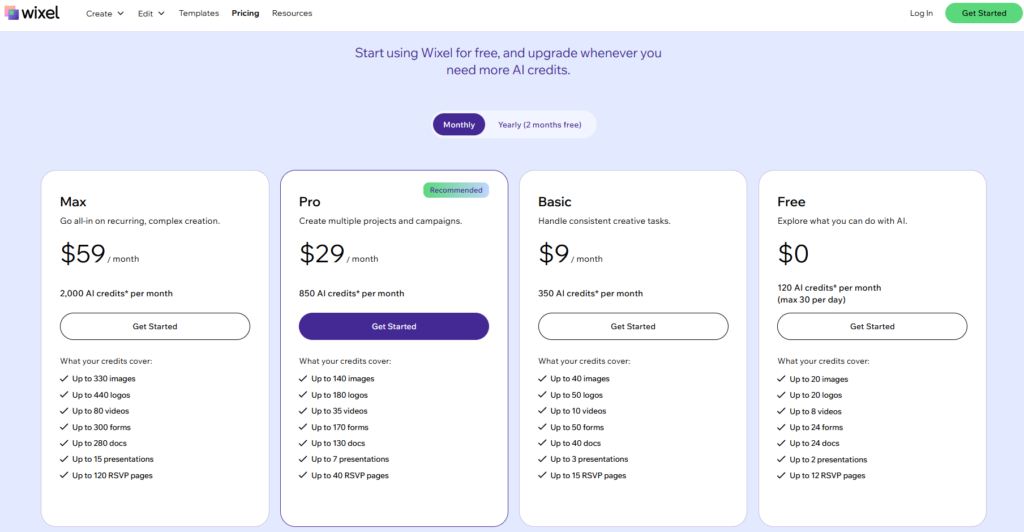
| Pricing | Free to create and customize; basic logo download ~$9; full brand kit including social media assets and vector files ~$59; specific pricing may vary and adjust with Wix plans |
| Free Tier | Yes — create, customize, and preview free; pay to download files |
| Output Type | AI logo generator |
| Vector Export | SVG available on logo download packages |
| Key Strengths | Direct integration with the Wix website builder — logo colors and fonts carry over automatically to website design; AI Design Assistant suggests logo options aligned with current design trends; animated logo generation for digital brand applications; social media kit with platform-specific sizing included; motion logo variations for social media and video use; drag-and-drop customization after AI generation; free to use until download required |
| Key Weaknesses | Most compelling value when used within the Wix ecosystem — less competitive as a standalone logo tool compared to Looka or Brandmark; creative range reflects the same AI aesthetic limitations as other generator platforms; not suitable for brands needing highly distinctive or custom marks |
| Commercial Rights | Full commercial rights on downloaded logo packages |
| Best Pairing | Wix website builder for the full integrated brand and website creation experience |
Wix Logo Maker’s most compelling use case is precisely its narrowest one: building a brand from the ground up on the Wix platform, where the logo and website are created and managed in a single ecosystem. The integration between the logo maker and Wix’s website builder is the feature that distinguishes it from comparable AI generators — when a logo is created in Wix Logo Maker, its colors, typography, and visual language automatically inform the website design theme, creating visual consistency between brand and web presence without manual coordination. For a small business owner building their first digital presence, this ecosystem integration reduces both the time and the design judgment required to create something that looks coherent.
The animated logo capability — available through Wix’s Motion Logo Generation tool — adds a dimension that most AI logo generators at comparable price points do not offer. For brands where the logo will appear in video content, social media stories, or digital advertising, an animated version with subtle motion adds visual interest and recall value that static logos cannot match. The quality of Wix’s motion generation is appropriate for social media and web applications; it is not a substitute for professionally animated logo work from After Effects for premium brand applications.
Where Wix Logo Maker Falls Short
Outside the Wix ecosystem, Wix Logo Maker offers less differentiated value than Looka or Brandmark at comparable price points. The AI output quality and customization range are roughly similar to the category’s mid-tier, without the brand kit depth of Looka’s Premium tier or the aesthetic quality that Brandmark’s minimalist approach often achieves. For businesses not building on Wix, other AI generators provide better value. The pricing structure is also less transparent than Looka’s explicit one-time tiers, with exact download costs depending on the package configuration.
The Verdict on Wix Logo Maker
Wix Logo Maker is the right logo tool for Wix website owners and anyone building their entire digital presence — logo and website — on the Wix platform. The ecosystem integration creates genuine workflow value for this use case. For brands using a different website platform, Looka or Brandmark offer comparable or better standalone logo generation.
7. Tailor Brands — Best for Founders Who Need a Logo and Business Formation Together
| Key Information | Overview |
|---|---|
| Best For | Early-stage founders who need a logo alongside business formation services (LLC filing, compliance, registered agent, trademark) — and want a single platform to handle both |
| Pricing | Basic $3.99/mo ($9.99/mo monthly). Standard $5.99/mo ($19.99/mo monthly). Premium $12.99/mo ($49.99/mo monthly). All plans require annual billing for advertised rates |
| Free Tier | No — no permanent free tier; free sample previews available |
| Output Type | AI logo generator + business services platform |
| Vector Export | Vector files (SVG, EPS) available on paid plans |
| Key Strengths | The only major logo platform that bundles business formation — LLC filing, business licenses, registered agent service, and trademark assistance — with AI logo and brand creation; lower monthly pricing than most competitors at the Basic tier on annual billing; AI logo generator with style preference inputs; social media kit and brand assets; website builder included; business card designer; access to 200+ branded templates |
| Key Weaknesses | The headline $3.99/mo pricing requires annual billing commitment — monthly billing is $9.99/mo; commercial logo use may require higher tiers; logo customization depth is more limited than Looka; the business formation bundling, while genuinely useful for new businesses, creates pricing complexity for businesses that only need a logo and do not need legal services |
| Commercial Rights | Commercial rights on paid plans |
| Best Pairing | Canva for ongoing marketing content creation alongside Tailor Brands for business formation and initial brand assets |
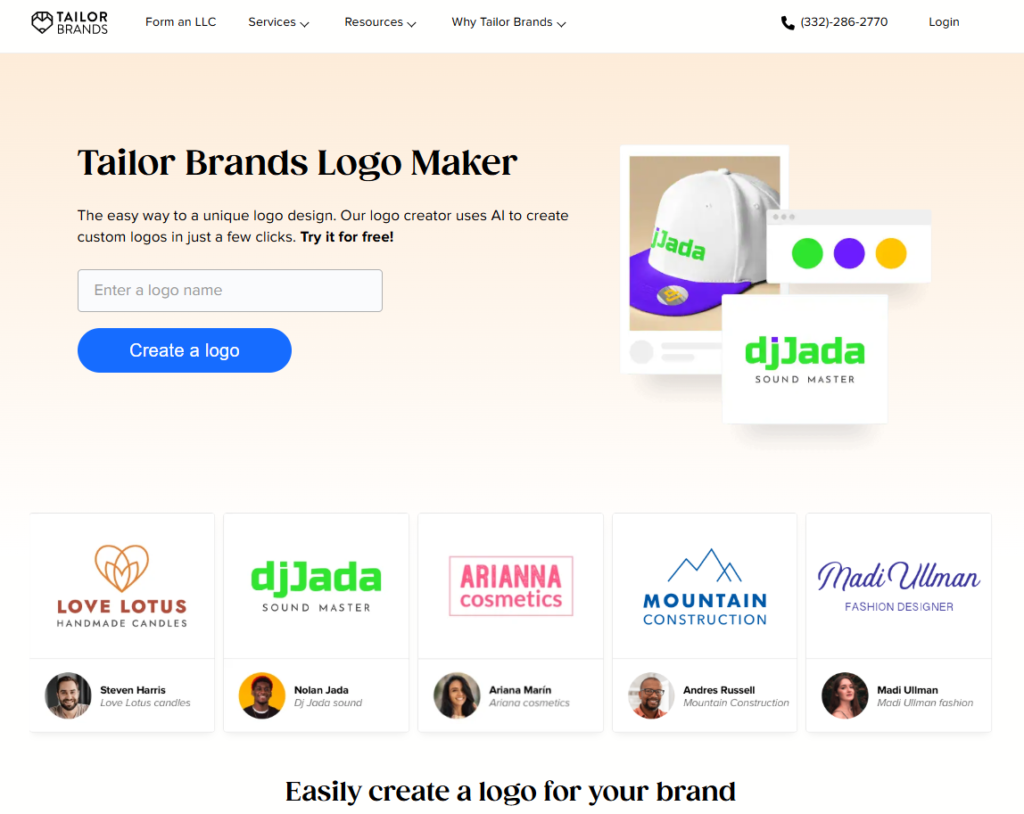
Tailor Brands occupies a market position that no other tool on this list holds: the platform that simultaneously serves the brand identity needs and the legal business formation needs of a company at the moment it is being established. For a founder who is filing an LLC, securing a business license, and creating a brand identity at the same time, the Tailor Brands bundled approach eliminates the need to manage multiple service relationships at the moment when coordination overhead is most burdensome.
The business formation services include LLC filing, registered agent service, annual report management, EIN number acquisition, and trademark filing assistance — all of which are services that new business owners need to research, find providers for, and manage separately if they do not use a bundled platform. The quality of these services is broadly comparable to standalone formation providers, and the pricing at the Standard and Premium tiers is competitive with what LegalZoom, ZenBusiness, and similar services charge for formation alone — making the logo and brand assets effectively included at low incremental cost.
The logo quality reflects the current state of the AI logo generator category: adequate for small business use, appropriate for the industry category, and produced with less distinctiveness than a professional designer would bring to the same brief. For businesses at the stage of initial formation where a functional logo matters more than a distinctive one, this adequacy is commercially sufficient.
Where Tailor Brands Falls Short
The annual billing requirement to access the headline pricing — $3.99/mo rather than $9.99/mo — creates a commitment that buyers may not anticipate from the advertised price. At $9.99/mo monthly, Tailor Brands is priced comparably to Canva Pro and more expensive than Looka’s one-time $65 Premium tier for users who only need the logo component. The value proposition is strongest when the business formation services are actively used; for businesses that have already completed formation or are structured such that they do not need ongoing business compliance services, the logo quality and brand asset depth do not justify the subscription cost versus Looka or Canva alternatives.
The Verdict on Tailor Brands
Tailor Brands is the right platform for founders in the process of establishing a new business who want a single service relationship for both the legal business formation and the initial brand creation. If business formation services are not needed, Looka or Canva offer better logo-only value at comparable or lower total cost.
8. Brandmark — Best AI Logo Generator for Clean, Design-Forward Aesthetics
| Key Information | Overview |
|---|---|
| Best For | Design-conscious businesses and brand managers who want AI-generated logos with minimal, modern aesthetics — and are willing to pay a moderate one-time fee for output that tends to look less templated than competing platforms |
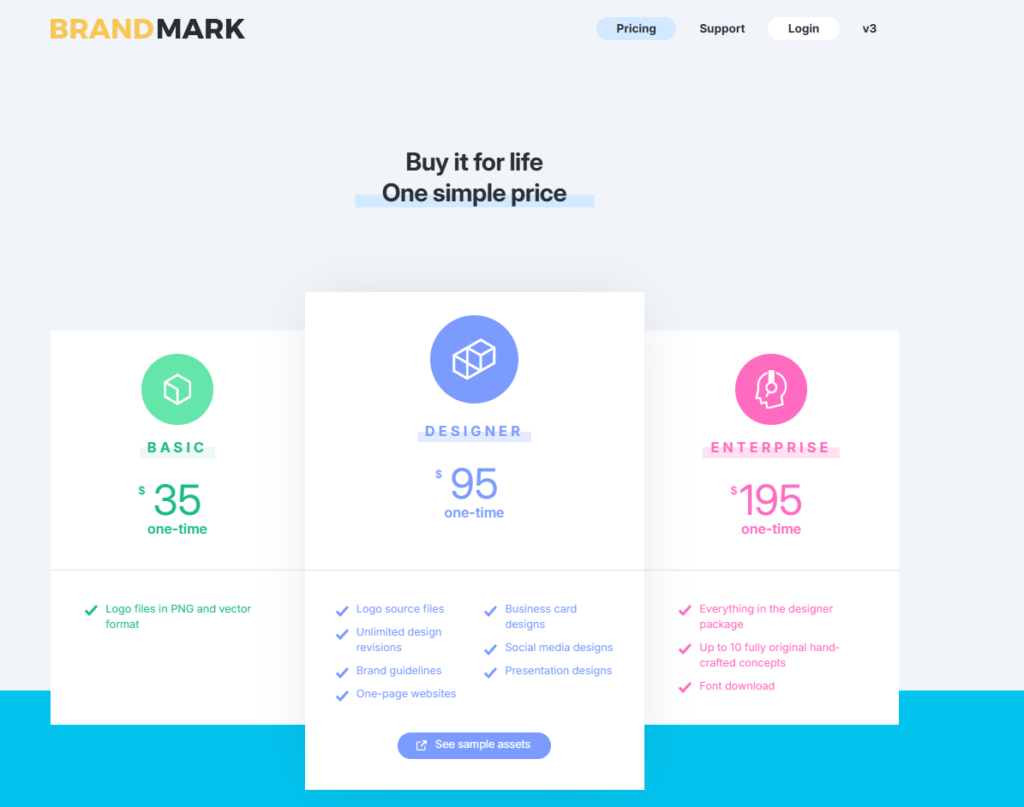
| Pricing | Basic $35 one-time (logo files only). Designer $95 one-time (more file formats, brand identity docs). Business $195 one-time (unlimited revisions, all formats, social media kit, brand book). Prices reflect one-time purchase with no recurring fees |
| Free Tier | No — preview free, download requires purchase |
| Output Type | AI logo generator |
| Vector Export | SVG, EPS, PDF available on Designer and Business tiers |
| Key Strengths | AI trained with an aesthetic bias toward clean, minimal logo design — produces output with more typographic restraint and geometric clarity than many competing generators; one-time purchase model with no ongoing subscription; unlimited edits post-purchase; high-resolution PNG, SVG, and EPS files; brand style guide included; the Business tier’s brand book provides comprehensive brand guidelines with color, typography, and usage documentation; social media assets package |
| Key Weaknesses | Smaller platform with fewer templates and icon options than Looka; brand kit depth less comprehensive than Looka’s Brand Kit subscription; Business tier at $175 is more expensive than Looka’s Premium at $65 for the core logo package, though it includes more brand documentation |
| Commercial Rights | Full commercial rights on all paid plans |
| Best Pairing | Canva for ongoing marketing content; Figma for design teams who want to work with Brandmark-generated assets in a collaborative environment |
Brandmark’s distinctive position in the AI logo generator category is its aesthetic bias: while most AI generators produce logos that span a wide range of styles (including many that feel dated or cluttered), Brandmark’s training data and generation approach skews toward the clean, minimal, typographically disciplined aesthetic that characterizes premium brand design. For businesses where the brand identity goal is a modern, refined logo that looks like it was designed by someone with genuine design sensibility, Brandmark’s output more consistently achieves this than the major competing generators.
The unlimited edit capability after purchase addresses one of the most frustrating limitations of other AI logo platforms: the inability to make adjustments after finalizing the design. When a logo purchased from some platforms requires a color change six months after launch, the user may encounter restrictions on what can be changed without purchasing a new package. Brandmark’s post-purchase editing access means the brand can evolve within the platform without additional cost.
The Business tier’s brand book — a comprehensive document specifying color codes, typography, logo variations, clear space rules, and usage guidelines — provides the brand standards documentation that professional brand identities require but that most AI generators do not offer at any tier. For growing businesses preparing to work with marketing partners, agencies, or merchandise vendors, having an AI-generated brand book that matches the logo’s specific specifications is meaningfully more useful than the generic brand guidelines some platforms provide.
Where Brandmark Falls Short
Brandmark’s icon and symbol library, while curated for quality, is smaller than Looka’s. For businesses in niche industries where specific iconography is important, the options available may not include the most appropriate symbol category. The platform also has less brand recognition than Looka, which affects the confidence of buyers who are spending $65 to $175 and want assurance of the platform’s stability and support.
The Verdict on Brandmark
Brandmark is the right AI logo generator for businesses that want to prioritize design quality and modern aesthetics over volume of options, and who appreciate the clean, minimal results the platform consistently produces. The Designer tier at $65 is the practical entry point for full file format access, competitive with Looka’s Premium at the same price. Budget the Business tier at $175 when a comprehensive brand book and documentation are needed.
9. Adobe Express — Best for Adobe Users Wanting Quick Logo Templates
| Key Information | Overview |
|---|---|
| Best For | Marketing teams, content creators, and organizations already using Adobe Creative Cloud who want quick template-based logo creation and brand asset production within the Adobe ecosystem |
| Pricing | Free plan (limited templates and features). Included in Creative Cloud All Apps plans from $29.99/mo. Adobe Express Premium available at approximately $9.99/mo standalone |
| Free Tier | Yes — free plan with limited template access; Creative Cloud subscribers access full Premium capabilities |
| Output Type | Template-based design tool |
| Vector Export | SVG export available on Premium/Creative Cloud plans |
| Key Strengths | Direct integration with Adobe Photoshop, Illustrator, and the Creative Cloud ecosystem — assets created in Express can be opened and refined in Illustrator; thousands of professionally designed templates; easy social media asset creation with correct platform sizing; Brand Kit for consistent brand application; accessible for non-designers while connecting to professional tools for refinement; includes AI features through Adobe Firefly for background removal, text effects, and generative fill |
| Key Weaknesses | Primarily a template-based tool — less creative freedom than Illustrator or Affinity Designer; the best value is as part of a Creative Cloud subscription rather than as a standalone tool; template-based logos carry the same originality limitations as Canva’s template approach |
| Commercial Rights | Full commercial rights within Creative Cloud subscription |
| Best Pairing | Adobe Illustrator for refining Express-created concepts into fully custom vector logos; Adobe Photoshop for logo mockups and application photography |
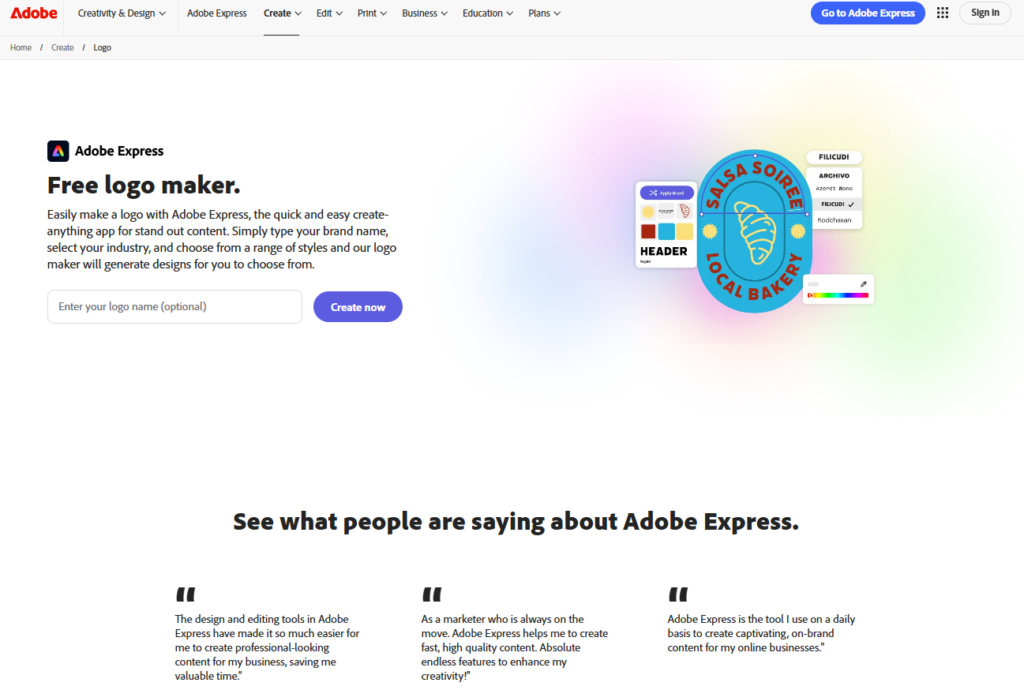
Adobe Express sits at the intersection of the Adobe ecosystem and the non-designer user population that Canva has traditionally served. For organizations that already subscribe to Creative Cloud and need a tool their marketing team can use without Illustrator training, Express provides template-based logo creation with the ecosystem connectivity that Creative Cloud subscribers value: a logo concept created in Express can be sent directly to Illustrator for professional refinement, opened in Photoshop for mockup placement, or used in Premiere Pro for video applications — without the file format conversion that cross-platform workflows typically require.
The Adobe Firefly AI integration within Express brings generative fill, background removal, and text effect capabilities that extend the template-based approach into AI-assisted territory. For logo-adjacent work — creating matching social media graphics, generating background images that complement a logo, or quickly adapting a logo for use in different color contexts — Firefly’s integration in Express provides meaningful capabilities at the speed of AI generation rather than the time of manual design.
Where Adobe Express Falls Short
Adobe Express as a standalone logo tool is less compelling than Canva at comparable price points for users not embedded in the Creative Cloud ecosystem. The template library and ease of use are comparable to Canva’s, but without the Creative Cloud subscription that makes Express most valuable, the standalone price is difficult to justify over Canva’s more developed non-designer experience. Express’s value is primarily as an ecosystem extension for existing Creative Cloud subscribers rather than as a primary logo creation tool.
The Verdict on Adobe Express
Adobe Express is the right logo tool for Creative Cloud subscribers who want their marketing team to participate in brand asset creation without Illustrator access. It is not the right tool as a primary logo creation platform for users not already embedded in Adobe’s ecosystem. Those users will find Canva or Looka better value propositions for their use cases.
10. Inkscape — Best Free Open-Source Vector Editor for Budget-Conscious Designers
| Key Information | Overview |
|---|---|
| Best For | Budget-conscious designers, students, open-source advocates, and professionals in regions where software costs are prohibitive who want professional-grade SVG vector editing without any cost |
| Pricing | Free — completely free, forever, with no premium tier |
| Free Tier | Yes — the tool is entirely free with no feature limitations behind payment |
| Output Type | Open-source vector editor |
| Vector Export | Native SVG format with export to EPS, PDF, PNG, and other formats; full professional output capability |
| Key Strengths | The most capable free vector editor available; native SVG format that is the web standard for scalable vector graphics; full Bezier pen tools, node editing, path operations, and typography tools; available on Windows, Mac, and Linux; active open-source development community with regular releases; supports multiple color models including CMYK for print work; import and export compatibility with AI, EPS, and other professional formats; no subscription, no trial period, no features behind paywalls |
| Key Weaknesses | The interface and user experience reflect Inkscape’s open-source development history — less polished and less intuitively organized than Adobe Illustrator or Affinity Designer; performance on complex vector files can lag on lower-specification hardware; tutorial and professional learning resources, while substantial, are less structured than commercial tool documentation; AI features absent; not considered the industry standard, which affects file sharing with professional collaborators |
| Commercial Rights | All work created in Inkscape is entirely the creator’s property with full commercial rights |
| Best Pairing | GIMP (free open-source raster editor) for logo mockup work; any browser for SVG testing and web applications |
Inkscape represents the open-source alternative to every paid vector editor on this list, and it warrants inclusion precisely because its quality has crossed the threshold at which “free” no longer means “inadequate for professional use.” The full Bezier pen tool, node manipulation capabilities, path Boolean operations, and SVG export that are the functional core of professional vector logo design are all present in Inkscape and produce output quality that is technically indistinguishable from paid tools. A logo produced in Inkscape and a logo produced in Adobe Illustrator, exported to SVG and opened in a browser or sent to a sign manufacturer, cannot be differentiated by anything other than file metadata.
The case for Inkscape is strongest in specific contexts: designers in regions where software costs represent a significant financial barrier, students learning vector design who need a professional tool without the learning investment of a subscription commitment, open-source advocates who prefer tools that are transparent about their software architecture, and professionals on Linux systems where the dominant design tool options are significantly more limited. For all of these users, Inkscape provides genuine professional capability at zero cost.
Where Inkscape Falls Short
The user experience gap between Inkscape and Affinity Designer — both free tools — is meaningful in 2026. Affinity Designer’s interface is modern, well-organized, and reflects years of professional UX investment. Inkscape’s interface reflects its open-source development history: functional but requiring users to navigate a less intuitive organizational structure. Given that Affinity Designer is now free, the primary remaining argument for choosing Inkscape over Affinity Designer is Linux support (Affinity Designer does not run natively on Linux) and open-source preference.
The Verdict on Inkscape
Inkscape is the right logo design tool for designers on Linux, open-source advocates who prefer GPL-licensed software, and anyone who needs a completely free professional vector editor in a context where Affinity Designer is not available. For designers on Mac or Windows who simply want a free professional vector editor, Affinity Designer now provides a more modern and accessible alternative at the same price point of zero.
Which Logo Design Tool Should You Choose? A Decision Framework
If you have no design experience and need a logo today: Canva free tier for a first pass using templates — no cost, no commitment, functional quality for early-stage use. Upgrade to Canva Pro at $12.99/mo when Brand Kit and premium assets become priorities.
If you want an AI-generated logo with a one-time payment and full file package: Looka Premium at $65 — the most complete one-time purchase option with vector files, dozens of variations, and full commercial rights.
If you are a professional designer or plan to hire one: Affinity Designer (free) is the right tool if the Adobe ecosystem integration is not required. Adobe Illustrator at $22.99/mo is the right tool when format compatibility and the deepest plugin ecosystem are required.
If you are a design team collaborating on a brand identity project: Figma Professional at $12/editor/mo (annual) — the collaboration and design system capabilities justify the per-seat investment for team-scale brand work.
If you are starting a business and need both a logo and LLC formation: Tailor Brands — the logo and brand creation costs are effectively offset by the business formation service value.
If clean, modern, minimal aesthetic is the priority and you are comfortable with a one-time investment: Brandmark Designer at $65 — the most design-forward output among the AI generators.
If you are already on Wix or building a Wix website: Wix Logo Maker — the integration between brand and website creation creates genuine workflow value within the platform.
If cost is the primary constraint and professional vector quality is required: Inkscape (free) or Affinity Designer (free) — both provide professional-grade SVG vector output at zero cost.
Recommended Logo Tool Combinations by Situation
| Situation | Primary Tool | Supporting Tool | Total Cost | Coverage |
|---|---|---|---|---|
| Solo entrepreneur, first logo | Canva free | — | $0 | Templates, basic PNG export |
| Small business, professional quality | Looka Premium (one-time $65) | Canva Pro ($119.99/yr) | ~$185 first year | AI logo files + brand asset management |
| New business formation | Tailor Brands ($5.99/mo annual) | — | ~$72/yr | Logo + LLC services + brand assets |
| Independent designer | Affinity Designer (free) | Canva Pro ($119.99/yr) for client assets | ~$120/yr | Professional vector + client brand management |
| Agency / in-house team | Figma Professional ($12/editor/mo) | Adobe Illustrator ($22.99/mo) | ~$420+/yr per seat | Collaborative design + industry-standard vector |
| Enterprise brand identity | Adobe Illustrator + Creative Cloud | Figma Organization | Custom | Full professional ecosystem |
| Budget-constrained designer | Inkscape (free) or Affinity Designer (free) | — | $0 | Full professional vector capability |
Head-to-Head: Which Tool Wins Each Category
| Category | Winner | Runner-Up | Notes |
|---|---|---|---|
| Best for Non-Designers | Canva | Adobe Express | Canva on template breadth and ecosystem; Express for Adobe users |
| Best AI Logo Generator | Looka | Brandmark | Looka on file package completeness; Brandmark on design quality |
| Best Professional Vector Editor | Adobe Illustrator | Affinity Designer | Illustrator on ecosystem; Affinity on zero cost |
| Best Free Professional Tool | Affinity Designer | Inkscape | Affinity on UX and modern interface; Inkscape on Linux support |
| Best for Design Teams | Figma | Adobe Illustrator | Figma on real-time collaboration; Illustrator on professional output |
| Best Minimalist/Modern AI Output | Brandmark | Looka | Brandmark on design aesthetic; Looka on brand kit depth |
| Best All-in-One (Logo + Business Services) | Tailor Brands | Looka (brand kit) | Tailor Brands uniquely bundles LLC formation |
| Best Website Integration | Wix Logo Maker | Canva (generic) | Wix for Wix site owners; Canva for all other platforms |
| Best Value (Free Tier) | Affinity Designer | Canva | Affinity on professional capability; Canva on template access |
| Best for Adobe Ecosystem Users | Adobe Illustrator | Adobe Express | Illustrator for creation; Express for quick content production |
Frequently Asked Questions
What file formats does my logo actually need?
At minimum, a logo needs a transparent PNG for digital use (web, email, digital documents) and an SVG or vector format (SVG, EPS, PDF, AI) for scalable applications — print, merchandise, signage, and any use where the logo will be displayed larger than its native digital size. The transparent PNG ensures the logo can be placed on any background color without a white box. The vector format ensures the logo scales to any size without pixelation. Many AI logo generators restrict vector files to paid tiers — verify that the tier you purchase delivers these formats before committing, as the $20 entry tier on most platforms delivers only a low-resolution PNG.
Should I use an AI logo generator or hire a professional designer?
This depends on where the business is in its development and how much the logo will influence customer perception. AI generators are appropriate for early-stage businesses testing ideas, businesses where the logo is a functional requirement but not a strategic differentiator, and budgets under $200. Professional designers are appropriate for consumer brands where visual differentiation is a competitive factor, businesses entering markets where brand trust is built through consistent high-quality presentation, logos that need to carry distinctive symbolic meaning beyond typographic identity, and brands at the scale where the logo will appear in significant advertising investment. The practical upgrade trigger is often the realization that the AI-generated logo looks like thousands of other logos — which is tolerable at launch and becomes commercially limiting as the brand matures.
Are AI-generated logos eligible for trademark registration?
This is a jurisdiction-specific and evolving legal question. In the United States, the Copyright Office’s current position is that works generated entirely by AI without meaningful human creative input are not eligible for copyright protection. The trademark situation is somewhat different — trademark registration is based on use in commerce and distinctiveness, not copyright, and AI-generated logos that are sufficiently distinctive for their goods and services category may qualify for trademark protection in the US. However, because many AI logo generators produce non-exclusive designs (the same icon or template element may appear in many other users’ logos), distinctiveness is a genuine concern for trademark purposes. Consult an intellectual property attorney before relying on a trademarked AI-generated logo for serious brand protection.
What is the difference between a raster logo and a vector logo?
A raster logo is made of pixels — a grid of individual colored squares. At its native resolution it looks sharp; scaled above that resolution, it becomes visibly pixelated. A JPG or PNG is a raster file. A vector logo is made of mathematical curves — Bezier paths defined by anchor points and control handles. It scales infinitely without any quality loss because the math recalculates the shape at every display or print size. An SVG, EPS, PDF, or AI file is a vector file. Every professional logo should exist as a vector file. Most AI logo generators provide vector files only on paid tiers, and some restrict them to higher-priced tiers — check the file format list before purchasing any logo package.
Final Takeways: Choose the Tool That Matches Your Skill Level and Commercial Ambitions
Logo design tools in 2026 span a range of capability and cost that makes it genuinely possible to produce professional output at every point on the spectrum from zero investment to sustained professional subscription. The framework that produces the best outcomes is honest self-assessment at two levels: skill level and brand stage.
On skill level: if you have professional design training and understand vector tools, use Affinity Designer (free) or Adobe Illustrator depending on ecosystem requirements. If you have no design training and are creating your first business logo, use Canva’s template library or Looka’s AI generator. Using professional vector tools without the training to use them well produces worse results than using accessible tools well.
On brand stage: if you are testing a business idea, a free template-based logo from Canva is entirely appropriate — spending $65 to $200 on a logo for a concept that may pivot is not the right investment. If you are launching a business that will generate revenue and where the logo will appear in marketing materials, customer-facing communication, and business relationships, the Premium one-time purchase from Looka or Brandmark is the appropriate minimum investment — it delivers vector files, commercial rights, and a complete file package at a cost that is proportionate to its commercial use.
The single most common mistake in logo tool selection is choosing based on price rather than format adequacy. A $20 logo that delivers only a low-resolution PNG will force a reinvestment when a print vendor, sign maker, or merchandise supplier requests the vector file — at which point the initial savings evaporate in the friction of re-purchasing. Spend $65 at the outset on a complete file package, or use a professional tool (Affinity Designer) to create one that you own outright, with every format you will need now and in the future.


