

HR management software does something simple in principle and complex in execution: it centralizes everything that happens between a person joining an organization and the day they leave. Payroll calculations and tax filings, benefits enrollment and administration, onboarding checklists and e-signatures, time-off requests and approval workflows, performance reviews and goal tracking, compliance monitoring and labor law alerts — these tasks exist at every company of every size, and at every company they are either managed in dedicated software or scattered across spreadsheets, email threads, and manual processes that cost more in staff time and error correction than the software would.
The 2026 HR software market is structurally organized around company size and complexity in a way that makes platform selection significantly easier than it was five years ago. The right tool for a 15-person startup with US-only employees is not the right tool for a 500-person company with distributed teams across 30 countries, and the right tool for neither is the right tool for a 5,000-person enterprise that needs Workday-scale analytics and financial integration. The question of which HR platform to use is first a question of organizational scale, then a question of which specific HR challenges matter most — payroll integration, performance management depth, global compliance coverage, IT workflow automation, or employee engagement tooling — and finally a question of what the organization can afford and what pricing model it can budget for predictably.
This guide reviews the best HR management tools, covering eight platforms from budget-conscious SMB solutions to enterprise HCM suites, with verified current pricing for each and clear guidance on which organizational profile each platform serves best.
Quick Comparison: 8 Best HR Management Tools for 2026
| # | Tool | Company Size | Starting Price | Payroll Included | Best Feature | Our Rating |
|---|---|---|---|---|---|---|
| 1 | Rippling | SMB to enterprise (50–2,000+ employees) | From $8/user/mo + $35/mo base (modular) | Yes — native + global EOR | Unified HR + IT + Finance in one platform; onboards employees and provisions their devices and software simultaneously | 9.5/10 |
| 2 | BambooHR | SMB to mid-market (25–500 employees) | ~$10–$25/employee/mo (Core to Elite; custom quote) | Yes — US-only add-on | Industry-leading ease of use (92% ease-of-use rating); best-in-class onboarding and employee self-service | 9.2/10 |
| 3 | Gusto | Small business (1–100 employees) | Simple $49/mo + $6/employee; Plus $80/mo + $12; Premium $180/mo + $22 | Yes — core feature, not add-on | Full-service payroll with automated federal, state, and local tax filings built into the base plan from day one | 9.1/10 |
| 4 | ADP Workforce Now | Mid-market (75–750 employees) | ~$19–$30/employee/mo (custom quote; Select, Plus, Premium plans) | Yes — core feature | Largest payroll provider in the world; industry benchmarking against 1 in 6 US workers processed through ADP | 8.9/10 |
| 5 | Workday HCM | Enterprise (500+ employees) | Custom; typically $34–$42/employee/mo for HCM; full suite $100–$300/user/mo | Yes — global payroll module | Unified HCM and financial management in a single database; real-time workforce and financial alignment | 9.0/10 |
| 6 | HiBob | Mid-market to enterprise (50–1,000 employees) | ~$16–$25/employee/mo (custom quote) | Integrates with external payroll | Modern, culture-first HRIS with the strongest employee engagement and real-time people analytics in its price tier | 9.0/10 |
| 7 | Deel | Global and remote-first teams (any size) | HRIS free (up to 200 employees); EOR from $599/employee/mo; Global payroll from $29/employee/mo | Yes — global EOR and payroll native | Hire, pay, and manage full-time employees and contractors in 150+ countries with built-in compliance | 9.1/10 |
| 8 | Zoho People | SMB (1–500 employees) | Free (up to 5 users); Essential $1.50/user/mo; Professional $2.50; Premium $3.50; Enterprise $4.50 (annual) | Yes — 30 Day Trial, integrate with Zoho Payroll separately | The most affordable full-featured HRIS available; 3–5x cheaper than comparable platforms per employee | 8.7/10 |
How We Evaluated These HR Management Tools
Every platform was assessed across six dimensions that reflect the operational demands HR teams actually face — not feature checklist comparisons that conflate breadth of features with quality of execution.
Core HRIS functionality and data completeness: The foundational requirement of any HR platform is a reliable, queryable employee database — the single source of truth for every person’s employment status, compensation history, benefits enrollment, time-off balance, and employment documentation. We evaluated the completeness of each platform’s core employee record, the quality of its organizational chart and directory tools, the robustness of its document management and e-signature capabilities, and how effectively it handles the entire employee lifecycle from offer acceptance through offboarding. Data that lives in spreadsheets alongside an HR platform’s database represents a failure of implementation; we evaluated how completely each platform absorbs the data management work that would otherwise require manual tracking.
Payroll and compliance architecture: Payroll is where HR software failures become immediately and expensively visible. Miscalculated withholding, missed multi-state tax filings, incorrect overtime calculations, or benefits deduction errors create legal liability and damage employee trust. We evaluated whether payroll is a native feature or a third-party integration (and the operational implications of each), the depth of automated tax filing support (federal, state, and local), the handling of multi-state and international payroll complexity, and the compliance monitoring capabilities that alert HR teams to regulatory changes affecting their workforce.
Onboarding and employee experience quality: The quality of a new employee’s onboarding experience measurably affects retention and time-to-productivity. We evaluated the completeness of each platform’s onboarding workflow — pre-hire document collection, I-9 and W-4 electronic completion, benefits enrollment, equipment provisioning coordination, and task checklists for managers and new hires. We also assessed the employee self-service interface that employees encounter throughout their employment: the ease of submitting time-off requests, accessing pay stubs, updating personal information, enrolling in benefits, and completing required training or reviews.
Performance management depth: Performance management tools within HR platforms vary from basic annual review forms to sophisticated continuous feedback systems with goal alignment, 360-degree multi-rater feedback, calibration workflows, and compensation planning integration. We evaluated each platform’s performance management capabilities against the realistic needs of teams at their target size — a 30-person startup needs a tool that makes regular check-ins easy, while a 500-person enterprise needs calibrated review cycles, compensation band enforcement, and succession planning workflows.
Automation capabilities and workflow flexibility: The administrative burden of HR scales with headcount in a way that most organizations underestimate until it becomes a crisis. We evaluated each platform’s automation architecture: the triggers and conditions that can initiate automated workflows, the actions those workflows can execute without human intervention, the integration depth with adjacent systems (payroll, benefits carriers, identity providers, device management), and the degree to which automation can reduce the manual administrative work that consumes HR generalists’ time without providing strategic value.
Pricing model transparency and total cost of ownership: HR software pricing is notably opaque across the category. Most platforms require custom quotes, do not publish per-employee pricing, and have add-on module structures that make it difficult to estimate real costs without a sales conversation. We evaluated the transparency of each platform’s pricing model, the gap between advertised starting prices and realistic costs for typical production use cases, and the specific costs that buyers commonly discover after contract signature — implementation fees, per-module add-on costs, premium support charges, and minimum contract sizes.
Why HR Software Selection Has Changed in 2026
Three developments define the HR software landscape in 2026 that distinguish it from three years earlier.
The first is the full normalization of global workforce management as a non-enterprise concern. Distributed and remote work has pushed international hiring from an enterprise capability to a mid-market and even small business need. A 40-person software company hiring three engineers in Poland, two designers in Portugal, and a marketing manager in Canada faces compliance requirements — local employment contracts, payroll tax obligations in each country, benefits aligned with local norms, currency management — that were previously irrelevant until companies reached hundreds of employees. Platforms like Deel have built their entire architecture around this new reality, and platforms like Rippling have added global payroll and employer-of-record services that would have been enterprise-only offerings five years ago. The geographic scope of the workforce is now a first-order selection criterion for any HR platform evaluation.
The second is the integration of AI into HR administrative workflows in ways that have moved from novelty to genuine productivity contribution. The AI applications that HR teams are actually using in 2026 — rather than evaluating on demo calls — include automated compliance monitoring that identifies regulatory changes affecting specific employee populations, intelligent resume screening that surfaces relevant candidates from applicant pools, predictive attrition analysis that flags employees at elevated risk of departure based on engagement signals, and AI-assisted content generation for job descriptions, performance review summaries, and policy documentation. BambooHR’s Ask BambooHR assistant, Rippling’s AI-driven compliance automation, and Workday’s predictive analytics suite have all demonstrated measurable time savings in production HR environments. The AI differentiator in 2026 is not whether a platform has added AI features but whether those features are integrated into the workflows HR teams actually use daily rather than isolated in a separate AI module that requires separate navigation.
The third is the maturation of the platform consolidation trend: HR teams are actively reducing the number of specialized point solutions in their HR tech stack by finding platforms that credibly serve multiple functions. The migration from a best-in-class ATS, a separate HRIS, a separate payroll provider, a separate performance management tool, and a separate benefits platform toward two or three integrated systems represents both a cost reduction and an operational improvement — employee data does not need to be reconciled across systems, integrations do not need to be maintained, and the reporting that answers strategic HR questions does not require exporting data from five separate tools into a spreadsheet. This consolidation preference is reflected in platform strategy: Rippling’s explicit design goal is to be the single platform for HR, IT, and finance; Workday’s unified HCM and financial management suite serves the same consolidation need at enterprise scale.
Detailed Reviews: Best HR Management Tools for 2026
1. Rippling — Best HR Platform for Automation-Driven, Fast-Growing Companies
| Key Information | Overview |
|---|---|
| Best For | Scaling companies (50–2,000+ employees) that want HR, IT, and finance operations in a single platform — automating the full lifecycle of provisioning employees with access, devices, and payroll simultaneously |
| Pricing | Unity platform from $8/employee/mo + $35/mo base fee. Full HR + payroll + IT stack typically $20–$35/employee/mo. Modular pricing: each capability (payroll, benefits, ATS, time tracking, IT, spend management) priced as add-on module. Enterprise pricing custom. Demo required — no self-serve trial |
| Payroll Included | Yes — native US payroll, global payroll, and Employer of Record (EOR) services in 150+ countries all available as modules |
| Company Size | Optimal 50–2,000+ employees; available for smaller teams with higher per-employee cost relative to simpler alternatives |
| Key Strengths | Unified HR + IT + Finance platform that eliminates system sprawl; Workflow Studio for building custom multi-step automation across departments; onboarding that simultaneously sets up payroll, provisions a laptop, creates email accounts, and grants app access without manual coordination; compliance monitoring across 50 US states and global jurisdictions; native device management; 600+ app integrations; EOR in 185 countries; G2 rating of 4.9/5 from 3,300+ reviews |
| Key Weaknesses | Modular pricing means total cost is difficult to predict without a custom quote — the $8/employee starting price requires significant module additions before the platform serves a complete HR program, and most teams pay $20–$35/employee/mo for a practical feature set; no self-serve trial forces all evaluation through a sales demonstration; advanced analytics behind higher-tier modules |
| Payroll Filing | Automatic federal, state, and local tax filing in all US states; global payroll compliance in 88+ countries |
| Integration | 600+ native app integrations; full API for custom connections; native IT module covering device management, app provisioning, and identity management |
| Best Pairing | Greenhouse or Lever for specialized recruiting alongside Rippling for post-offer HR workflows |
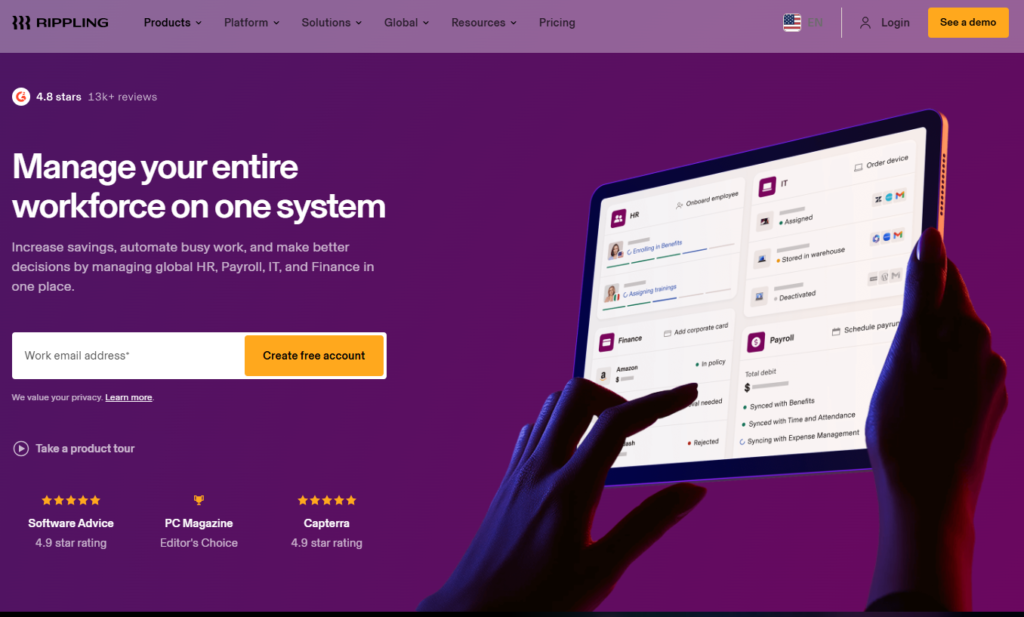
Rippling’s consistent top ranking across independent HR software comparisons in 2025 and 2026 reflects a product that has solved a problem every other HR platform in this guide has not: the system boundary between human resources and information technology. When a new employee joins a company that uses BambooHR for HR and a separate identity provider, device management system, and IT asset tracker, a person in IT must manually receive onboarding data from HR and translate it into system provisioning tasks — creating accounts, shipping equipment, granting application access, setting up email — in a separate workflow from the HR onboarding checklist. When the same new employee joins a company using Rippling, all of these provisioning actions execute automatically from the single hire action in Rippling: payroll is configured, the laptop is shipped with pre-loaded configuration, email and communication accounts are created, and software access is granted according to a configurable role template, before the employee’s first day.
This unified provisioning capability is the feature most frequently cited in Rippling user reviews as the differentiating value — not because it is technically novel but because the operational impact is substantial. Rippling reports that most customers complete full new hire setup in under 90 seconds using its onboarding automation. The same automation runs in reverse at offboarding: one termination action revokes all system access, removes device management profiles, cancels software licenses, and initiates final paycheck processing simultaneously, eliminating the security risk of delayed access revocation that organizations using separate HR and IT systems routinely encounter.
Workflow Studio is Rippling’s most extensible capability: a no-code automation builder that allows HR and IT teams to configure multi-step conditional workflows using triggers from any data point in the Rippling platform. An employee’s anniversary triggers automatic compensation review scheduling. A manager’s departure triggers reassignment of all direct reports and a Slack notification to the new reporting manager. A compliance training completion status update triggers automatic certification of the employee’s training record. A PTO balance reaching zero triggers a notification to HR and the employee’s manager. These conditional automations run without requiring IT development resources and without Zapier or Make integration — they are native to the platform’s unified data model.
Where Rippling Falls Short
Rippling’s modular pricing model creates genuine cost complexity. The published $8/employee/mo starting price reflects only the Unity platform — the foundational HR database without payroll, benefits, time tracking, performance management, or IT management. Each capability is a separately priced module. Most organizations implementing Rippling for a complete HR program end up at $20–$35/employee/mo once they add the modules they actually need. The evaluation process requires a sales call rather than a self-serve trial, which adds friction for buyers who prefer to test a product before engaging with sales. For organizations under 50 employees where per-employee costs represent a meaningful budget line, Gusto or BambooHR typically offer better cost-adjusted value for simpler HR programs.
The Verdict on Rippling
Rippling is the right HR platform for companies growing faster than their operational infrastructure can keep up, where the manual coordination between HR, IT, and finance around every hire and departure represents a meaningful operational drain. The automation value is highest in the 100–1,000 employee range where manual coordination processes have become expensive but Workday-scale investment is not yet warranted. Get a custom quote and be explicit about which modules your program actually requires to model total cost accurately before contract.
2. BambooHR — Best HRIS for SMB Employee Experience and Onboarding
| Key Information | Overview |
|---|---|
| Best For | US-based small to mid-market companies (25–500 employees) that want the easiest-to-use HRIS available, with market-leading onboarding workflows, strong reporting, and excellent employee self-service without technical implementation complexity |
| Pricing | Core ~$10/employee/mo; Pro ~$17/employee/mo; Elite ~$25/employee/mo (third-party estimates; custom quotes required; minimum $250/mo for teams under 25 employees). Volume discounts available; 15% nonprofit discount. No self-serve free trial — demo available |
| Payroll Included | US-only add-on (not included in base plan; 15% bundle discount when combined with benefits administration add-on) |
| Company Size | Sweet spot 25–500 employees; effective minimum $250/mo makes it less cost-efficient for teams under 20 |
| Key Strengths | 92% ease-of-use rating (highest in category across G2 reviews); 4.8/5 App Store rating for mobile app; streamlined onboarding with pre-hire packet templates, electronic offer letters, e-signatures, and automated task checklists; core HRIS with employee self-service for time-off, pay stubs, org chart, and documents; built-in ATS with job board integrations on Pro+; 360-degree performance reviews with instant reporting on Pro+; 150+ third-party integrations; 34,000+ customers globally |
| Key Weaknesses | Payroll is a US-only add-on rather than a core feature (unlike Gusto); no native global payroll or EOR support; time tracking is also a paid add-on; pricing is quote-based without published rates, making budget planning require sales engagement; Elite plan pricing may exceed mid-market alternatives at equivalent feature sets |
| Payroll Filing | US-only (federal, state, local); payroll add-on required |
| Integration | 150+ native integrations including Slack, Google Workspace, ADP (for payroll), Greenhouse, LinkedIn; REST API |
| Best Pairing | Gusto or ADP Run for payroll (BambooHR integrates with both); Greenhouse or Workable for dedicated recruiting workflows |
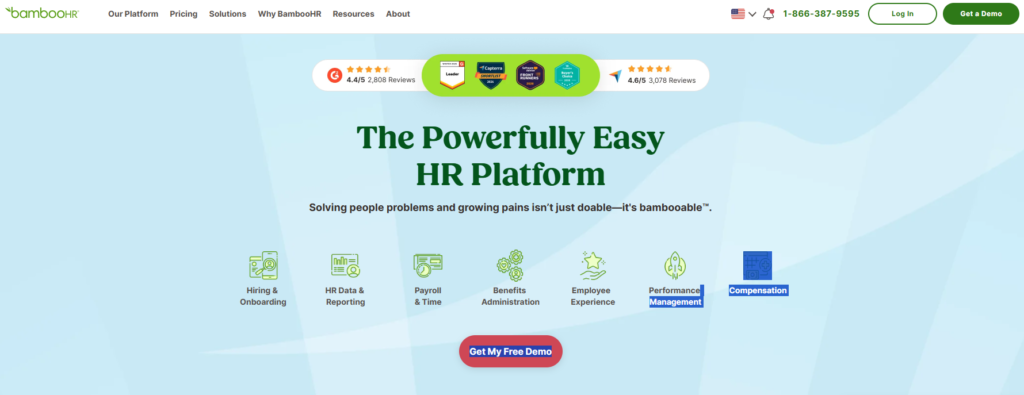
BambooHR has held its position as the most recommended HRIS for small and mid-market companies for years through consistent execution on what matters most for teams in its target segment: it works, it is easy to use, and employees actually adopt it. The 92% ease-of-use rating across over 2,100 G2 reviews is not a product of marketing — it reflects a deliberate product philosophy that prioritizes removing friction from every interaction HR managers and employees have with the platform. The customizable home screen with drag-and-drop widgets, the 4.8/5 rated mobile app, and the new-hire onboarding experience that coordinates pre-hire packets, day-one task assignments, and manager onboarding checklists without requiring IT configuration represent the accumulated result of years of user experience investment that most competing platforms have not matched.
The onboarding capability is the feature that most consistently drives BambooHR purchase decisions among the companies it serves best. For a US-based company hiring 10 to 30 new employees per month, the ability to send an electronic offer letter that triggers a pre-hire packet with direct deposit setup, I-9 collection, benefits enrollment, emergency contact forms, and a welcome email — all completed by the new hire before day one without HR manual intervention — converts a process that previously consumed several hours of HR coordinator time per hire into a largely automated workflow. When the new hire arrives on their first day with all their information collected and their onboarding checklist pre-populated, the first-day experience improves and the administrative burden on HR shrinks.
BambooHR’s reporting and analytics tools are particularly strong for its size category. The reporting module includes over 50 standard reports covering turnover, headcount, compensation, benefits utilization, and performance data, with a custom report builder that allows HR managers to construct specific queries without SQL knowledge. For organizations that need regular visibility into workforce metrics without dedicating analyst resources to data extraction and cleaning, BambooHR’s report library covers the questions that small HR teams most commonly need to answer.
Where BambooHR Falls Short
BambooHR’s US-centric design is its most significant limitation as distributed work has made international hiring common among companies well below the enterprise threshold. Payroll is a US-only add-on, international HR support relies on third-party EOR integrations (through Remote), and the platform has no native global payroll or multi-country compliance capability. For companies with any meaningful international workforce, Rippling or Deel provides necessary capability that BambooHR cannot. The add-on pricing model for payroll, time tracking, and benefits administration also means that the all-in cost for a complete HR program on BambooHR is meaningfully higher than the per-employee base plan pricing suggests.
The Verdict on BambooHR
BambooHR is the right HR platform for US-based small and mid-market companies whose primary HR pain points are bringing structure to their employee data, automating onboarding, and giving employees a clean self-service interface for HR transactions. For companies with straightforward US-only payroll needs, the payroll add-on is worth evaluating alongside Gusto as an alternative. Request a demo and ask explicitly for pricing at your headcount with the specific add-ons (payroll, time tracking, benefits) your program requires to model total cost.
3. Gusto — Best All-in-One HR and Payroll for Small Businesses
| Key Information | Overview |
|---|---|
| Best For | Small businesses (1–100 employees) that want full-service payroll as the core value proposition, with HR features included in the same platform at a transparent, self-service price |
| Pricing | Simple $49/mo + $6/employee/mo. Plus $80/mo + $12/employee/mo (multi-state payroll, time tracking, performance reviews). Premium $180/mo + $22/employee/mo (dedicated HR support, certified HR expert access, compliance alerts). Contractor Only $35/mo + $6/contractor/mo. 30-day free trial available |
| Payroll Included | Yes — full-service payroll is the core feature, not an add-on; included in all paid plans |
| Company Size | 1–100 employees; begins to feel unwieldy above 100 as HR complexity outpaces the platform’s capabilities |
| Key Strengths | Transparent pricing published on website (rare in the category); full-service payroll with automatic federal, state, and local tax filings on all paid plans; benefits administration with access to health, dental, vision, 401(k), FSA, HSA, and commuter benefits; employee and contractor payments in one system; automatic payroll runs (no manual trigger required); guided new hire onboarding; employee self-service for pay stubs, documents, and time-off; the most approachable setup experience in the category for new business owners |
| Key Weaknesses | Limited scalability above 100 employees; no native global payroll (international contractor payments available separately); performance management features only on Plus+ plans; no dedicated ATS (relies on integrations with Greenhouse, Lever, Workable); some users report limited customization for unusual payroll scenarios |
| Payroll Filing | Automatic federal, state (all 50), and local tax filing included in all plans |
| Integration | QuickBooks, Xero, FreshBooks for accounting; Greenhouse, Lever, Workable for recruiting; Slack; time tracking tools; 401(k) providers |
| Best Pairing | QuickBooks or Xero for accounting integration; Greenhouse for ATS if hiring volume makes dedicated recruiting software worthwhile |
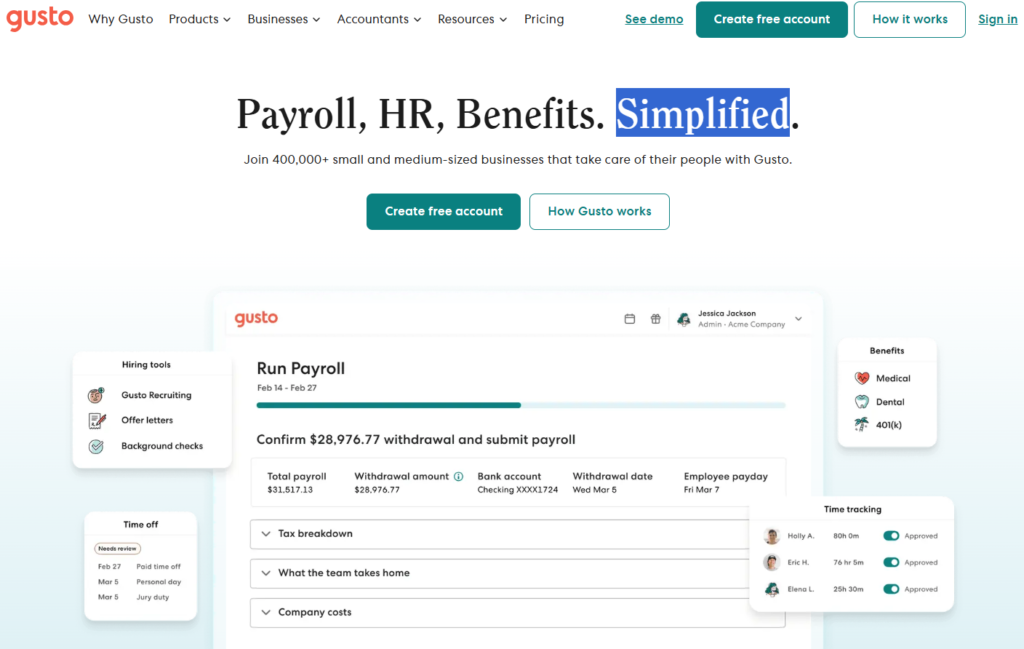
Gusto occupies a distinct position in the HR software market that no competitor has successfully replicated: it is the first platform most small business owners encounter, because its transparent pricing, self-service setup, and guided payroll run experience make it genuinely accessible to a founder who has never run payroll before. The journey from “I need to pay my employees” to “payroll is configured and running automatically” on Gusto is measured in hours rather than days, and the platform’s guided experience walks new users through each configuration step with enough explanation that a small business owner with no HR background can complete setup without professional assistance.
The payroll architecture is what differentiates Gusto from platforms that treat payroll as an add-on. Full-service payroll — automatic federal, state, and local tax filings in all 50 states, direct deposit processing, year-end W-2 and 1099 preparation, new hire reporting to state agencies — is included in Gusto’s Simple plan from day one. The automatic pay run feature, available on all plans, allows HR teams to configure payroll to run and complete without any manual trigger if no changes are expected — a feature that reduces the weekly or biweekly payroll administration task to an exception-handling responsibility rather than a mandatory manual process.
The benefits integration is Gusto’s second major value delivery mechanism for small businesses. Health insurance, dental, vision, 401(k), FSA, HSA, commuter benefits, and life insurance can all be administered through Gusto’s benefits module, with employee benefits elections syncing automatically to payroll deductions. For small businesses that previously managed benefits administration through spreadsheets and manual correspondence with benefits carriers, this integration eliminates a category of administrative work that commonly generated errors with real financial consequences.
Where Gusto Falls Short
Gusto is genuinely designed for small businesses, and it shows at the edges of that design boundary. Companies crossing 100 employees begin to encounter limitations in workflow complexity, reporting depth, and scalability of administrative tooling that platforms like Rippling and BambooHR handle as designed capabilities rather than workarounds. The absence of a native ATS forces hiring teams to evaluate a separate recruiting tool from day one, and the integration quality with third-party ATS tools varies. International hiring beyond simple contractor payments to foreign freelancers is not supported — US-only payroll and a US-centric benefits market are hardcoded assumptions in Gusto’s design.
The Verdict on Gusto
Gusto is the right HR platform for small businesses in their first years of operation where the primary HR need is getting payroll right, administering benefits, and maintaining basic compliance. The Simple plan at $49/mo + $6/employee is often the first HR software investment a company makes, and the transparent pricing — the only platform on this list to publish exact pricing without a sales call — makes budget planning straightforward. Upgrade to Plus when multi-state payroll, advanced time tracking, or performance review tools become necessary.
4. ADP Workforce Now — Best HR Platform for Mid-Market Compliance and Payroll Scale
| Key Information | Overview |
|---|---|
| Best For | Mid-market companies (75–750 employees) that need the deepest payroll expertise, the most comprehensive compliance infrastructure, and the option to outsource payroll administration to ADP’s managed services team |
| Pricing | Select, Plus, and Premium plans; approximately $19–$30/employee/mo for most mid-market configurations. One-time implementation fees typically 10–20% of annual contract. Custom quote required — pricing not published |
| Payroll Included | Yes — core feature; payroll and tax compliance are ADP’s foundational strength |
| Company Size | 75–750 employees optimal; RUN Powered by ADP serves smaller businesses (under 50); enterprise transitions to ADP Vantage HCM |
| Key Strengths | The largest payroll provider globally (processes payroll for 1 in 6 American workers); industry benchmarking comparing your workforce metrics against aggregate ADP data from similar companies; optional fully managed payroll outsourcing (PEO and comprehensive services) that removes payroll administration entirely from the HR team; strong compliance infrastructure with federal and state regulatory guidance, legal alerts, and HR Assist support line; 700+ integrations; rebuilt mobile app with significantly improved employee experience; SOC 2 Type II compliance |
| Key Weaknesses | Pricing opacity — ADP does not publish rates and custom quotes vary substantially by sales negotiation; implementation fees add meaningful first-year cost; user interface is widely cited as less modern than Rippling, BambooHR, or HiBob; some users report slower product evolution compared to VC-backed competitors; customer support responsiveness varies by plan tier |
| Payroll Filing | Automatic federal, state, and local tax filing; tax penalty guarantee on compliance errors; multi-country payroll available through ADP GlobalView |
| Integration | 700+ native integrations; API available; native connections to Greenhouse, LinkedIn, Slack, Microsoft Teams, Google Workspace, Salesforce |
| Best Pairing | ADP’s own PEO services for organizations wanting to outsource compliance burden; Greenhouse or iCIMS for enterprise recruiting workflows |
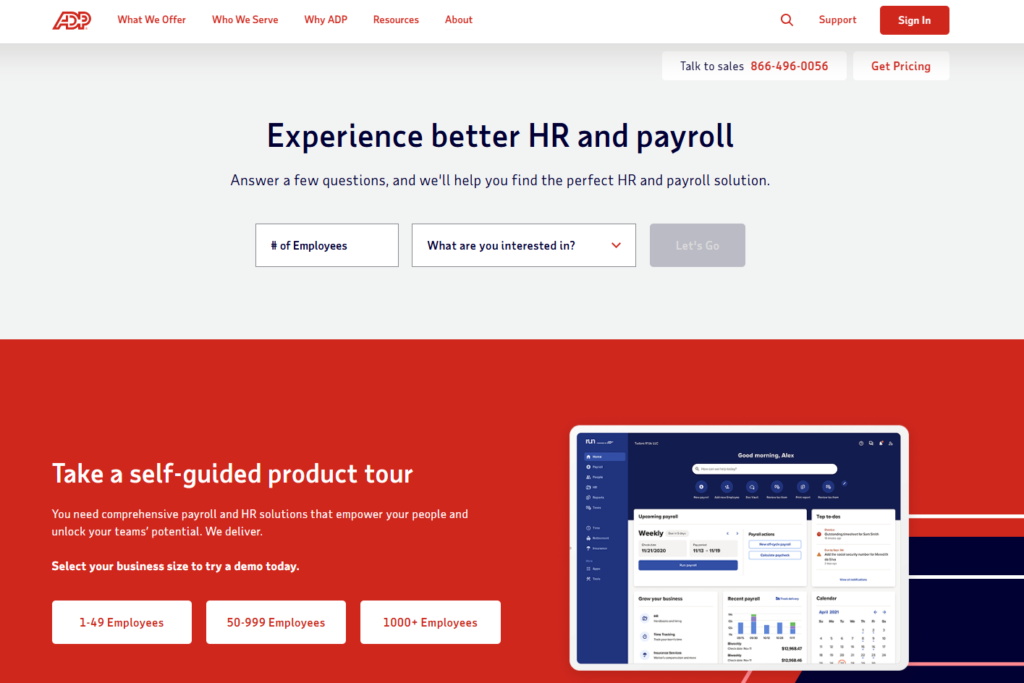
ADP Workforce Now earns its position in this guide through a combination of payroll depth and institutional trust that no competitor at the mid-market tier has replicated. Processing payroll for roughly one in six American workers gives ADP a data infrastructure and regulatory expertise that platforms built in the last decade simply have not had the time or scale to develop. The ADP HR Assist feature — a compliance guidance service staffed by HR professionals and integrated into the platform — provides real-time regulatory guidance, employer helpline access, and federal and state compliance reporting tools that help mid-market HR teams navigate the regulatory complexity that grows alongside headcount without requiring an in-house employment attorney.
The industry benchmarking capability is the ADP feature most distinctive to its scale advantage. Because ADP processes payroll data for a significant fraction of the US workforce across industries and company sizes, ADP Workforce Now users can benchmark their specific compensation, turnover, overtime, and other workforce metrics against aggregate anonymized data from similar companies. For HR teams presenting board-level workforce analytics or responding to leadership questions about whether compensation levels are competitive, this market data is operationally valuable in a way that no competitor at the mid-market tier can replicate from first-party data.
The managed services option distinguishes ADP from all other platforms on this list. Beyond operating a software platform, ADP offers fully managed payroll administration — a service relationship where ADP’s professionals handle payroll calculations, tax filings, year-end processing, and compliance monitoring as a service rather than as a self-service software task. For growing companies whose HR teams are overwhelmed by administrative volume, or companies where payroll errors have created costly compliance issues, the ability to outsource payroll administration to ADP — while retaining in-platform visibility and reporting — represents a qualitatively different value proposition than any software-only competitor can offer.
Where ADP Workforce Now Falls Short
ADP’s legacy as the category incumbent in payroll is also its primary limitation in an HR software market that has moved toward modern UX, self-service configuration, and real-time AI capabilities at pace. The user interface of ADP Workforce Now, while improved in recent iterations, consistently receives lower usability ratings than Rippling, BambooHR, and HiBob in comparative reviews. The pricing process — which requires sales engagement, custom negotiation, and implementation fee conversations before any numbers are available — creates evaluation friction for HR teams trying to build accurate business cases. Implementation timelines of 8–12 weeks for mid-market configurations are also longer than newer competitors who have invested in streamlined onboarding.
The Verdict on ADP Workforce Now
ADP Workforce Now is the right HR platform for mid-market companies where payroll accuracy and compliance depth are the primary selection criteria, where the brand credibility of the world’s largest payroll provider carries weight in board or finance committee conversations, and where the option to outsource payroll administration is commercially valuable. Request a custom quote with explicit module requirements and ask specifically about implementation fees, support tier differences, and the managed services options that distinguish ADP from software-only competitors.
5. Workday HCM — Best Enterprise HR and Financial Management Platform
| Key Information | Overview |
|---|---|
| Best For | Large enterprises (500+ employees) that need unified HR, financial management, and workforce planning in a single cloud platform with Fortune 500-grade analytics, global compliance, and the ability to make strategic workforce decisions from real-time integrated data |
| Pricing | Custom only; HCM software fees typically $34–$42/employee/mo at scale; full HCM suite ranges $100–$300/user/mo depending on module scope. Annual contracts from $100K for mid-market entry to $300–$500K+ for large enterprise. Significant implementation costs (often matching or exceeding first-year license fees). No free trial |
| Payroll Included | Yes — global payroll module available covering 45+ countries natively; additional countries via partners |
| Company Size | 500+ employees; CEO has publicly stated Workday does not target accounts under 500 employees |
| Key Strengths | The enterprise HR benchmark: unified HCM and financial management in a single real-time database; Prism Analytics for turning workforce data into strategic insights (turnover prediction, labor cost forecasting, compensation equity analysis); comprehensive talent management including skills-based talent matching, succession planning, and learning management; global payroll and compliance across 45+ countries natively; 50%+ of Fortune 500 use Workday; AI Recruiter with documented 40% bias reduction in matching; workforce and financial planning aligned in real time |
| Key Weaknesses | Implementation complexity is significant — typical enterprise deployments take 6–12 months and require dedicated IT resources, external implementation partners, and sustained organizational change management investment; cost is prohibitive below 500 employees; ongoing administration requires internal Workday expertise; per-user costs at $100–$300/user/mo are 5–10x mid-market platforms |
| Payroll Filing | Global payroll in 45+ countries natively; full US payroll tax filing automation |
| Integration | Workday Integration Cloud with pre-built connectors for LinkedIn, Slack, Microsoft Teams, SAP, Salesforce, ADP; Workday Studio and Enterprise Interface Builder for custom integrations; extensive partner ecosystem |
| Best Pairing | Organizations typically use Workday as the single platform for HR and Finance, eliminating the need for separate systems; external ATS (Greenhouse, Lever) sometimes used alongside Workday’s recruiting module for specialized hiring workflows |
Workday’s position as the enterprise HR benchmark is not primarily about feature depth — though its feature depth is genuine — but about the architectural decision that has defined the platform since its founding: a single unified database for both human capital management and financial management. Every HR event in Workday — a hire, a promotion, a departure, a benefits change, a salary adjustment — updates simultaneously in the HR record and in the financial planning model. There is no synchronization delay, no ETL process, no reconciliation between HR headcount data and finance budget data. When the CFO and the CHRO look at workforce data in Workday, they are looking at the same real-time numbers from the same source.
For enterprises where strategic workforce decisions — headcount planning, compensation analysis, organizational design, succession planning — require alignment between HR and finance, this unified architecture is a genuine operational advantage. A Workday customer evaluating whether to expand a specific business unit can model the headcount cost, compensation requirements, and timeline in Workday’s workforce planning tools against the financial plan and budget constraints — in the same platform, with the same data — without the manual reconciliation that companies using separate HR and finance systems must perform every planning cycle.
The analytics capability reflects Workday’s data scale. Workday Prism Analytics connects workforce data to any external data source — benefits utilization, recruiting conversion rates, compensation benchmarks — and produces the workforce intelligence reports that strategic HR functions need: turnover prediction by department and tenure, compensation equity analysis across demographic groups, skills gap analysis mapped to business objectives, and labor cost forecasting aligned with financial planning cycles. For HR leadership presenting to boards on workforce strategy, this analytics depth is the tool that enables the conversation.
Where Workday Falls Short
Workday’s enterprise positioning is also its practical limitation for organizations outside that market. The implementation investment — typically $500K to $1M for a comprehensive enterprise deployment including professional services — and the 6–12 month implementation timeline make Workday economically irrational for organizations under 500 employees, and operationally disruptive even for larger organizations that underestimate the change management requirements. The per-user costs at $100–$300/user/mo represent 5–10x the cost of mid-market alternatives like Rippling or HiBob that deliver adequate functionality for organizations under 1,000 employees. The ongoing administration also requires internal Workday expertise that most mid-market HR teams do not have.
The Verdict on Workday HCM
Workday is the right HR platform for enterprises with 500+ employees that need unified HCM and financial management, global payroll and compliance, and the analytics depth that strategic workforce planning at enterprise scale requires. Organizations below that threshold should evaluate Rippling or HiBob, both of which provide meaningful analytics and global capabilities at cost structures that produce positive ROI without multi-month implementation projects. Enterprise buyers should budget explicitly for professional services implementation and plan for 9–12 months before the platform is operating at its full value.
6. HiBob — Best Modern HRIS for Culture-Driven and Global Mid-Market Teams
| Key Information | Overview |
|---|---|
| Best For | Tech-forward, culture-conscious mid-market companies (50–1,000 employees) with global or distributed teams that want a modern, engaging HRIS with strong analytics and a platform their employees actually enjoy using |
| Pricing | ~$16–$22/employee/mo for 50–200 employees; ~$20–$25/employee/mo for 200–1,000 employees (quote-based; pricing not published). Custom quote required |
| Payroll Included | No native payroll — integrates with Workday Payroll, ADP, Gusto, Rippling, and regional payroll providers globally |
| Company Size | 50–1,000 employees; particularly strong in the 100–500 range |
| Key Strengths | Modern UX designed for the employee experience, not just the HR admin experience; real-time people analytics covering turnover prediction, headcount trends, compensation equity, and engagement scoring; culture tools including eNPS surveys, manager effectiveness tools, recognition features, and engagement feedback loops; flexible workflows and automation that adapt to non-standard organizational structures; global calendar, org chart, and policy management for distributed teams; strong G2 and Capterra ratings particularly for employee experience and usability |
| Key Weaknesses | No native payroll requires a separate payroll integration — an additional tool relationship and integration maintenance cost; pricing at $16–$25/employee/mo is higher than BambooHR for comparable core HR functionality; primarily cloud-only, with no on-premise option for data sovereignty requirements; reporting lag occasionally noted in user reviews for complex analytics queries |
| Payroll Filing | Not applicable — integrates with external payroll providers |
| Integration | Native payroll integrations with ADP, Gusto, Rippling, Workday; Slack, Teams, Google Workspace; BambooHR data migration path; Okta and Azure AD for identity; Greenhouse and Lever for ATS |
| Best Pairing | ADP or Gusto for US payroll; regional payroll providers for international employees; Greenhouse for ATS on higher-volume hiring |
HiBob has captured the specific mid-market segment that found BambooHR’s feature depth insufficient and Workday’s complexity and cost unjustifiable: growing tech companies and globally distributed teams that want more than a basic HRIS but are not ready for enterprise procurement. The platform’s design philosophy — built for the employee experience, not just for HR admin — is visible in the features that differentiate it from the category: a social-media-inspired news feed for company announcements that drives actual readership rather than the email announcement that gets skimmed and deleted, recognition features that allow peer acknowledgment with public visibility, eNPS survey tools that provide real-time engagement data rather than annual survey results, and an org chart that displays actual reporting relationships, photos, and availability status rather than static boxes.
The people analytics capability is the feature that most commonly closes HiBob sales conversations against competitors. The analytics dashboards surface the metrics that strategic HR leaders need to answer leadership questions without extracting data to spreadsheets: real-time headcount by department and location, attrition rates by tenure and role, compensation equity analysis across gender and demographic groups, manager effectiveness scores derived from direct report survey data, and workforce planning projections based on current hiring velocity. For HR leaders in the 100–500 employee range who are building the people analytics function for the first time, HiBob’s analytics tools provide enterprise-grade intelligence at mid-market pricing.
The global distributed work design is particularly well executed. HiBob’s global calendar automatically accounts for public holidays across every country in which employees work, so when a London-based manager sees their team’s availability, the Irish holiday that makes their Dublin colleague unavailable on a specific day appears without manual configuration. Policy management allows country-specific leave policies, benefits eligibility rules, and compliance documentation requirements to coexist in the same system without creating a parallel system for international employees. This global infrastructure, combined with the modern UX, makes HiBob the HR platform that globally distributed tech companies most commonly choose when they have outgrown BambooHR or Gusto.
Where HiBob Falls Short
The absence of native payroll is the most operationally significant limitation in HiBob’s feature set. Every HiBob customer needs a separate payroll solution — typically Gusto for US-only companies or ADP for companies with multi-state payroll complexity — and the integration between the two systems requires configuration and periodic maintenance. For HR teams evaluating total system complexity, this integration dependency means managing two vendor relationships and two integration contracts rather than one. The pricing at $16–$25/employee/mo is also meaningfully higher than BambooHR for comparable core HRIS functionality, and the custom quote requirement makes comparative pricing evaluation require sales engagement.
The Verdict on HiBob
HiBob is the right HRIS for mid-market companies where employee experience, people analytics depth, and global distributed work support are priorities, and where the HR team is willing to manage a separate payroll integration in exchange for these capabilities. For organizations where all employees are US-based and payroll integration simplicity matters more than engagement tooling or international support, BambooHR or Gusto may provide better value at lower cost. Evaluate HiBob when you have outgrown the feel of BambooHR and want something that employees engage with voluntarily, not just when HR makes them.
7. Deel — Best Platform for Global Hiring and International Workforce Management
| Key Information | Overview |
|---|---|
| Best For | Any company — from 10-person startups to 10,000-person enterprises — that hires full-time employees or contractors internationally and needs compliant employment contracts, local payroll, and benefits administration in 150+ countries from a single platform |
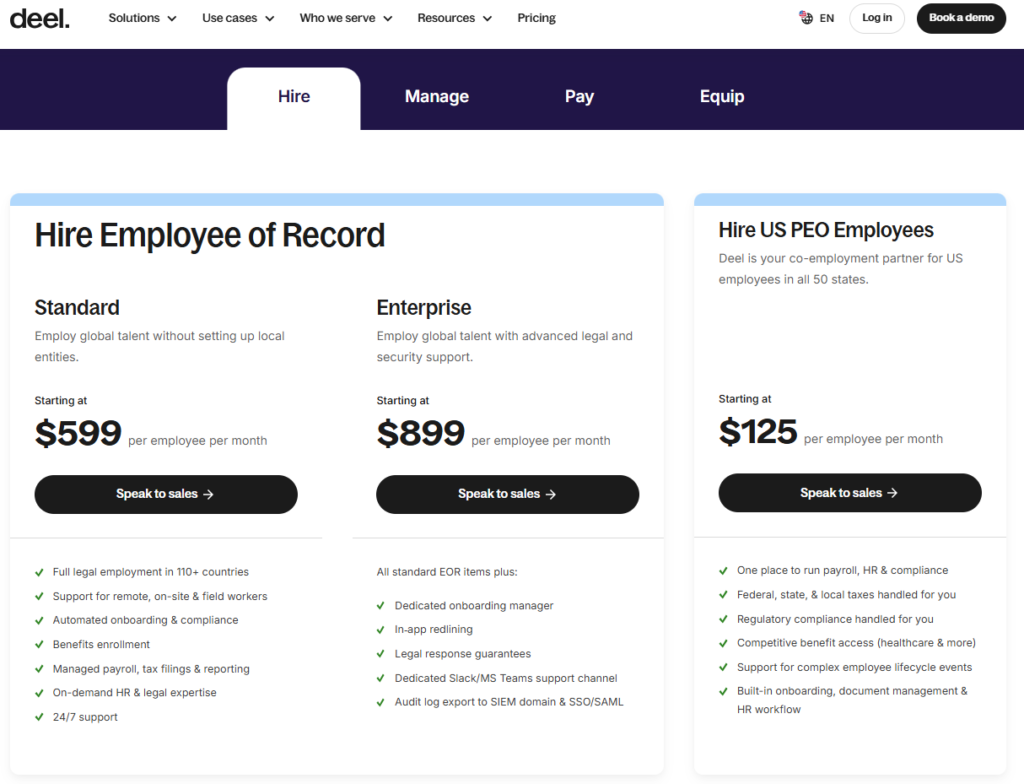
| Pricing | HRIS (core HR module): free for up to 200 employees, then $4/employee/mo. EOR (Employer of Record, hire full-time employees in countries where you lack a local entity): from $599/employee/mo. Global Payroll (manage employees through your own local entities): from $29/employee/mo. Contractor management: from $49/contractor/mo. US Payroll: from $19/employee/mo |
| Payroll Included | Yes — global EOR payroll and global direct employee payroll as core services; US payroll module available |
| Company Size | Any size; particularly powerful for companies with employees in multiple countries |
| Key Strengths | Single platform to hire, pay, and manage full-time employees and contractors in 150+ countries; compliant local employment contracts generated automatically for each jurisdiction; local benefits packages in 100+ countries; integrated background checks, visa and immigration support, and equity management; HRIS module free up to 200 employees (genuine free tier for core HR); Deel AI for contract generation and compliance analysis; strong G2 ratings from global teams; built-in currency management and multi-currency payroll |
| Key Weaknesses | EOR pricing at $599/employee/mo is a significant cost for long-term international employees where establishing a local entity might be more cost-effective; primary strength is global hiring — domestic US-only companies may find BambooHR or Gusto provide better feature depth per dollar for purely domestic programs; the modular pricing across EOR, global payroll, HRIS, and US payroll requires careful planning to avoid unanticipated costs |
| Payroll Filing | Compliant local payroll tax filing in 100+ countries; US payroll with federal, state, and local filings |
| Integration | QuickBooks, Xero, NetSuite for accounting; BambooHR, Rippling, Workday for HRIS sync; Okta, OneLogin for identity management; Slack and Teams for notifications; 100+ integrations |
| Best Pairing | BambooHR or HiBob for core HRIS functionality if Deel is being used primarily as EOR/global payroll rather than core HR; QuickBooks or NetSuite for accounting integration |
Deel has built the global employment infrastructure that enables companies to hire anyone anywhere without the historically prohibitive barriers of local entity establishment, jurisdiction-specific employment law expertise, and multi-currency payroll management. The employer of record model — where Deel employs the worker through its own local entity in the target country and provides that employment to the hiring company as a service — means that a 15-person US startup that wants to hire a senior engineer in Poland does not need to incorporate a Polish entity, open a Polish bank account, hire a Polish payroll administrator, or retain a Polish employment attorney. Deel manages all of that and charges the startup a monthly service fee.
The HRIS module’s free tier — available for up to 200 employees — is genuinely unusual in the category and provides a complete core HR capability: employee profiles and directory, document storage and e-signatures, time-off tracking and approvals, onboarding workflows, org chart, and basic reporting. For early-stage companies that are not yet ready to pay for HR software but need a system of record for growing headcount, this free tier provides more core HR functionality than most paid tools at lower employee counts. The commercial model is that companies using the free HRIS module for their domestic team will naturally expand to Deel’s EOR or global payroll services as international hiring begins — at which point the integrated platform architecture delivers its full value.
The compliance depth reflects Deel’s core commercial value: every contract, every payroll calculation, and every benefits package is generated from jurisdiction-specific templates maintained by Deel’s legal and compliance teams across 150+ countries. When French employment law changes the mandatory severance calculation, Deel updates the template and the calculation in Deel’s system. When the German minimum wage increases, Deel’s payroll for German employees updates automatically. The HR team at the client company does not need to monitor 150 jurisdictions for regulatory changes — Deel does it and surfaces actionable alerts.
Where Deel Falls Short
The EOR pricing at $599/employee/mo is a meaningful per-person cost that becomes commercially significant for companies with large international teams. A company with 20 EOR employees pays $11,980/mo ($143,760/yr) in EOR service fees alone — at some headcount in each country, establishing a local entity becomes the more cost-effective choice despite the one-time setup investment. Deel’s platform also has more depth in global employment infrastructure than in the performance management, employee engagement, and people analytics features that mid-market HRIS platforms like HiBob have invested heavily in. For US-only companies with no international hiring plans, Gusto or BambooHR provide more practical feature depth per dollar.
The Verdict on Deel
Deel is the right platform for any company that is hiring internationally or plans to, regardless of size. The free HRIS tier makes it a zero-risk starting point for core HR data management at early stages. The EOR service is the right solution for international hires in countries where entity establishment is not yet commercially justified. The global payroll service serves larger international teams with existing local entities who need consolidated payroll management. Evaluate whether the EOR cost per employee is sustainable versus entity establishment at 10+ employees per country.
8. Zoho People — Best Budget HRIS for Cost-Conscious Small Businesses
| Key Information | Overview |
|---|---|
| Best For | Budget-conscious small businesses, startups, and Zoho ecosystem users who need a feature-complete HRIS at the lowest price point in the category — and are willing to invest configuration time to realize that value |
| Pricing | Free (up to 5 users, basic features). Essential HR $1.50/user/mo (annual). Professional $2.50/user/mo (annual). Premium $3.50/user/mo (annual; performance management, 360 feedback, analytics). Enterprise $4.50/user/mo (annual; case management, LMS). Monthly billing ~20% higher. 30-day free trial available |
| Payroll Included | No — Zoho Payroll (India-focused) or external payroll integrations required; US payroll requires integration with Gusto, ADP, or another provider |
| Company Size | 1–500 employees; most competitive under 100 where per-employee cost savings are most commercially significant |
| Key Strengths | The lowest per-user price among full-featured HRIS platforms by a significant margin; genuine free tier for up to 5 users; deep integration with the Zoho ecosystem (CRM, Books, Projects, Recruit, Analytics, Desk) for companies already operating on Zoho; highly customizable with custom modules, forms, workflows, and fields without code; performance management on Premium includes 360-degree feedback, goal/KRA management, 9-box talent grids, and skill matrices; built-in LMS (learning management) on Enterprise; biometric and geofenced attendance tracking; 30-day free trial |
| Key Weaknesses | User interface is more functional than polished — less modern than BambooHR, HiBob, or Rippling; no native payroll for US-based companies; steeper configuration learning curve than competitors; international payroll support limited outside the Zoho ecosystem; customer support responsiveness varies by plan tier |
| Payroll Filing | Not applicable — external payroll integration required for US-based teams |
| Integration | Zoho suite (CRM, Books, Projects, Recruit, Analytics); Slack; biometric attendance hardware; Zapier for third-party connections; limited native third-party integrations compared to category leaders |
| Best Pairing | Gusto for US payroll integration; the full Zoho suite for companies already using Zoho CRM, Books, or Projects |
Zoho People exists to answer the question that every small business founder with 10 to 50 employees asks at some point: is there a genuinely capable HRIS that does not cost $15–25 per employee per month? The answer is yes, and the price differential is substantial. A 30-person company on Zoho People’s Professional plan pays $75/mo. The same 30-person company on BambooHR’s Core plan pays approximately $300–$450/mo. On HiBob, the same team pays approximately $480–$750/mo. Over a year, the Zoho People savings relative to comparable alternatives fund meaningful budget elsewhere.
The feature set at $1.50–$4.50/user/mo is more comprehensive than most buyers expect from a budget category. The Essential plan covers employee database, leave tracking, basic onboarding workflows, document management, and shift creation. The Professional plan adds attendance management with geofencing and biometric integration, timesheet management, and custom form builders. The Premium plan introduces performance management capabilities — 360-degree feedback, goal and KRA tracking, 9-box talent grids, and skill matrices — that competitors charge $15–20/employee/mo to unlock. The Enterprise plan adds a built-in Learning Management System for training content delivery and case management for employee relations workflows.
The Zoho ecosystem integration is the feature that most meaningfully extends Zoho People’s value for businesses already operating on the Zoho platform. Employee data created in Zoho People flows automatically to Zoho Books for payroll journal entries, to Zoho CRM for linking contacts to their employment relationship, to Zoho Projects for resource allocation against employee capacity, and to Zoho Analytics for workforce reporting across all data sources. For a small business where the CRM, accounting, project management, and HR systems are all Zoho products, the data consistency and integration depth that results from this single-vendor approach eliminates the integration maintenance cost that multi-vendor stacks require.
Where Zoho People Falls Short
Zoho People’s most significant practical limitation is its absence of native US payroll. Every Zoho People deployment requires a separate payroll solution — either Gusto, ADP, or another US payroll provider — and the integration between the two systems requires setup and periodic reconciliation. The user interface, while functional, feels less contemporary than BambooHR, HiBob, or Rippling — a trade-off that some organizations accept in exchange for the price advantage but that affects employee self-service adoption rates. The configuration learning curve is also steeper than simpler alternatives: the customization depth that makes Zoho People powerful for complex use cases creates initial setup complexity that straightforward alternatives avoid.
The Verdict on Zoho People
Zoho People is the right HRIS for budget-constrained small businesses — particularly those already using Zoho CRM, Books, or Projects — that need more than a spreadsheet but cannot justify $10–$20/employee/mo for a platform they use primarily for employee records, leave tracking, and onboarding. The 30-day free trial makes evaluation risk-free. Plan to budget time for configuration rather than expecting out-of-the-box simplicity, and budget separately for US payroll integration.
Which HR Management Platform Should You Choose? A Decision Framework
The right HR platform depends on company size, geographic distribution of the workforce, and which HR function is the current highest-priority pain point.
If you are a small business (under 50 employees) with US-only employees and payroll is the priority: Gusto Simple at $49/mo + $6/employee — transparent pricing, full-service payroll, benefits administration, and basic HR in one platform with no implementation complexity.
If you are a US-based company (25–500 employees) where employee experience and onboarding quality are the priorities: BambooHR Core or Pro — the best-reviewed HRIS for ease of use with excellent onboarding automation and employee self-service. Add US payroll as an add-on or pair with Gusto.
If you are scaling rapidly (50–2,000 employees) and HR administrative overhead from managing separate HR and IT systems is the pain point: Rippling — unified HR, IT, and finance automation with the fastest onboarding provisioning in the category. Expect $20–$35/employee/mo for a complete stack.
If you are a mid-market company (75–750 employees) where payroll compliance depth and the option to outsource payroll administration matters: ADP Workforce Now — the deepest payroll expertise in the category with optional fully managed payroll services. Expect $19–$30/employee/mo.
If you are an enterprise (500+ employees) needing unified HCM and financial management: Workday HCM — the enterprise benchmark with real-time HR and financial alignment. Budget for $34–$42/employee/mo for HCM software plus significant implementation investment.
If you are a tech-forward mid-market company (50–1,000 employees) with a global distributed team and employee engagement matters: HiBob — the most modern UX and analytics in the mid-market; plan to integrate separately with payroll.
If you are hiring internationally or managing employees in multiple countries: Deel — free HRIS for core HR, EOR from $599/employee/mo for international full-time hires in countries without your own entity, global payroll from $29/employee/mo.
If budget is the primary constraint: Zoho People — the most affordable full-featured HRIS at $1.50–$4.50/employee/mo; pair with Gusto for US payroll.
Recommended HR Stacks by Company Profile
| Company Type | Core HR Platform | Payroll | ATS / Recruiting | Monthly Benchmark |
|---|---|---|---|---|
| Startup (1–30 employees, US-only) | Gusto Simple | Built-in | Lever or Greenhouse via integration | ~$50–$250/mo depending on headcount |
| SMB (30–100 employees, US-only) | BambooHR Core + ADP Payroll add-on | ADP (integrated) | BambooHR ATS (Pro plan) | ~$400–$2,000/mo |
| Mid-market (100–500, US + international) | Rippling (HR + global payroll) | Built-in via Rippling | Greenhouse via Rippling integration | ~$2,500–$12,000/mo |
| Mid-market (100–500, culture-first) | HiBob | ADP or Gusto (integrated) | Greenhouse or Lever | ~$1,800–$12,000/mo |
| Global-first (any size) | Deel HRIS (free) + Deel EOR / global payroll | Built-in via Deel | Deel Recruit or external ATS | Variable by international headcount |
| Enterprise (500+) | Workday HCM | Workday payroll module | Greenhouse, iCIMS, or Workday Recruiting | Custom; $34–$42/employee/mo base |
| Budget-constrained SMB | Zoho People Professional | Gusto integration | Zoho Recruit (Zoho suite) | ~$75–$400/mo |
Head-to-Head: Which Platform Wins Each Category
| Category | Winner | Runner-Up | Notes |
|---|---|---|---|
| Overall Platform | Rippling | BambooHR | Rippling on automation depth and unified IT; BambooHR on ease of use |
| Small Business Payroll | Gusto | ADP Run | Gusto on transparency, simplicity, and self-service setup |
| SMB Employee Experience | BambooHR | Gusto | BambooHR on onboarding quality and mobile app; Gusto on payroll integration |
| Mid-Market Modern UX | HiBob | Rippling | HiBob on employee experience design; Rippling on automation |
| Global Workforce Management | Deel | Rippling | Deel on EOR and contractor compliance; Rippling on HR+IT integration |
| Enterprise HCM | Workday | ADP Workforce Now | Workday on HCM+Finance unification; ADP on payroll scale and managed services |
| Mid-Market Payroll Compliance | ADP Workforce Now | Rippling | ADP on depth, managed services, and benchmarking data |
| Best Value / Lowest Price | Zoho People | Gusto | Zoho People on per-employee cost; Gusto on all-in value including payroll |
| Automation and Workflow | Rippling | BambooHR | Rippling’s Workflow Studio is the category leader; not close |
| Analytics and Reporting | Workday | HiBob | Workday on enterprise analytics depth; HiBob on mid-market accessibility |
Frequently Asked Questions
What is the difference between HRIS, HRMS, and HCM?
These terms are often used interchangeably in vendor marketing but have meaningful distinctions. HRIS (Human Resource Information System) refers to the foundational employee database and core HR administration tools — employee records, time-off tracking, onboarding, compliance documents, and basic reporting. HRMS (Human Resource Management System) adds operational features like time and attendance tracking, payroll processing, and benefits administration on top of the HRIS foundation. HCM (Human Capital Management) is the broadest category, encompassing HRIS and HRMS capabilities plus strategic workforce planning, talent management, succession planning, compensation planning, and advanced analytics. Most modern platforms market themselves as HCM regardless of whether they deliver the full suite, so buyers should evaluate specific features rather than relying on category labels.
What is an employer of record (EOR) and when do I need one?
An employer of record is a third-party company that legally employs workers on behalf of a client business in countries where the client does not have a local legal entity. When your company wants to hire a full-time employee in Germany but does not have a German GmbH (the local corporate entity required to employ German workers), an EOR provider like Deel establishes employment through their own German entity, handling local employment contracts, payroll taxes, social insurance contributions, and statutory benefits — while the employee works for your company in practice. You pay the EOR a service fee (typically $500–$700/employee/mo) instead of the cost and complexity of establishing a local entity. EOR services are appropriate for international hires where entity establishment is not yet commercially justified — typically fewer than 10–15 employees in a single country. Above that threshold, establishing a local entity and using global payroll services (which require your own entity but cost significantly less than EOR) is often more cost-effective.
How long does HR software implementation typically take?
Implementation timelines vary significantly by platform complexity and company size. Gusto and Zoho People can be configured in days for small businesses using self-serve onboarding. BambooHR typically takes 2–4 weeks for companies under 200 employees. Rippling typically takes 4–8 weeks for companies needing full HR, IT, and payroll configuration. ADP Workforce Now typically takes 2–3 months for mid-market deployments. Workday typically takes 6–12 months for enterprise implementations including the organizational change management, data migration, and integration work that a comprehensive enterprise deployment requires. These timelines assume dedicated internal project management; add 50–100% if the HR team is managing implementation alongside full operational responsibilities.
Should I prioritize integrated payroll or best-in-class standalone payroll?
The case for integrated payroll (payroll within the same HRIS platform) is operational simplicity: employee data entered once flows automatically to payroll without reconciliation, employee self-service for direct deposit updates and W-4 changes works from a single interface, and reporting combines HR and payroll data without extraction. The case for standalone payroll (a dedicated payroll provider integrated with the HRIS) is functional depth: platforms like ADP have decades of payroll-specific development that newer integrated payroll modules have not yet matched, particularly for complex payroll scenarios involving multiple states, union rules, tipped employees, or specific industry compliance requirements. For most companies under 500 employees with straightforward payroll, integrated payroll in Gusto or Rippling provides adequate depth with significant operational simplicity. Companies with complex payroll scenarios or a high tolerance for compliance risk should evaluate standalone payroll depth before accepting the simplicity trade-off.
Expert Insights: The HR Platform Investment That Scales With Your Organization
The most common HR software mistake is selecting a platform that fits the organization’s current headcount and pain points without accounting for where the organization will be in 18–24 months. A 25-person company that selects Gusto because it is affordable and easy to set up will likely be satisfied — until it has 100 employees, multiple states, an international contractor base, and management demanding attrition data. A 200-person company that selects Workday because it is the enterprise benchmark will be confronted with a 9-month implementation project, $300K in professional services costs, and an administrative complexity that overwhelms an HR team of three.
The right selection framework is honest about two things: the current organizational scale and capability, and the realistic growth trajectory over the platform’s expected contract life. A company that will grow from 50 to 200 employees in the next two years should select a platform that serves 200 employees well, not one that serves 50 employees cheaply today. A company that will remain under 100 employees for the foreseeable future should not pay enterprise platform prices for features that will not be used.
For most growing companies, the practical path is: start with Gusto for payroll and basic HR while under 50 employees, migrate to BambooHR or Rippling when HR administrative complexity warrants it (typically 50–100 employees), and evaluate Workday or enterprise alternatives only when the analytics and financial management integration requirements that justify enterprise pricing are genuinely present. The sequential investment path costs less in aggregate than the premature enterprise purchase, and each platform selected is appropriate to the organizational scale at the time of selection.
The HR Stack That Works for Most Growing Companies
For a US-based company growing from 50 to 200 employees: Rippling at the $20–$30/employee/mo all-in price for HR plus payroll plus IT automation, integrated with Greenhouse for recruiting, and QuickBooks or NetSuite for accounting. This stack covers the full HR lifecycle from hiring through offboarding, automates the onboarding provisioning that consumes IT coordination hours, and provides the compliance monitoring that keeps a growing company compliant across multiple states. The Rippling investment is recouped through the time savings from automated onboarding and offboarding alone — at $40/hour for IT or HR coordinator time, eliminating 10 manual hours per hire at 50 annual hires saves $20,000/year before any compliance risk reduction is counted.


