

Video has become the default format for marketing communication — not as a trend that might reverse but as a structural shift in how buyers research, evaluate, and make decisions. The data is no longer marginal: over 90 percent of marketers report a positive ROI from video, and the average B2B buyer watches several videos about a product before having a first conversation with sales. The question facing most marketing and sales teams in 2026 is not whether to invest in video but how to build a video marketing infrastructure that is sustainable, measurable, and scalable beyond one-off productions using the best video marketing tools available.
The challenge is that “video marketing tools” spans at least six distinct functional categories that each require different capabilities and are often served by separate platforms. Video hosting platforms like Wistia and Vimeo store and distribute video content with customizable players and marketing analytics. Video creation tools like Descript, Canva, and Synthesia enable teams to produce video content at scale without professional production infrastructure. Sales video platforms like Vidyard enable personalized video outreach that sales reps can record and send in minutes. Async video messaging tools like Loom replace written communications with video across internal and customer-facing workflows. Live streaming platforms like StreamYard run webinars and live events that generate leads at scale. And free distribution platforms like YouTube remain essential for organic discovery and reach.
Most marketing teams in 2026 use three to five video tools with defined roles rather than a single platform attempting to serve all functions. This guide identifies the best video marketing tool for each function, verified pricing at each tier, and the specific workflow scenarios where each platform delivers the most value.
Quick Comparison: Top 10 Video Marketing Tools for 2026
| # | Platform | Primary Use | Starting Price | Free Tier | Best Feature | Our Rating |
|---|---|---|---|---|---|---|
| 1 | Wistia | Video marketing platform with hosting and analytics | Free (10 videos); Business $99/mo ($79/mo annual) | Yes | Viewer-level heatmap analytics and lead capture forms | 9.3/10 |
| 2 | Vidyard | Personalized sales video and video hosting | Free (basic); Starter $89/mo ($59/mo annual) | Yes | Personalized video at scale with CRM-connected analytics | 9.2/10 |
| 3 | Vimeo | Professional video hosting and distribution | Free; Starter $20/mo ($12/mo annual) | Yes | Ad-free, fully branded video hosting with clean embeds | 9.0/10 |
| 4 | Loom | Async video messaging for teams and sales | Free (25 videos); Business $15/user/mo (annual) | Yes | Instant screen-and-cam recording with viewer engagement tracking | 9.1/10 |
| 5 | Descript | AI-powered text-based video and podcast editing | Free; Hobbyist $16/mo (annual) | Yes | Edit video by editing transcript — the fastest post-production workflow available | 9.2/10 |
| 6 | Canva | Video creation for social media and marketing | Free; Pro $15/mo ($120/yr annual) | Yes | Full video creation suite integrated with design and brand kit | 8.9/10 |
| 7 | Synthesia | AI avatar video generation for training and marketing | Free (Basic); Starter $29/mo ($18/mo annual) | Yes | Produce professional-looking videos without cameras, studios, or actors | 9.0/10 |
| 8 | YouTube Studio | Free video distribution and first-party analytics | Free | Yes (completely) | Largest video audience in the world with built-in search discoverability | 9.1/10 |
| 9 | StreamYard | Live video streaming and webinar hosting | Free (limited); Core $44.99/mo Advanced $88.99.mo | Yes | Browser-based live streaming with multi-platform simultaneous broadcast | 8.8/10 |
| 10 | VEED.IO | Online collaborative video editing and social repurposing | Free (limited); Creator $20/mo; Pro $44/mo | Yes | Fast cloud-based editing and one-click video repurposing for social media | 8.7/10 |
How We Evaluated These Video Marketing Tools
Every platform in this guide was assessed across six dimensions that reflect how marketing and sales teams actually use video — not production quality benchmarks or feature specification comparisons.
Marketing analytics and ROI attribution: The defining gap between video marketing and video posting is analytics — knowing not just how many views a video received but which specific viewers watched, how far they watched, where they dropped off, and what actions they took afterward. We evaluated the depth of each platform’s viewer-level analytics and how well that data feeds into downstream marketing and sales workflows.
Production efficiency and team scalability: Video marketing programs fail not from lack of creative vision but from production bottleneck — the gap between how much video content marketing and sales teams need and how quickly they can produce it. We evaluated how significantly each platform reduces the time from script to published video, and whether it scales from a single content creator to a distributed team without proportional increase in production overhead.
Distribution and reach capability: Creating video with no distribution plan produces no marketing outcome. We evaluated how each platform enables video to reach the intended audience — whether through SEO-driven organic discovery on YouTube, website embedding on a brand-controlled player, email delivery for sales outreach, or live event attendance for webinars.
CRM and marketing stack integration: Video data is most valuable when it flows into the broader marketing and sales technology stack. A viewer who watched 85 percent of a product demo video should trigger a different sales follow-up than one who watched 15 percent. We evaluated the quality of each platform’s integrations with HubSpot, Salesforce, Marketo, and other CRM and marketing automation platforms.
Personalization and AI capability: The video marketing tools that have maintained competitive relevance in 2026 are those that have embedded AI into the core production and distribution workflow — not as optional features but as the primary mechanism through which teams scale output without proportionally scaling headcount. We evaluated the practical utility of AI features rather than the breadth of AI-branded marketing claims.
Total cost of ownership for marketing teams: Video tool pricing is frequently more complex than headline rates suggest. Per-seat costs, video library limits, bandwidth charges, add-on costs for AI features or integrations, and the cost of the production time each platform requires per video all factor into the real monthly cost at marketing team scale. We evaluated the full cost picture for teams of 2, 10, and 50 users at each platform.
Why the Video Marketing Tools Landscape Has Changed in 2026
Three developments define the video marketing tools market in 2026 that distinguish it from even two years earlier.
The first is the normalization of AI video production that does not require cameras or recording sessions. Synthesia and platforms like it have made it viable for marketing teams to produce professional-looking explainer videos, product demos, onboarding sequences, and training content at scale — with AI avatars presenting scripted content in over 140 languages — without the scheduling, logistics, and per-video cost of traditional video production. The use cases that previously required either significant production investment or were simply not done — localized product videos for international markets, individualized customer onboarding content, quarterly product update videos in 40 languages — are now achievable within standard content marketing budgets.
The second is the maturation of sales video as a distinct and measurable channel. Vidyard and the category it represents have demonstrated that personalized video outreach — a sales rep recording a 60-second video referencing the prospect’s specific situation and attaching it to an email — consistently outperforms text-only email on response rate, meeting booking rate, and deal velocity. This performance data has elevated sales video from a novelty technique practiced by early adopters to a standard workflow component for revenue teams, driving widespread adoption of tools that enable sales reps to record and send personalized videos at volume with minimal friction.
The third is the rise of async video as the default internal and customer-facing communication format for distributed teams. Loom’s growth from a screen recording utility to a communication standard at remote-first organizations reflects a broader shift: the recognition that a 90-second video walkthrough communicates context, tone, and nuance that a written message cannot, and that the time savings from replacing 30-minute Zoom calls with asynchronous video exchanges compound into meaningful productivity gains across teams. The same async video infrastructure that serves internal communication increasingly serves external customer communication — customer success managers recording video updates, support teams sending video troubleshooting walkthroughs, and account managers delivering quarterly business reviews via personalized video.
Detailed Reviews: Best Video Marketing Tools for 2026
1. Wistia — Best Video Marketing Platform for Hosting and Analytics
| Key Information | Overview |
|---|---|
| Best For | Marketing teams that want professional video hosting with full brand control, viewer-level engagement analytics, and lead capture integrated into the video player — without sending viewers to YouTube |
| Pricing | Free (10 videos, 200 GB/mo bandwidth). Business $99/mo ($79/mo annual, 50 videos). Enterprise custom |
| Free Tier | Yes — 10 videos with basic analytics, no credit card required |
| Key Strengths | Viewer-level heatmap analytics showing exact engagement per second, lead capture forms (Turnstile) embedded at any point in the video timeline, fully customizable branded player with no competitor recommendations, HubSpot and Salesforce integration, A/B thumbnail testing, AI translation and voice dubbing (2025 addition), native webinar hosting on Pro and Advanced |
| Key Weaknesses | Per-video limits on each tier make library growth expensive (additional videos charged monthly beyond base limit); full CRM integration requires Pro or above; video count limits make it impractical for high-volume content libraries without Advanced tier |
| Best For Teams | B2B marketers, SaaS companies, content marketing teams building a brand video library for lead generation and pipeline influence |
| Deployment | Cloud SaaS; embedded player for website and landing pages |
| Best Pairing | HubSpot for CRM integration; Descript for pre-production editing before uploading to Wistia for hosting |
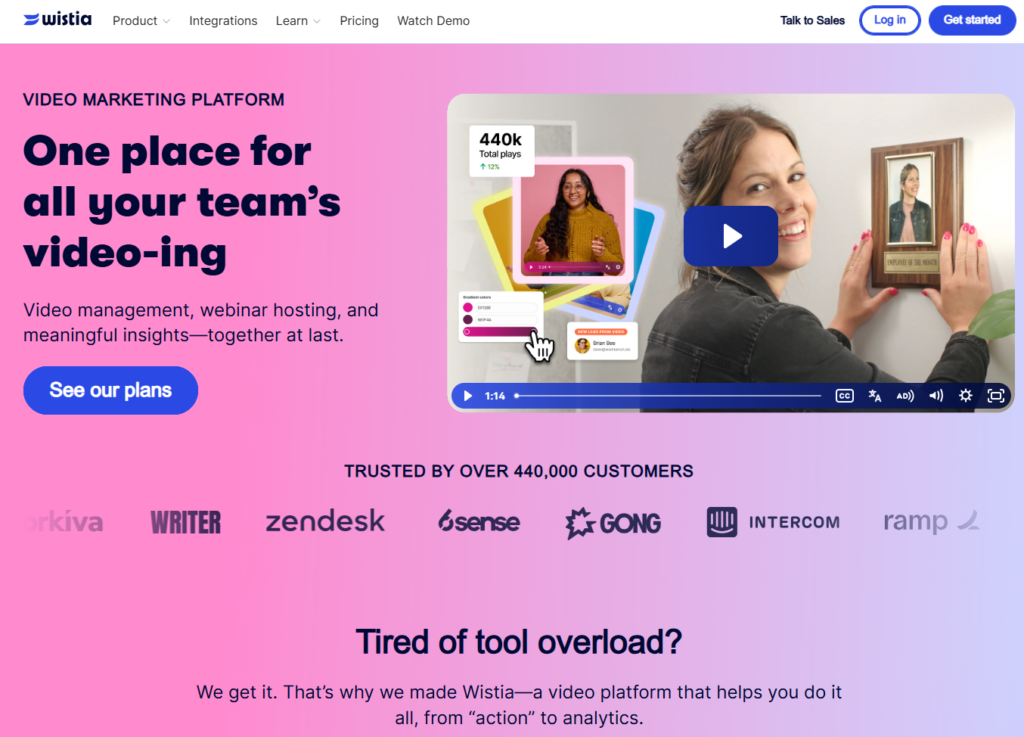
Wistia occupies a category it has effectively defined and owned since its founding: professional video marketing hosting that treats video as a marketing channel rather than a file storage system. The core insight on which the platform is built — that marketing teams need to know not just how many views their videos received but specifically who watched, how much they watched, and what that engagement data tells the sales team about buyer intent — has proven durable as the video marketing landscape has matured.
The viewer-level heatmap analytics are the capability that most clearly differentiates Wistia from general-purpose video hosting. Every video hosted on Wistia generates a heatmap showing the exact engagement pattern of every identified viewer — the specific moments they rewatched, the point at which they dropped off, the links they clicked after viewing. When this data flows into HubSpot or Salesforce via Wistia’s native integrations, a sales rep following up with a prospect can see not just that they watched the video but that they rewatched the pricing section twice and stopped before the feature overview completed — context that informs a meaningfully more calibrated conversation than “they watched our demo.”
The Turnstile lead capture form, which can be embedded at any point in the video — before the video begins, at a specific timestamp, or at the end — converts video viewers into identified marketing contacts without requiring a separate landing page or form. A Wistia-hosted video on a product page that gates the last 30 seconds behind an email capture form creates a lead generation mechanism that combines the engaging power of video with the conversion mechanics of gated content, entirely within the video player.
The AI translation and voice dubbing capability, added in 2025, allows marketing teams to create multi-language versions of any hosted video by generating AI-dubbed versions with lip-synced audio in 70+ languages. For businesses serving international markets, this eliminates the per-language production cost that previously made multi-language video content prohibitively expensive for all but the largest organizations.
Where Wistia Falls Short
Wistia’s per-video pricing model creates cost constraints for teams with large or growing video libraries. The Business plan allows storage 250 GB+ with additional videos charged monthly beyond that limit; the enterprise allows 1TB+. Teams producing video at volume — weekly product updates, customer success content, a growing resource library — find the cost escalating as the video count grows, in ways that are not immediately apparent from the headline plan prices. For teams that need to host hundreds or thousands of videos, the Advanced or Premium tier costs are substantial.
The Verdict on Wistia
Wistia is the right video marketing platform for B2B marketing teams whose primary use case is website-embedded video content where lead capture and CRM-integrated engagement analytics are the primary marketing objectives. The Business plan at $99/mo is the practical tier for most growing marketing teams — it provides the full analytics, lead capture, and integration capability that defines Wistia’s value without requiring the Advanced plan’s cost. For teams with high-volume content libraries, model the per-video cost trajectory before committing, as library growth can make the effective monthly cost significantly higher than the base plan price.
2. Vidyard — Best for Personalized Sales Video and Video-Assisted Revenue Teams
| Key Information | Overview |
|---|---|
| Best For | Sales and marketing teams using personalized video for prospecting, follow-up, and customer engagement — where CRM-connected video analytics inform sales activities and revenue attribution |
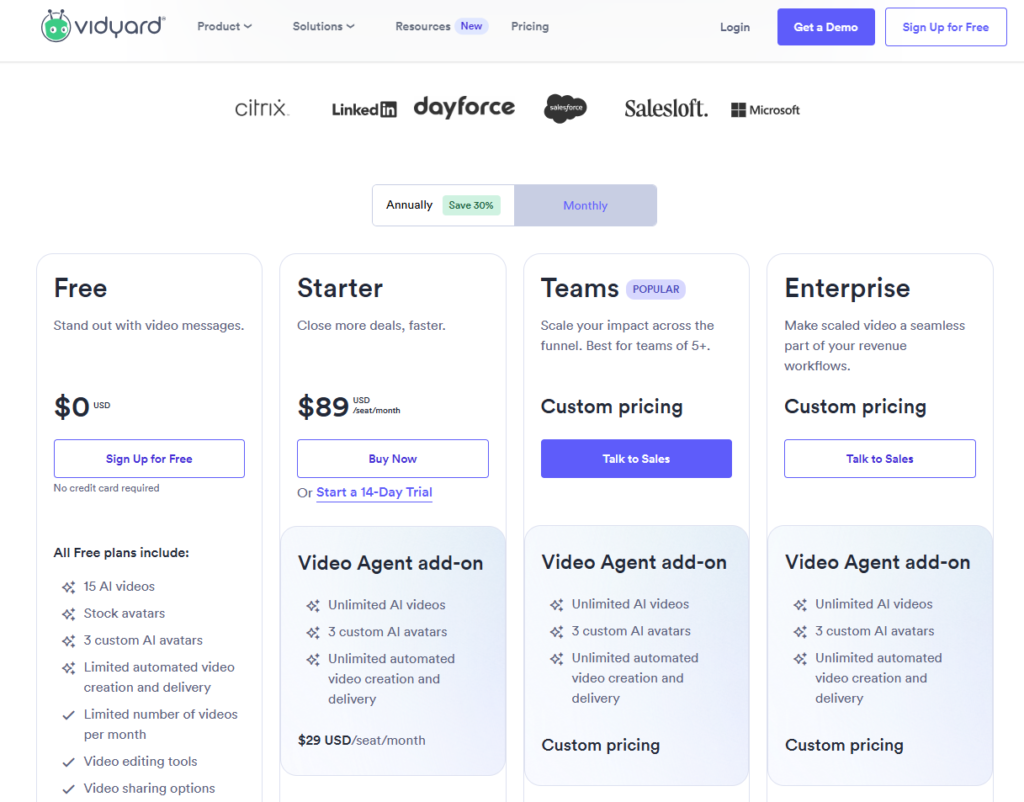
| Pricing | Free (basic video messaging, unlimited videos, no time limit). Starter $89/mo. ($59/mo annual). Teams and Enterprise at custom pricing |
| Free Tier | Yes — unlimited video recording and sharing, basic viewer analytics, password protection |
| Key Strengths | Personalized video with viewer name insertion into the video itself, CRM integration with HubSpot, Salesforce, and Outreach, AI-generated scripts and sales rooms, views-per-recipient analytics for sales follow-up timing, video messaging in email and LinkedIn, unlimited video uploads on all paid plans |
| Key Weaknesses | Full hosting and marketing features require Starter or above ($59/mo); per-user pricing model increases cost significantly for large sales teams; analytics less deep for marketing use cases than Wistia |
| Best For Teams | Sales development reps, account executives, customer success managers, and revenue teams using video as part of outbound and follow-up workflows |
| Deployment | Chrome extension + web platform + CRM integrations |
| Best Pairing | HubSpot or Salesforce for CRM-connected analytics; Wistia for marketing video hosting alongside Vidyard’s sales video function |
Vidyard’s market position rests on a specific commercial insight that the video marketing category has validated: a sales rep who records a genuine 60-second video referencing the prospect’s specific situation — their company name visible on screen, their recent LinkedIn post acknowledged, their specific pain point addressed — generates a meaningfully higher response rate than a text email communicating the same information. The human element of video — the tone, the eye contact, the specific reference — creates the connection that cold outreach text cannot. Vidyard is the tool that makes this capability operationally viable for sales teams recording dozens of outreach videos per day.
The free plan’s generosity is the most significant competitive fact about Vidyard’s go-to-market model. Unlimited video recording with no time limit, unlimited sharing via personalized video pages, and basic viewer analytics — including notification when a recipient has watched the video — are all available at zero cost. Sales reps can record and send personalized video messages indefinitely without any organizational subscription, making Vidyard’s free plan the lowest-friction path to individual sales video adoption available in the category.
The AI script generation feature, added to the platform in 2024 and expanded in 2025, generates personalized video scripts from the rep’s CRM data — pulling company name, industry, recent news, and deal context to produce a script the rep reads on camera or uses as a foundation for their personalized message. For sales teams that have identified video as a priority but where individual reps struggle with the blank-page problem of knowing what to say, this AI scripting layer removes the primary adoption barrier.
Sales rooms — shareable micro-sites that compile all the videos, documents, and resources relevant to a specific deal in a branded, trackable page — give revenue teams a deal-specific engagement hub that surfaces which content prospects are viewing, sharing with colleagues, and returning to. The analytics from a sales room reveal deal engagement patterns that email open rates and CRM activity logs cannot — and that consistently improve forecast accuracy for accounts where the sales room is actively used.
Where Vidyard Falls Short
Vidyard’s pricing jumps from free to $59/mo for the Starter plan — a meaningful threshold that requires individual or team commitment to justify. Full marketing video hosting capabilities, advanced analytics, and enterprise integrations require the Pro or Enterprise tiers at custom pricing, which can make Vidyard significantly more expensive than it appears from the free plan experience. For marketing teams whose primary use case is website video hosting rather than sales outreach, Wistia provides better-suited analytics at more predictable pricing.
The Verdict on Vidyard
Vidyard is the right video tool for revenue teams that want to use video as a systematic component of their sales process rather than an occasional creative experiment. The free plan is the appropriate starting point for any sales rep who has not yet tested video outreach — the cost of not testing it is a missed performance opportunity, and the cost of testing it with Vidyard’s free plan is zero. The Starter plan at $59/mo is appropriate for individual contributors who have validated the free plan’s impact and need the tracking and integration depth that commercial use requires.
3. Vimeo — Best for Professional Video Hosting with Clean, Branded Distribution
| Key Information | Overview |
|---|---|
| Best For | Creative teams, agencies, and businesses that need professional-grade ad-free video hosting with fully customizable branded players and clean embedding — without the marketing analytics depth of Wistia |
| Pricing | Free (limited). Starter $24/mo ($12/mo annual, 100 GB storage, 1 seat). Standard $40/mo ($25/mo annual, 2 TB storage, 5 seats). Advanced $130/mo ($75/mo annual, 7 TB storage, 10 seats). Enterprise custom |
| Free Tier | Yes — limited storage and features; Vimeo branding on player |
| Key Strengths | 4K ad-free video streaming, fully customizable branded player with no competitor recommendations or ads, privacy controls (password protection, domain-level restriction), video templates and screen recording, engagement and social analytics, clean embeds for websites and landing pages |
| Key Weaknesses | Bandwidth limits can result in surprise costs at high-traffic; Bending Spoons 2025 acquisition introduced uncertainty about pricing trajectory; marketing analytics less deep than Wistia; lead capture and CRM integration less comprehensive |
| Best For Teams | Creative agencies, filmmakers, marketing teams hosting portfolio and editorial video content, brands that need ad-free hosting without Wistia’s marketing infrastructure |
| Deployment | Cloud SaaS; embeds for any website or landing page |
| Best Pairing | Wistia for marketing-specific videos with lead capture; Vimeo for creative and editorial video that needs clean professional hosting |
Vimeo’s position in the video marketing stack is defined by what it does not do as much as what it does. It does not show ads, it does not recommend competitor content to viewers who finish watching, it does not interrupt the viewing experience with anything that is not controlled by the video publisher. For creative agencies, brand teams, and marketers who embed video on websites and landing pages where the viewing experience is a direct reflection of the brand, this clean, controlled environment is worth a meaningful monthly cost relative to free alternatives.
The restructured pricing tiers — following Vimeo’s 2024 pivot from the legacy Plus/Pro/Business structure to the current Starter/Standard/Advanced model — introduced seat-based pricing that has meaningfully changed the cost calculation for team use. The Starter plan at $12/mo annually includes one seat; Standard at $25/mo includes five; Advanced at $75/mo includes ten. For individual creators and small teams, the annual pricing represents genuinely accessible professional hosting. For larger teams where multiple video producers need access, the seat scaling adds cost that was not present under the legacy model.
The Standard plan at $25/mo annually is the practical tier for most marketing teams — five included seats cover the majority of small-to-mid-size marketing teams, the 2 TB storage handles meaningful video library volume, and the included branding controls (custom player colors, logo, no Vimeo branding) produce the professional embedded player appearance that is Vimeo’s primary value proposition.
The Bending Spoons acquisition of Vimeo in late 2025 — the same company that acquired Evernote and subsequently overhauled its pricing and product strategy — introduces uncertainty about Vimeo’s pricing trajectory and product investment direction that is relevant context for organizations making multi-year hosting commitments.
Where Vimeo Falls Short
Vimeo’s marketing analytics — while functional for understanding basic engagement and traffic sources — do not match the viewer-level heatmaps, lead capture integration, and CRM-connected engagement data that Wistia provides. Marketing teams whose primary requirement is converting video viewers into identified marketing contacts will find Vimeo less appropriate than Wistia for that specific use case. The bandwidth limit — which can trigger Enterprise upgrade requests for high-traffic embeds — has caught numerous users off guard, and the post-Bending Spoons pricing direction adds risk to long-term planning.
The Verdict on Vimeo
Vimeo is the right professional video hosting platform for creative teams, agencies, and brands that need clean, fully controlled video distribution without marketing automation complexity. The Standard plan at $25/mo annually provides five-seat access, 2 TB storage, and professional branding controls that cover most marketing team hosting requirements. For teams where lead capture and CRM integration are the primary video marketing objectives, Wistia is the more appropriate platform; Vimeo serves the creative and editorial hosting use cases where the viewing experience quality and brand control are the primary requirements.
4. Loom — Best for Async Video Messaging Across Sales and Customer-Facing Teams
| Key Information | Overview |
|---|---|
| Best For | Sales, customer success, and marketing teams that want to replace written communications with short personalized video messages — recorded in seconds, shared via link, tracked for viewer engagement |
| Pricing | Free (25 videos per person, 5-minute recording limit). Business $15/user/mo (annual billing). Business + AI $20/user/mo (annual). Enterprise custom |
| Free Tier | Yes — 25 videos, 5-minute recording cap, transcriptions in 50+ languages, basic sharing |
| Key Strengths | One-click screen and webcam recording, instant shareable link generation, viewer engagement tracking (who watched, how long, where they dropped off), AI filler word removal and silence removal (Business + AI), transcript-based editing, CTAs embeddable in video, Slack and CRM integrations, Chrome extension for in-browser recording |
| Key Weaknesses | 5-minute recording limit on free plan is restrictive for detailed walkthroughs; AI editing features require Business + AI plan ($20/user/mo); post-Atlassian acquisition pricing structure more complex than previous model; advanced analytics and custom branding locked behind paid tiers |
| Best For Teams | Remote sales teams, customer success managers, marketing teams, and any distributed team using async video to replace meetings and written updates |
| Deployment | Chrome extension + desktop app + web platform; acquired by Atlassian in 2024 |
| Best Pairing | HubSpot or Salesforce for CRM-connected sales video tracking; Slack for internal async video distribution |
Loom’s utility for marketing and sales teams is distinct from every other tool on this list: it is not primarily a content production tool but a communication tool. The use cases where Loom delivers the most value — a sales rep recording a personalized product walkthrough for a specific prospect, a customer success manager sending a video response to a support question that would take three written emails to answer, a marketing manager recording a quick explainer of a new campaign strategy for the distributed team — are all real-time communication scenarios where the speed and authenticity of recorded video outperforms both scheduled meetings and written messages.
The Chrome extension is where Loom’s friction reduction is most impactful. From any browser tab, a user can start a screen-and-webcam recording, narrate what they are showing, stop the recording, and have a shareable link available in under 60 seconds. The recipient receives a notification, clicks the link, watches the video, and can respond with a comment or their own Loom video — creating an asynchronous video conversation that replaces a synchronous meeting for contexts where real-time availability is not required.
The viewer engagement tracking transforms Loom from a recording and sharing utility into a sales intelligence tool. When a sales rep sends a personalized product walkthrough to a prospect and Loom notifies them that the prospect watched the video twice all the way through and shared the link with two colleagues, that data is more predictive of deal engagement than any email open rate metric. Combined with the CRM integrations that push watch events into HubSpot or Salesforce, Loom’s engagement data becomes a trigger layer for sales follow-up timing that improves response rates over cold follow-up sequences.
The Business + AI plan at $20/user/mo adds the AI editing capabilities that make Loom practical for external-facing video content: filler word removal, silence removal, auto-generated chapter markers, and transcript-based editing that allows users to edit video by deleting text from the auto-generated transcript. These features narrow the quality gap between casually recorded Loom videos and professionally produced content — reducing the hesitancy to send imperfect recordings that limits adoption among team members who are self-conscious about unpolished video.
Where Loom Falls Short
Loom is optimized for short-form communication video, not long-form marketing content production. Videos requiring complex editing — multi-source footage, motion graphics, music, precise color grading — are outside its scope. The 5-minute recording limit on the free plan is genuinely restrictive for any walkthrough or product demo that requires more than a basic overview. The Atlassian acquisition has also introduced complexity into the pricing and billing structure that makes planning team-scale costs more complicated than the previous independent pricing model required.
The Verdict on Loom
Loom is the right async video tool for any sales or customer-facing team that is still communicating in writing in situations where a 60-second personalized video would be more compelling, more efficient, and more likely to generate a response. The free plan’s 25-video limit is adequate for initial adoption validation; the Business plan at $15/user/mo is appropriate for teams where video messaging has become a regular workflow component. The Business + AI plan at $20/user/mo is worth the incremental cost for any team sending external-facing videos where presentation quality affects perception.
5. Descript — Best for AI-Powered Video Editing Without a Technical Learning Curve
| Key Information | Overview |
|---|---|
| Best For | Content marketers, podcasters, and video teams who want to edit video by editing text — removing the technical barrier to fast, professional video post-production |
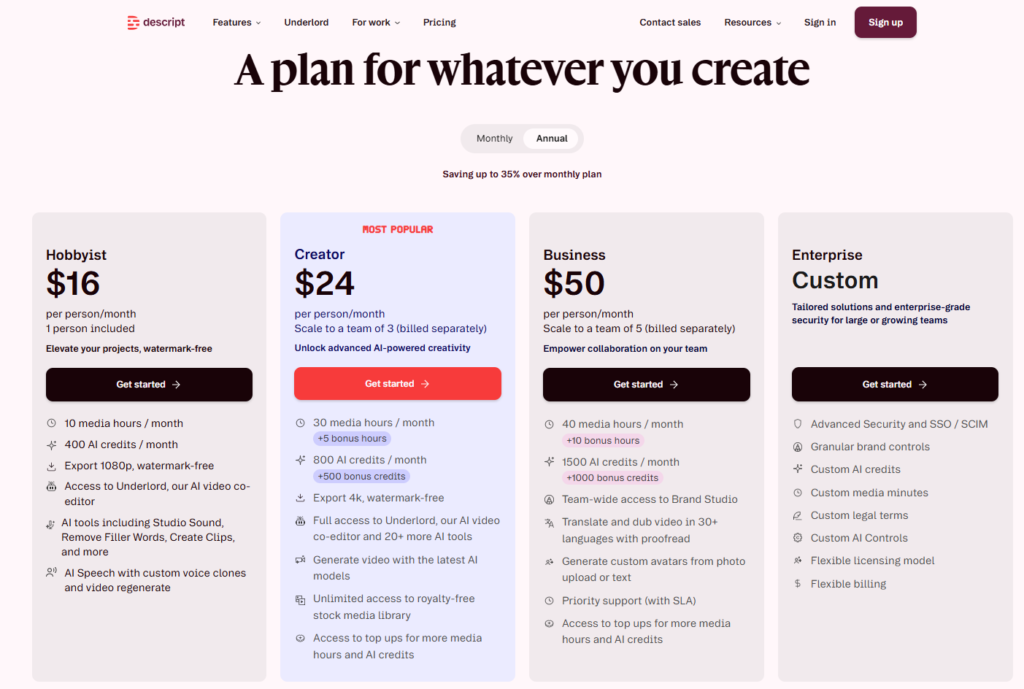
| Pricing | Free (1 hr/mo media, watermarked exports). Hobbyist $16/mo ($24/mo monthly, 10 hrs/mo, 1080p). Creator $24/mo ($35/mo monthly, 30 hrs/mo, 4K, full AI suite). Business $50/mo ($65/mo monthly, 40 hrs/mo, team collaboration). Enterprise custom |
| Free Tier | Yes — 1 hour of media/mo, basic editing, watermarked video export |
| Key Strengths | Text-based video editing (edit the transcript to edit the video), filler word and silence removal, eye contact correction, Studio Sound AI noise reduction, AI clip generation from long-form content, screen recording, multi-track audio editing, social media export presets, Underlord AI editor for automated edits |
| Key Weaknesses | Media hours and AI credits system can be confusing to manage; heavy multi-camera workflows consume media hours faster than expected; more limited color grading and motion graphics than professional NLEs like Premiere Pro; learning curve for teams used to timeline-based editing |
| Best For Teams | Solo content creators, marketing teams producing podcasts and webinars, social video teams repurposing long-form content into clips |
| Deployment | Desktop application (Mac and Windows) + web platform |
| Best Pairing | Wistia for hosting edited Descript videos on marketing pages; YouTube Studio for distributing content edited in Descript |
Descript’s core innovation — editing a video by editing its auto-generated transcript, with the video track updating automatically to match — has proven to be the most significant reduction in video editing friction for non-technical content creators since the timeline editor replaced physical film cutting. The workflow change is not incremental: a marketing manager who would spend three hours manually scrubbing through a one-hour webinar recording to cut filler words, remove tangents, and create highlight clips can accomplish the same outcome in 30 minutes by selecting unwanted text in the transcript and pressing delete.
The September 2025 restructuring of Descript’s pricing model — replacing the previous transcription-hours-based system with a media hours and AI credits model — creates a billing structure that requires understanding before committing to a tier. Media hours track every minute of media uploaded to the platform, with each file counting separately. A multi-camera recording of an hour-long interview that uploads two camera angles and one audio track consumes three hours of media, not one. Teams running heavy multi-camera workflows should factor this per-file counting model into their tier selection, as the 10 hours included in the Hobbyist plan and 30 hours in the Creator plan can be consumed faster than the nominal limits suggest.
The AI suite — accessible in full on the Creator plan — includes features that address the specific quality gaps that most commonly make marketing team videos feel amateur: eye contact correction that reorients the speaker’s gaze toward the camera regardless of where they were actually looking during recording, Studio Sound that removes background noise and normalizes audio quality across different recording environments, and filler word removal that strips um, uh, and like from speech automatically without manual timeline editing. For marketing teams where video content is recorded by non-professional presenters in varied recording environments, these AI quality improvements deliver a production value jump that traditional editing cannot achieve efficiently.
The AI clip generation feature — Underlord’s ability to analyze a long-form recording and surface the highest-engagement moments as ready-to-post short-form clips — addresses one of the highest-effort, lowest-automation tasks in content marketing: repurposing a 45-minute webinar into 8 social clips. For content teams running regular webinars or long-form interviews, this automated clip extraction changes the economics of long-form content repurposing from a half-day editorial task to a 20-minute review and publish process.
Where Descript Falls Short
Descript is not a professional non-linear editing suite. Color grading, complex motion graphics, precise multi-layer compositing, and the timeline control that professional video editors require for cinematic work are outside its design scope. Teams producing broadcast-quality commercial video or film content need Premiere Pro or DaVinci Resolve for the production layer and can use Descript for transcript-based rough cutting before transferring to a professional NLE for finishing. The AI credits system also creates usage planning overhead for teams generating high volumes of AI-enhanced content.
The Verdict on Descript
Descript is the right video editing platform for marketing teams whose primary video production workflow is podcast recording, webinar repurposing, interview editing, and long-form content social clip creation — and where the editing team is composed of marketers and content producers rather than professional video editors. The Creator plan at $24/mo annually is the right tier for any individual creator or small team producing video weekly; the Business plan at $50/mo annually covers team collaboration and priority support for larger content operations.
6. Canva — Best for Social Media Video Creation and Marketing Visuals
| Key Information | Overview |
|---|---|
| Best For | Marketing teams and content creators who want to produce social media videos, animated posts, video ads, and branded motion graphics within the same design environment they use for static marketing assets |
| Pricing | Free (limited templates and features). Pro $15/mo ($120/yr annual). Teams $10/user/mo ($100/yr annual, 3-user minimum). Enterprise custom |
| Free Tier | Yes — access to core video creation features with limited templates and assets |
| Key Strengths | 100M+ stock footage clips and audio tracks in Pro, video editing with text overlays and transitions, Brand Kit for brand-consistent video at scale, Magic Media AI video generation (Pro), social media post scheduling for video content, Presentations and video presentations, enormous template library covering every social format, AI background remover and Magic Studio tools |
| Key Weaknesses | Not a professional video editor — no multi-track audio, complex transitions, or advanced color grading; AI video generation minutes limited; video exports can lack the production quality of purpose-built video tools |
| Best For Teams | Social media managers, content marketers, non-technical marketing teams producing visual content across formats |
| Deployment | Web browser + desktop app + mobile app |
| Best Pairing | Descript for spoken-word video editing; Vimeo or Wistia for hosting Canva-produced videos on websites |
Canva’s value proposition for video marketing is the integration advantage: marketing teams that already use Canva for social graphics, presentations, email headers, and ad creative can produce video content within the same design environment, using the same brand kit, the same stock media library, and the same template system — without switching tools, re-learning an interface, or purchasing a separate video creation subscription.
The Pro plan’s access to over 100 million stock footage clips, music tracks, and audio effects makes video creation accessible for marketing teams without dedicated video production resources. A social media manager who needs to produce five short-form videos for this week’s content calendar — a product feature highlight, a customer testimonial overlay, a promotional countdown, an event announcement, and a how-to snippet — can complete all five using Canva’s templates and stock footage library in two to three hours, without sourcing footage, recording original video, or using a separate audio tool.
The Brand Kit integration ensures that video content produced by any team member maintains the brand’s color palette, typography, and logo placement automatically — eliminating the manual brand compliance review step that distributed social media teams otherwise require before publishing. For marketing organizations with regional teams or external contributors producing video content for the brand, this brand enforcement within the creation tool is a meaningful quality control mechanism.
Magic Media, Canva’s AI video generation feature (Pro plan), generates short video clips from text prompts that can be incorporated into Canva designs. While the AI video quality does not match dedicated AI video generation tools, it provides a practical mechanism for creating motion graphics and abstract visual elements that supplement static design assets without requiring external footage sourcing.
Where Canva Falls Short
Canva is a design-first platform that has added video creation capabilities rather than a video-first platform with design integration. The editing tools do not support multi-track audio, complex color grading, professional transition effects, or the precise frame-level control that video editors who know professional NLEs will find limiting. For video content requiring scripted speech, interview footage, screen recordings, or any meaningful post-production editing, Descript or a professional video editor is the appropriate tool. Canva is correct for the specific use case of social-format video that combines static design elements, text overlays, stock footage, and music.
The Verdict on Canva
Canva is the right video creation tool for marketing teams that are already Canva users and whose video content needs are social-format video that can be built from templates, stock assets, and brand elements without original footage or complex post-production. The Pro plan at $15/mo ($120/yr) is the right tier for individual marketers accessing the full stock media library; the Teams plan at $10/user/mo ($100/yr) is appropriate for marketing teams where multiple members produce video and need shared brand kit access and collaborative editing.
7. Synthesia — Best for AI Avatar Video Generation at Scale
| Key Information | Overview |
|---|---|
| Best For | Marketing, training, and customer education teams that need to produce professional-looking video content at scale — without cameras, studios, recording sessions, or on-camera talent |
| Pricing | Free Basic (3 min video/mo, watermarked). Starter $29/mo ($18/mo annual, 10 min video/mo). Creator $89/mo ($64/mo annual, 30 min video/mo). Enterprise custom (unlimited video minutes) |
| Free Tier | Yes — Basic plan with 3 minutes of generated video per month and limited avatars |
| Key Strengths | 160+ AI avatars in 140+ languages, AI voice synthesis with natural prosody, one-click video translation and dubbing, custom personal avatar (your digital twin, annual plans), PowerPoint-to-video conversion, AI Playground with access to Veo and Sora video generation, no camera or studio required for any video production |
| Key Weaknesses | Video minute limits on Starter and Creator plans restrict output volume; custom “Studio” personal avatars cost $1,000/yr as an add-on; AI-generated video lacks the authenticity of real human presenters for some use cases; AI Dubbing at scale is add-on for Enterprise |
| Best For Teams | L&D teams, product marketing, global marketing teams producing multilingual content, customer onboarding teams, any team needing video content in volume across multiple languages |
| Deployment | Cloud SaaS (web browser) |
| Best Pairing | Wistia or Vimeo for hosting Synthesia-generated videos; Descript for any pre-production scripting workflow |
Synthesia has built the most commercially significant AI video generation platform in the business video market by solving a specific and consequential problem: the cost and logistics of producing professional video at the volume that enterprise marketing, training, and customer education programs require is prohibitive under traditional production models. A global company that needs product training videos in 14 languages, updated every quarter, with a consistent presenter, cannot staff the production infrastructure that requirement implies. Synthesia makes it operationally and economically viable.
The core workflow is text-in, video-out: a user writes a script, selects an AI avatar from a library of 160+ professionally produced presenters, chooses a language and voice style, and generates a video of the avatar delivering the script — typically in under five minutes of processing time. The resulting video is not a novelty animation; the current generation of Synthesia avatars — particularly at the Creator and Enterprise tier — produces presentation-quality video that is indistinguishable from a real presenter in most professional contexts.
The one-click video translation capability is where Synthesia delivers the clearest ROI for global organizations. A product overview video produced in English can be translated and dubbed into 140+ languages in a single operation, with the avatar’s lip movements synchronized to the translated audio. The localization that previously required coordinating local voice actors, directors, and production sessions in each target market is now a single-platform operation that takes minutes per language. For organizations producing multilingual training, product, or customer education content, this localization capability changes the economics of video production fundamentally.
The 2025 addition of AI Playground — providing access to Google’s Veo 3.1 and OpenAI’s Sora 2 video generation models directly within Synthesia — enables teams to generate custom visual backgrounds, B-roll footage, and motion graphics from text prompts and incorporate them into avatar presentations. This AI-generated footage layer reduces the stock footage dependency that otherwise creates visual homogeneity across Synthesia-produced content.
Where Synthesia Falls Short
Synthesia’s video minute limits on the Starter (10 min/mo) and Creator (30 min/mo) plans create production capacity constraints for teams with meaningful ongoing content requirements. A marketing team producing weekly product update videos at 3-4 minutes each will exhaust a Creator plan’s monthly allocation in the first week of the month. Enterprise pricing, which removes video minute limits, is the appropriate tier for teams with ongoing high-volume production — but requires a custom pricing conversation. The custom personal avatar that allows a team to create a digital twin of a specific human presenter costs $1,000/yr as an add-on, positioning this capability as an investment decision rather than a standard subscription feature.
The Verdict on Synthesia
Synthesia is the right video marketing tool for organizations with multilingual content requirements, high-volume video production needs where traditional production costs are prohibitive, or specific use cases — training content, product overviews, customer onboarding sequences — where the consistency and scalability of AI-generated video outweighs the authenticity advantage of real-person recording. The Starter plan at $18/mo annually is appropriate for exploratory use; Creator at $64/mo annually suits teams with regular monthly production needs; Enterprise is the right tier for organizations where video production volume is a continuous operational requirement.
8. YouTube Studio — The Non-Negotiable Free Distribution Platform Every Marketer Needs
| Key Information | Overview |
|---|---|
| Best For | Every marketing team that produces video — YouTube provides the world’s largest video audience, the second largest search engine, and first-party performance analytics that no other platform delivers |
| Pricing | Free — completely free for channel creation, video publishing, and analytics access |
| Free Tier | Yes — completely free with no feature restrictions for channel management |
| Key Strengths | 2.7 billion monthly active users, second-largest search engine globally, SEO-driven organic video discovery, real audience retention curves with frame-by-frame viewer drop-off data, traffic source breakdown (search vs. suggested vs. browse vs. external), monetization infrastructure, community posts, Shorts for short-form discovery, no content hosting cost regardless of view volume |
| Key Weaknesses | No brand control over video environment — competitor ads can appear on videos, competitor content recommended alongside videos; impossible to fully control the post-watch viewer experience; requires significant subscriber base before search discoverability delivers meaningful traffic; public platform means content strategy is visible to competitors |
| Best For Teams | Every marketing team producing video content — YouTube is the distribution layer, not a replacement for hosted video on brand-owned channels |
| Deployment | Web dashboard (studio.youtube.com) + YouTube mobile app |
| Best Pairing | Wistia for gated lead generation video alongside YouTube’s open discovery video; TubeBuddy or vidIQ for YouTube-specific SEO optimization |
YouTube is the only tool on this list that is non-negotiable for every marketing team producing video content, regardless of what other video tools are in the stack. The scale argument is straightforward: 2.7 billion monthly active users, second only to Google as a search engine, processing over 500 hours of video uploaded per minute. A marketing team that produces product education content, thought leadership video, or industry commentary and does not distribute it on YouTube is choosing to forgo the largest audience for video content available to any marketer at any budget.
YouTube Studio — the analytics and management dashboard — provides the first-party performance data that defines whether a video marketing program is generating organic discovery or simply accumulating views from the existing audience. The traffic sources report reveals what percentage of a channel’s views arrive from YouTube Search (indicating SEO-driven discovery of new viewers), Suggested Videos (indicating algorithm-driven distribution to non-subscribers), Browse Features (indicating subscriber loyalty), and External Sources (indicating referral traffic from other marketing channels). These ratios define the channel’s growth profile and the optimization priorities worth investing in.
The audience retention graph available in YouTube Studio for every published video shows the exact viewing curve — what percentage of viewers are still watching at every second of the video — at a granularity that reveals specific production decisions that are causing viewer drop-off. A consistent 40% audience retention curve that drops sharply at 2:15 of a 10-minute video is not abstract data: it identifies the exact moment in the video that loses the audience, which is directly actionable in subsequent productions.
For marketing teams with existing Wistia, Vimeo, or Vidyard infrastructure for gated and CRM-tracked video, the complementary use of YouTube for ungated thought leadership and educational content creates a full-funnel video presence: YouTube for organic top-of-funnel discovery, hosted video on the brand’s own platform for mid-funnel engagement with lead capture and analytics. These two functions are complementary, not competitive.
Where YouTube Falls Short
YouTube is a public platform with no brand control over the viewing environment. Competitor ads can appear on videos, competitor content is recommended in the sidebar after viewing, and the end-screen experience directs viewers to YouTube’s discovery algorithm rather than to the brand’s own conversion paths. For video content where the viewing environment and post-watch experience matter — a product demo on a pricing page, a case study on a sales page, a gated thought leadership piece — a dedicated hosting platform provides the controlled experience that YouTube cannot.
The Verdict on YouTube Studio
YouTube belongs in every video marketing stack as the primary free distribution platform — not as a replacement for brand-controlled video hosting but as the complementary channel for organic discovery content that benefits from YouTube’s audience scale and search infrastructure. Any marketing team that produces video and does not have an active YouTube channel is leaving distribution capacity on the table that costs nothing to activate.
9. StreamYard — Best for Live Video Streaming and Webinar Marketing
| Key Information | Overview |
|---|---|
| Best For | Marketing teams that use live video — webinars, panel discussions, product launches, Q&A sessions — as a lead generation and audience engagement channel |
| Pricing | Free (20-minute streaming limit, StreamYard watermark, 1 brand kit color). Core $44.99/mo. Advanced $88.99/mo. Enterprise custom |
| Free Tier | Yes — limited to 20-minute sessions with StreamYard branding |
| Key Strengths | Browser-based live streaming with no software download required, simultaneous multi-platform broadcast (YouTube Live, LinkedIn Live, Facebook Live, Twitch, X simultaneously), branded lower thirds and overlays, guest invitations via browser link, screen sharing, multi-guest interviews, recording of all sessions, real-time audience comments displayed on screen |
| Key Weaknesses | Basic plan’s $49/mo entry cost is steep relative to competitors for what is primarily a streaming infrastructure tool; no native webinar registration page or attendee CRM integration; advanced marketing features require third-party integrations |
| Best For Teams | Marketing teams running regular live video programming, B2B companies hosting webinars and panel discussions, media companies running live interview shows |
| Deployment | Web browser (no download required); streams to connected platforms simultaneously |
| Best Pairing | YouTube for live streaming destination; HubSpot for post-webinar lead capture and nurture; Descript for post-event video editing of the recorded session |
StreamYard’s core value proposition — professional-quality live streaming from a browser tab, simultaneously to every major video platform, without any software installation or technical configuration — has made it the default live streaming tool for marketing teams running webinars, panel discussions, and live product demonstrations. The setup that previously required a production studio, streaming hardware, and technical expertise is now a 10-minute browser-based configuration that any marketer can operate independently.
The multi-platform simultaneous broadcast capability is the feature that drives most initial adoption. A single StreamYard session can broadcast simultaneously to YouTube Live, LinkedIn Live, Facebook Live, X (Twitter), and custom RTMP destinations. For marketing teams whose audience is distributed across platforms, this multi-destination streaming eliminates the choice between platform audiences and the operational complexity of managing separate streams for each destination — the single production session reaches every platform simultaneously.
The branded on-screen overlay system enables production customization that makes StreamYard broadcasts feel professionally produced rather than casually recorded. Lower thirds displaying guest names and titles, branded banner graphics, real-time comment display on screen from all connected platforms simultaneously, custom background colors and overlays, and screen sharing all operate from the StreamYard dashboard during the live session. For marketing teams without production design resources, these built-in branding tools bridge the gap between amateur-looking live video and branded, professional live programming.
The session recording, automatically captured for every StreamYard broadcast, produces a video file of the full session that can be repurposed immediately — edited in Descript for a highlights version, uploaded to YouTube as an on-demand recording, embedded in a follow-up email to registrants who could not attend live, or broken into clips for social distribution. The single live event becomes multiple pieces of distributed content without additional production effort.
Where StreamYard Falls Short
StreamYard’s $44.99/mo entry price for the Core plan is a meaningful investment for a platform that provides streaming infrastructure without the lead capture, registration management, and attendee analytics that a full webinar platform provides. Marketing teams that need webinar registration pages, automated reminder emails, post-event surveys, and attendee CRM integration need either a separate platform alongside StreamYard or a dedicated webinar platform like Demio or Livestorm that combines streaming with event management. StreamYard excels at the production quality of live video; it is not a complete webinar marketing solution.
The Verdict on StreamYard
StreamYard is the right live streaming tool for marketing teams running regular live video programming where the primary requirement is professional multi-platform broadcast quality and the audience engagement happens on the streaming platforms themselves rather than through a managed webinar registration experience. The Core plan at $44.99/mo is the appropriate starting tier for most marketing teams; Advanced at $88.99/mo adds concurrent streaming to more destinations and higher-quality recording for teams running more intensive live programming.
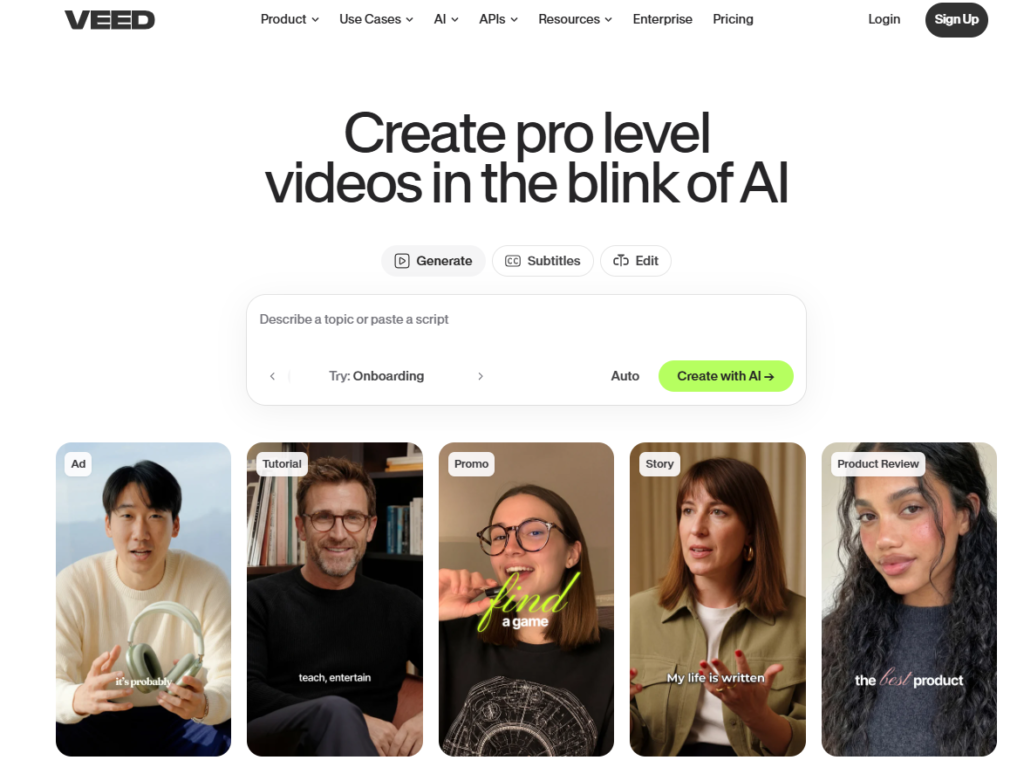
10. VEED.IO — Best for Online Collaborative Video Editing and Social Repurposing
| Key Information | Overview |
|---|---|
| Best For | Marketing teams and content creators who need fast, cloud-based video editing and social media repurposing without desktop software installation or professional editing skills |
| Pricing | Free (limited exports, VEED watermark). Creator $20/mo. Pro $44/mo. Sudio $70/mo. Enterprise custom. Annual billing saves approximately 51% |
| Free Tier | Yes — basic editing with VEED watermark on exports |
| Key Strengths | Browser-based editing with no software installation, AI subtitles and captions in 100+ languages, one-click video resizing for different social formats (16:9 to 9:16 to 1:1), auto-translate, screen recording, stock footage library, background removal, noise removal, eye contact correction, team collaboration on video projects |
| Key Weaknesses | Not a professional NLE — advanced color grading, complex multi-track production, and motion graphics are outside its capability; Pro plan storage limits (250 GB) may constrain heavy users; export quality maximizes at 4K on Pro plan |
| Best For Teams | Social media teams, content marketers, creators repurposing long-form content for short-form social platforms, teams needing multilingual captions at scale |
| Deployment | Web browser (no download required) + mobile app |
| Best Pairing | Descript for spoken-word editing of long-form content before importing to VEED for social format resizing and caption generation |
VEED.IO occupies a specific and valuable position in the video marketing workflow: it is the browser-based editing and social repurposing layer that removes the formatting and accessibility barriers between a recorded video and a platform-ready social media post. Where Descript handles transcript-based editing and Canva handles template-based design video, VEED handles the technical conversion work — resizing video dimensions for different platform formats, adding platform-appropriate captions, removing background noise, and generating auto-subtitles — that takes a finished video from single-format to multi-platform ready.
The AI subtitles capability — generating and embedding accurate captions in 100+ languages from the video’s audio — is the feature that drives the most consistent daily use from social media teams. Captioned video performs meaningfully better on every major social platform: 85% of Facebook video is watched without sound, LinkedIn rewards native video with captions in feed ranking, and Instagram Reels with captions show higher completion rates in platform data. VEED’s one-click AI subtitle generation removes the manual transcription step that previously made caption creation a time-consuming addition to every video post.
The one-click social format resizing addresses the dimension fragmentation of modern social media video distribution. A 16:9 horizontal video suitable for YouTube needs to be reformatted to 9:16 vertical for TikTok and Instagram Reels, 1:1 square for Instagram Feed and LinkedIn, and 4:5 for Instagram optimal feed display. VEED’s resize tool converts between these formats automatically, repositioning the video content and any overlaid text within the new aspect ratio, eliminating the manual recomposition that converting formats would otherwise require.
The team collaboration features — multiple users editing the same video project, commenting on specific timestamps, and sharing edit access without file export and reimport cycles — make VEED functional for small content marketing teams where a social media manager and a content writer are iterating on the same video before publishing.
Where VEED Falls Short
VEED is not a professional video editor and does not attempt to be one. Multi-track audio editing, complex compositing, precise color correction workflows, and the timeline control that professional video producers require are absent. For marketing teams producing video content that requires any meaningful post-production work beyond format resizing, caption generation, and light trimming, Descript or a professional NLE is the appropriate primary editing tool. VEED belongs later in the workflow — after the substantive editing is complete — as the distribution preparation layer.
The Verdict on VEED.IO
VEED.IO is the right video editing tool for social media teams and content marketers who need fast, browser-based video formatting and caption generation without desktop software or professional editing expertise. The Creator plan at $20/mo ($10/mo annual) provides watermark-free exports, AI subtitles, and basic team features for individual creators and small teams; the Pro plan at $44/mo ($21/mo annual) adds the AI voice-over, eye contact correction, and expanded storage that growing content teams require. It is most effective as a complementary tool to Descript or Canva rather than a standalone editing platform.
Which Video Marketing Tool Should You Choose? A Decision Framework
The right video marketing stack depends on your primary use case, team size, and the stage of your video marketing program. No single platform serves all functions well — the most effective video marketing stacks are three to four tools with clearly defined roles.
If you are a B2B marketing team and lead generation from video is the primary objective: Wistia Business ($99/mo) for website-hosted video with lead capture and CRM analytics. YouTube for ungated thought leadership distribution. Descript for editing efficiency.
If you are a revenue team using video in the sales process: Vidyard Starter ($59/mo annual) for personalized sales video with CRM-connected analytics. Loom Business ($15/user/mo) for async video messaging and customer success communication.
If you need to produce video in multiple languages without production infrastructure: Synthesia Creator ($64/mo annual) for AI avatar video in 140+ languages. Wistia or Vimeo for hosting the generated content.
If your primary video channel is social media: Canva Pro ($15/mo) for social video creation from templates. VEED.IO Creator ($10/mo) for caption generation and format resizing. YouTube Studio (free) for distribution.
If you run regular live events and webinars as a marketing channel: StreamYard Basic ($44.99/mo) for professional multi-platform live streaming. Descript Creator ($24/mo annual) for editing the recorded sessions into on-demand content.
If you are a content creator or small team with a broad video content program: Descript Creator ($24/mo annual) as the primary editing tool. YouTube Studio (free) for distribution. Loom free plan for async communication and sales outreach.
Recommended Video Marketing Stacks by Business Type
| Business Type | Primary Tool | Supporting Tools | Monthly Cost | Coverage |
|---|---|---|---|---|
| B2B SaaS / Lead Gen | Wistia Pro ($99/mo) | Descript Creator, YouTube Studio | $125–$175/mo | Hosted marketing video + editing + SEO distribution |
| Revenue / Sales Team | Vidyard Starter ($59/mo) | Loom Business ($15/user) | $75–$150/mo | Personalized sales video + async team communication |
| Global / Multilingual | Synthesia Creator ($64/mo) | Wistia or Vimeo Standard | $90–$165/mo | AI avatar video at scale + professional hosting |
| Social Media / Content | Canva Pro ($15/mo) | VEED Lite ($18/mo), YouTube (free) | $33/mo | Social video creation + repurposing + distribution |
| Events / Webinar-Led Growth | StreamYard Basic ($44.99/mo) | Descript Creator ($24/mo), YouTube | $75/mo | Live streaming + post-event repurposing + distribution |
| Full-Stack Marketing Team | Wistia Pro + Descript | Vidyard, Loom, YouTube, StreamYard | $200–$400/mo | Complete hosted + edited + sales + live + distributed |
| Individual Creator / Startup | Descript Hobbyist ($16/mo) | YouTube (free), Loom free | $16/mo | Editing + distribution + async communication |
Head-to-Head: Which Tool Wins Each Category?
| Category | Winner | Runner-Up | Notes |
|---|---|---|---|
| Video Marketing Analytics | Wistia | Vidyard | Wistia on viewer heatmaps and lead capture; Vidyard on sales-specific engagement tracking |
| Personalized Sales Video | Vidyard | Loom | Vidyard on CRM integration and sales rooms; Loom on speed and async messaging breadth |
| Professional Video Hosting | Wistia | Vimeo | Wistia on marketing analytics; Vimeo on creative brand control and clean embedding |
| AI Video Editing | Descript | VEED.IO | Descript on transcript-based editing depth; VEED on speed and social format preparation |
| AI Avatar Video at Scale | Synthesia | N/A | No direct category competitor at this capability and price point |
| Social Video Creation | Canva | VEED.IO | Canva on design integration and template breadth; VEED on format resizing and captions |
| Async Video Communication | Loom | Vidyard | Loom on team communication breadth; Vidyard on sales-specific CRM tracking |
| Live Video Streaming | StreamYard | N/A | Strongest multi-platform simultaneous broadcast in the accessible price range |
| Free Video Distribution | YouTube | N/A | No equivalent audience or SEO discovery at any price |
| Social Caption and Repurposing | VEED.IO | Canva | VEED on caption accuracy and format resizing; Canva on template-based production |
| Best Value Single Tool | Descript (Creator, $24/mo annual) | Loom (Business, $15/user/mo) | Descript on editing breadth; Loom on communication and sales use cases |
Frequently Asked Questions
What is the difference between video hosting platforms and video marketing platforms?
Video hosting platforms store and serve video files to viewers — any cloud storage with a video player technically qualifies. Video marketing platforms go beyond hosting to provide the analytics, lead capture, CRM integration, and conversion optimization tools that make video a measurable marketing channel. Wistia is a video marketing platform: it hosts video, but its value is in telling you who watched, how much they watched, and how to convert viewers into contacts. Vimeo is primarily a video hosting platform with some marketing features. YouTube is a distribution platform, not a hosting platform in the marketing sense — you publish to YouTube for audience access, not to control the viewing experience. Most mature video marketing programs use all three types for different content and audiences.
When should a marketing team choose Wistia over YouTube for hosting video?
Use Wistia (or Vimeo) for video that is embedded on your own website and landing pages, where brand control, no competitor ads, lead capture, and CRM-integrated analytics are the primary objectives. Use YouTube for video that is designed for organic discovery — educational content, thought leadership, how-to video — where reaching new audiences through YouTube search and algorithmic recommendation is the goal. The practical rule: gated or sales-adjacent video belongs on a brand-controlled platform; organic top-of-funnel video belongs on YouTube. These are not competing decisions — most effective video marketing programs use both.
How does AI avatar video from Synthesia compare to real-person recorded video for marketing?
AI avatar video is most appropriate for high-volume, information-dense content — product training, onboarding sequences, explainer videos, multilingual product overviews — where consistency, scale, and production efficiency are the primary requirements and where the content itself is the value rather than the presenter’s personal connection with the audience. Real-person recorded video is more appropriate for thought leadership, relationship-building content, personalized sales outreach, and brand storytelling where authenticity and human connection are the primary commercial objectives. The two formats are complementary: Synthesia for scalable informational content, real-person video for high-trust communication.
What is the minimum viable video marketing stack for a B2B company just starting with video?
The minimum viable B2B video marketing stack is three tools: YouTube Studio (free) for content distribution and organic discovery, Descript Hobbyist ($16/mo annual) for efficient video editing without professional production skills, and Loom (free) for personalized async video in the sales process. This three-tool stack at $16/mo covers the primary video production, distribution, and sales communication use cases for an early-stage B2B video program. Add Wistia Pro ($99/mo) when website-hosted video with lead capture and CRM analytics becomes a priority — typically when video is contributing meaningfully to inbound pipeline and measurement becomes a strategic requirement.
Expert Insight: Build the Video Stack That Your Team Will Actually Use
The video marketing tools landscape in 2026 offers genuinely world-class capability at every budget — from the zero-cost combination of YouTube Studio and Loom’s free plan to full-stack implementations combining Wistia, Descript, Synthesia, and StreamYard for complete video marketing coverage. The tools are not the constraint. The production discipline, distribution consistency, and analytical rigor with which those tools are used determines whether a video marketing investment generates measurable pipeline and revenue impact or produces an impressive content library that nobody watches.
Two principles should guide video marketing tool selection. First, match the tool to the workflow, not the ambition. A team that commits to producing one high-quality educational video per week and distributes it consistently on YouTube will outperform a team that purchases enterprise video marketing software and produces one video per quarter because the production overhead is too high to sustain. Descript at $24/mo that the team uses daily generates more marketing value than Wistia Advanced at $399/mo that the team cannot use efficiently.
Second, measure what changes with video in the stack. The teams that sustain video marketing investment are the ones that can demonstrate the relationship between video content and pipeline or revenue. Wistia’s CRM integration, Vidyard’s sales room engagement analytics, and YouTube’s traffic source data all provide the measurement infrastructure for that demonstration. Build the measurement before expanding the production investment, and the business case for continued investment becomes self-reinforcing rather than dependent on advocacy.
The Video Marketing Stack That Works for Most Growing Businesses
For a B2B marketing and sales team at 10 to 100 employees: YouTube Studio (free) for thought leadership distribution, Descript Creator ($24/mo annual) for editing efficiency, Loom Business ($15/user/mo) for sales and async communication, and Wistia Pro ($99/mo) for website-hosted videos with lead capture and analytics. Total monthly investment: under $160/mo for a stack covering organic distribution, production efficiency, sales outreach, and marketing analytics. Add Synthesia Creator ($64/mo annual) when multilingual video or high-volume production volume makes AI avatar generation commercially necessary.
The most effective video marketing programs are not the ones with the most tools. They are the ones with the right tools, used consistently, with the discipline to measure what works and double down on it.


